Old hard drives often contain more information than people realise. Even after files have been deleted, a computer has been formatted, or a device has stopped working, sensitive information may remain stored on its internal components.
For businesses, this creates an important data security concern. Retired computers, outdated servers, backup drives, and discarded storage devices can contain confidential documents, customer records, financial information, employee details, business strategies, and other sensitive data.
Simply deleting files or throwing an old hard drive into electronic waste is not enough to guarantee that the information cannot be recovered.
So, what is the best way to destroy old hard drives?
The answer depends on the type of storage device, the sensitivity of the information, the possibility of reusing the device, and the organisation’s security requirements. Options include secure data sanitisation, cryptographic erasure, physical destruction, and industrial shredding.
This guide explains the most effective ways to destroy old hard drives, how different destruction methods work, and how businesses can manage the process responsibly.
Why Is It Important to Destroy Old Hard Drives Securely?
A hard drive may look like an ordinary piece of computer hardware, but it can hold years of business and personal information.
When a computer or server reaches the end of its useful life, the data stored inside it does not automatically disappear. Even if the device is no longer operational, its storage components may still contain recoverable information.
Improper disposal can create several risks:
- Data breaches: Confidential information may fall into unauthorised hands.
- Identity theft: Personal details and employee records could be misused.
- Financial loss: Business and financial information may be exposed.
- Corporate espionage: Competitors could potentially access sensitive business documents.
- Regulatory concerns: Improper handling of personal or confidential information may create compliance issues.
- Reputational damage: A data exposure incident can reduce customer and business partner confidence.
Secure hard drive destruction helps organisations prevent unauthorised access to information when storage devices are no longer required.
What Is the Best Way to Destroy an Old Hard Drive?
There is no single destruction method suitable for every situation. The most appropriate solution depends on whether the storage device needs to be reused, the sensitivity of the stored information, and the required level of assurance.
Here are four commonly used approaches.
Method 1: Industrial Hard Drive Shredding
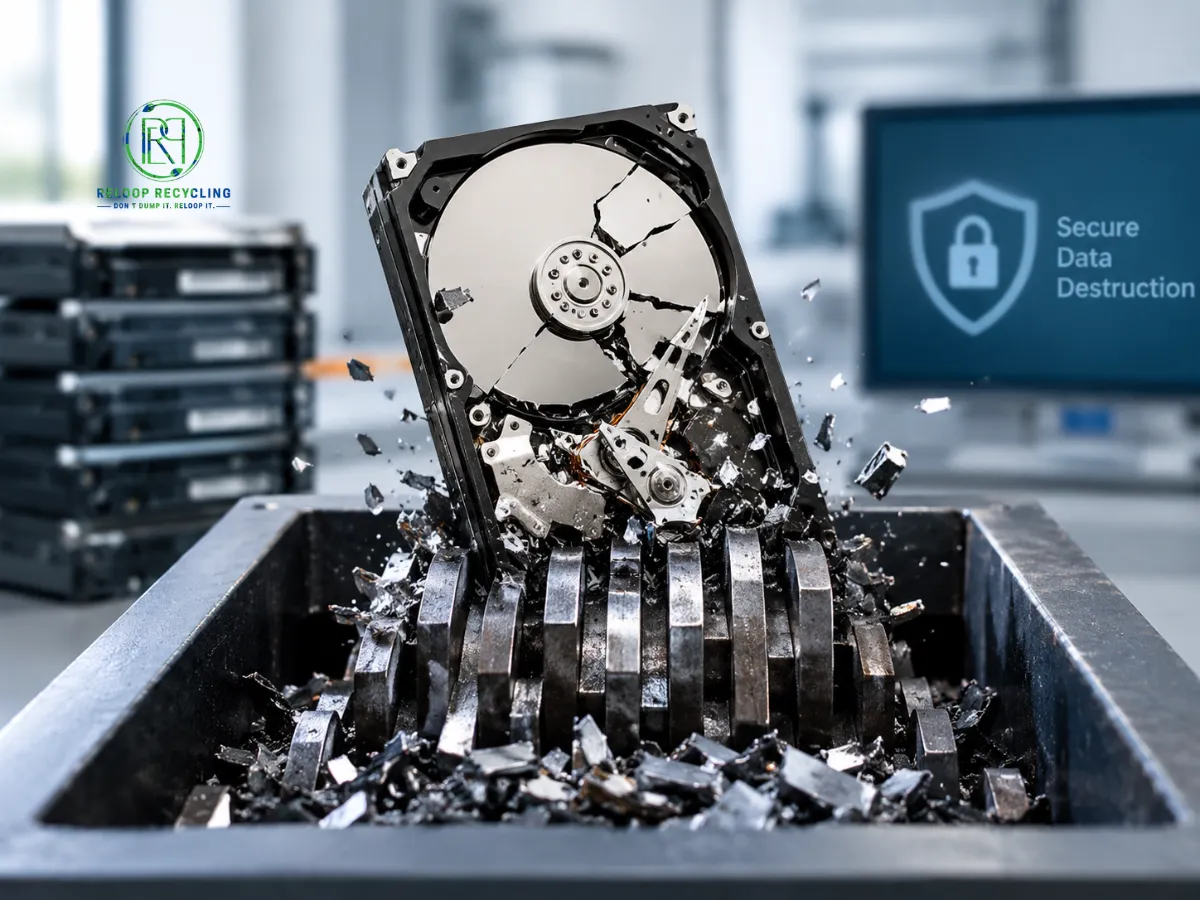
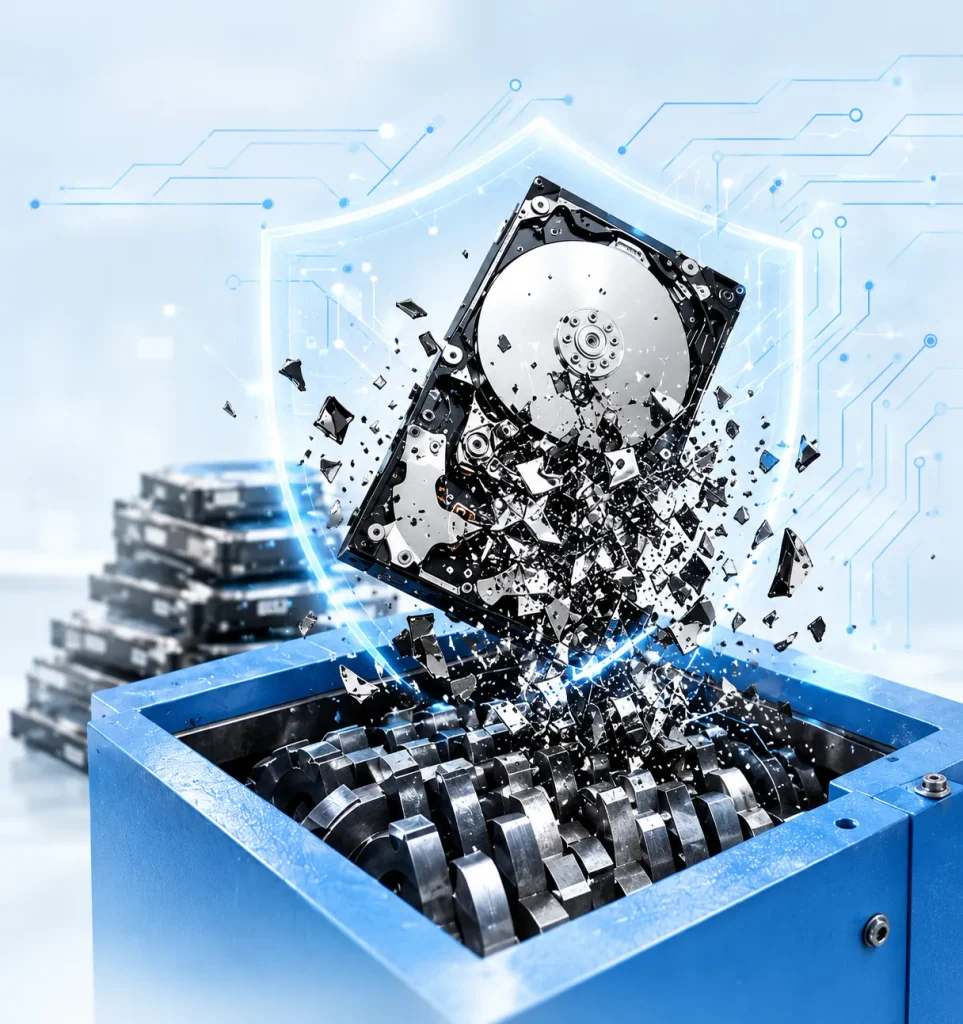
Industrial hard drive shredding is one of the most effective physical destruction methods for permanently retiring storage devices.
The process uses specialised industrial shredding equipment to break hard drives into small fragments. This destroys the internal platters, magnetic recording surfaces, circuit boards, and other components that hold or support stored information.
How it works:
- Hard drives are collected and inventoried.
- Devices are checked and prepared for processing.
- Drives are fed into specialised shredding equipment.
- The machine breaks the devices into small fragments.
- The resulting materials are separated for appropriate recycling.
Advantages:
- Makes conventional data recovery impractical when properly processed.
- Suitable for bulk quantities of obsolete drives.
- Destroys the physical storage components.
- Supports secure IT asset disposal.
- Allows materials to enter appropriate recycling streams after destruction.
Best suited for: Businesses, data centres, financial institutions, corporate offices, and organisations disposing of large quantities of obsolete storage devices.
Method 2: Physical Hard Drive Destruction
Physical destruction involves damaging the internal storage components so that the information cannot be accessed through normal operation.
Depending on the equipment and process, this may involve specialised crushing or other controlled mechanical destruction methods.
Traditional HDDs store data on magnetic platters. These platters must be damaged sufficiently to prevent meaningful data recovery.
Advantages:
- Prevents the drive from functioning normally.
- Can permanently damage data-bearing components.
- Suitable for devices that are no longer needed.
- Can be used as part of a controlled data destruction programme.
Important consideration: Simply bending a hard drive, breaking its outer casing, or damaging its connector does not necessarily destroy the information stored inside. The actual data-bearing components must be adequately destroyed.
Best suited for: Organisations requiring physical destruction of retired storage devices.
Method 3: Secure Data Wiping (Data Sanitisation)
Data wiping is a method of removing stored information using specialised software or device-supported sanitisation commands.
Unlike physical destruction, this process does not necessarily damage the storage device. Instead, it aims to make the previously stored information inaccessible.
Depending on the storage technology, sanitisation may use techniques such as:
- Overwriting data.
- Device-supported secure erase commands.
- Cryptographic erase.
- Other validated media sanitisation techniques.
Advantages:
- Allows suitable storage devices to be reused.
- Supports sustainable IT asset management.
- Can be documented and verified.
- Avoids unnecessary physical destruction of reusable hardware.
Limitations:
- The correct method depends on the storage technology.
- Some devices may contain inaccessible or remapped areas.
- A simple file deletion or quick format is not equivalent to secure sanitisation.
- Failed or damaged drives may not support reliable software-based sanitisation.
Best suited for: Organisations planning to reuse, resell, or redeploy eligible storage devices after verified data sanitisation.
Method 4: Degaussing (Magnetic Media Only)
Degaussing uses a powerful magnetic field to disrupt magnetic data stored on magnetic media.
Traditional hard disk drives use magnetic recording technology, making degaussing a possible sanitisation method when performed using equipment appropriate for the drive.
However, degaussing is not suitable for every type of storage device.
Advantages:
- Can render magnetic data unreadable when properly applied.
- Useful for certain magnetic storage media.
- Can be incorporated into specialised media sanitisation programmes.
Limitations:
- Does not work on SSDs or USB flash drives.
- May render an HDD unusable.
- Effectiveness depends on the equipment and media specifications.
- Requires appropriate procedures and verification.
Best suited for: Organisations handling compatible magnetic storage media with suitable degaussing equipment.
Comparison of Different Hard Drive Destruction Methods
Choosing the right method requires understanding what each process achieves.
| Destruction Method | Physical Device Condition | Suitable For |
|---|---|---|
| Industrial shredding | Broken into fragments | Permanent physical destruction |
| Mechanical destruction | Internal components physically damaged | Retired storage devices |
| Secure data wiping | Device remains physically intact | Reuse and redeployment |
| Cryptographic erase | Device remains physically intact | Compatible encrypted storage |
| Degaussing | Magnetic recording disrupted | Compatible magnetic media |
Which method should you choose?
- For permanently retiring sensitive HDDs and SSDs, use an appropriate physical destruction process.
- For reusable devices, use validated sanitisation methods.
- For magnetic storage media, consider properly specified degaussing where appropriate.
- For mixed storage devices, assess each technology separately rather than applying one method to everything.
The National Institute of Standards and Technology (NIST) provides guidance on media sanitisation in its publication SP 800-88, which helps organisations select appropriate methods based on information sensitivity and media characteristics.
HDD vs SSD: Why the Destruction Method Matters
Not all storage devices work in the same way. Traditional hard disk drives and solid-state drives use different technologies to store information. Therefore, the same destruction method cannot always be applied to both.
Hard Disk Drive (HDD)
An HDD stores information on rotating magnetic platters. A read/write head accesses information from these platters.
Physical shredding destroys the platters and other internal components, making the stored information impractical to recover.
Solid-State Drive (SSD)
An SSD stores information on electronic memory chips rather than magnetic platters. These chips can retain information even when the device is disconnected from power.
For this reason, SSD destruction requires methods designed specifically for flash-based storage. Industrial shredding, disintegration, or other appropriately validated destruction methods may be used.
Key differences
| Feature | HDD | SSD |
|---|---|---|
| Storage technology | Magnetic platters | Flash memory chips |
| Moving components | Yes | No |
| Degaussing | May be applicable for appropriate sanitisation | Not suitable |
| Physical shredding | Suitable with appropriate equipment | Suitable with appropriate equipment |
| Secure wiping | Supported methods vary | Device-specific sanitisation required |
Important: Degaussing should not be used for SSDs, USB flash drives, or other non-magnetic storage media. NIST’s updated media sanitisation guidance addresses the differences between storage technologies.
Common Mistakes to Avoid When Destroying Old Hard Drives
Many data security incidents happen because organisations assume that a device is safe once it has been deleted, damaged, or discarded.
Here are some common mistakes to avoid.
1. Deleting Files Instead of Sanitising the Drive
Deleting files usually removes references to the information rather than reliably removing the underlying data. Use an appropriate sanitisation process.
2. Performing a Quick Format
A quick format is not a substitute for validated media sanitisation. Data may remain recoverable.
3. Breaking Only the External Casing
Damaging the outer body of a hard drive does not guarantee that its internal platters have been destroyed.
4. Using a Magnet on Every Storage Device
A magnet-based approach is not suitable for SSDs and flash storage. Even for HDDs, the equipment must be appropriate for the media.
5. Throwing Old Drives into General Waste
Hard drives should not be mixed with ordinary waste. They require secure handling and appropriate electronic waste recycling.
6. Ignoring Data Destruction Records
Businesses should maintain records of which devices were sanitised or destroyed, when the work was completed, and how the devices were handled.
How Businesses Should Manage Old Hard Drives
For organisations handling dozens, hundreds, or thousands of storage devices, hard drive destruction should be part of a planned IT asset disposition (ITAD) process.
A structured approach helps protect information and maintain accountability.
Recommended business workflow
- Identify obsolete assets: Locate retired computers, laptops, servers, external drives, and backup devices.
- Classify the information: Determine whether the devices contain confidential, personal, financial, or business-critical information.
- Select the destruction method: Decide whether devices should undergo secure sanitisation for reuse or physical destruction.
- Maintain inventory records: Record device details, quantities, asset identifiers, and processing requirements.
- Arrange secure collection: Use controlled collection and transportation procedures.
- Complete destruction: Process devices using equipment suitable for their storage technology.
- Maintain documentation: Retain relevant destruction records and certificates where provided.
- Recover recyclable materials: Send the resulting materials to appropriate recycling and recovery channels.
This approach connects data security with responsible electronic waste management.
What Is a Certificate of Hard Drive Destruction?
A Certificate of Destruction is a document issued by a service provider to record that specified storage devices have undergone a destruction process.
For businesses, this documentation can support internal audits, asset management, and data security records.
Depending on the service provider and agreed scope, a certificate may include:
- Company or client details.
- Date of destruction.
- Type of storage devices processed.
- Quantity of devices destroyed.
- Asset identification or serial numbers, where recorded.
- Destruction method used.
- Service provider details.
- Authorised confirmation of completion.
A certificate should accurately describe the work performed. Businesses should confirm what documentation is included before engaging a destruction provider.
Environmental Responsibility After Hard Drive Destruction
Data security is only one part of responsible hard drive disposal. The materials remaining after destruction also need appropriate management.
Hard drives contain a combination of metals, electronic components, circuit boards, and other materials that may be suitable for recovery.
When these devices are processed through responsible recycling channels, useful materials can be recovered and returned to manufacturing supply chains.
What happens to destroyed hard drives?
| Material | Potential Recovery |
|---|---|
| Aluminium components | Metal recycling |
| Steel components | Metal recovery |
| Circuit boards | Specialised electronic recycling |
| Copper components | Metal recovery |
| Other electronic materials | Appropriate material processing |
Physical destruction and recycling should work together. Destroying the storage components protects information, while responsible material recovery reduces unnecessary disposal.
Organisations should ensure that destroyed drive fragments are transferred to suitable recycling facilities rather than general waste streams.
Why Choose Professional Hard Drive Destruction Services?
While basic data deletion tools may be suitable for certain devices intended for reuse, organisations with sensitive information often need a more controlled destruction process.
Professional hard drive destruction services can help businesses manage the complete process, from device collection and inventory to physical destruction and material recovery.
Key advantages include:
- Specialised equipment: Industrial machinery designed to process different storage devices.
- Bulk processing: Efficient handling of large quantities of obsolete hard drives.
- Secure handling: Controlled movement and management of storage devices.
- Documented processes: Relevant records of destruction and asset processing.
- Technology-specific solutions: Appropriate destruction methods for HDDs, SSDs, and other storage media.
- Responsible recycling: Recovery of materials following data destruction.
Hard Drive Destruction Services by Reloop Recycling
Reloop Recycling provides hard drive destruction and secure shredding solutions for businesses looking to dispose of obsolete storage devices responsibly.
Our services support organisations managing end-of-life IT equipment, including hard disk drives, solid-state drives, and other electronic storage media.
Through controlled handling, appropriate physical destruction methods, and responsible material recovery, Reloop helps businesses address data security concerns while supporting sustainable IT asset disposal.
Whether your organisation needs to process a small batch of retired drives or manage bulk storage device destruction, a structured service approach can help simplify the disposal process.
Don’t Dump It. Reloop It.
What is the safest way to destroy an old hard drive?
For devices that must never be reused, professional physical destruction using suitable industrial shredding or disintegration equipment is a strong option. The method should be appropriate for the storage technology and information sensitivity.
Is deleting files enough to destroy a hard drive?
No. Deleting files does not reliably remove all stored information. Organisations should use validated sanitisation methods or physical destruction, depending on their requirements.
Can data be recovered from a shredded hard drive?
Properly processed hard drives are broken into fragments that make conventional data recovery impractical. The effectiveness depends on the destruction equipment, particle size, and processing requirements.
Is shredding better than degaussing?
It depends on the storage media and the required outcome. Shredding physically destroys the device and can be used for HDDs and SSDs with appropriate equipment. Degaussing is limited to compatible magnetic media and should not be treated as a universal destruction method.
Can SSDs be destroyed using the same method as HDDs?
Both can undergo physical shredding, but the equipment and destruction specifications must be suitable for each device. SSDs contain flash memory chips rather than magnetic platters.
How can I arrange professional hard drive destruction services?
Businesses can contact Reloop Recycling with details about their storage devices, approximate quantities, location, and destruction requirements to discuss a suitable service solution.
Conclusion: Choose the Right Method to Destroy Old Hard Drives
Old hard drives should never be treated as ordinary electronic waste. They can contain sensitive information long after a computer has stopped working or files have been deleted.
Secure data sanitisation is useful when storage devices are intended for reuse, while physical destruction provides an appropriate solution for devices that must be permanently retired.
For businesses handling large quantities of obsolete IT equipment, professional hard drive destruction offers a structured way to address data security, asset management, and responsible recycling.
Choose the right destruction method, maintain proper records, and ensure that obsolete storage devices are handled responsibly.
Looking for secure hard drive destruction services? Contact Reloop Recycling to discuss your business requirements and arrange responsible storage device disposal.

Raju Lajwani
 Connect on LinkedIn