Businesses replace computers, servers, networking equipment, storage devices, and other technology all the time. But what happens to that equipment once it is no longer needed?
Simply throwing old devices away is rarely a good option. Retired IT equipment can still contain sensitive company data, have resale or reuse value, and may contain materials that require responsible handling. This is where IT Asset Disposition (ITAD) comes in.
ITAD is the process of managing IT equipment at the end of its useful business life. It covers everything from collecting and transporting retired devices to data destruction, refurbishment, resale, recycling, and final disposal. A well-managed ITAD program helps organizations recover value from old technology while reducing data-security, compliance, environmental, and operational risks.
Whether a company is replacing a few hundred laptops, closing an office, upgrading its data center, or managing technology across multiple locations, having a clear ITAD process can make the transition safer and more efficient.
What Does ITAD Mean?
IT Asset Disposition (ITAD) refers to the processes used to manage IT assets when an organization no longer needs them.
These assets can include:
- Laptops and desktop computers
- Servers and data center equipment
- Hard drives and SSDs
- Smartphones and tablets
- Networking equipment
- Printers and other office electronics
- Monitors and peripherals
- Storage systems and backup devices
ITAD does not simply mean getting rid of old electronics. It is a structured process that determines what should happen to each asset based on its condition, data sensitivity, remaining value, and environmental requirements.
Depending on the equipment, an asset may be reused internally, refurbished, resold, donated, remarketed, recycled, or securely destroyed.
The goal is to make sure every device reaches the right end-of-life destination while maintaining proper control over company data and documenting what happened to the asset.
Why Do Businesses Need ITAD?
Technology can hold value long after an organization stops using it. At the same time, retired devices can create significant risks if they are not handled properly.
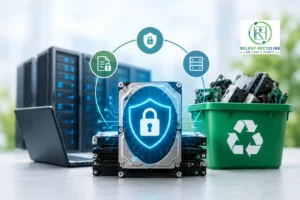
The biggest reason businesses need ITAD is data security. Deleting files or performing a basic factory reset does not necessarily remove data from a storage device. If an old laptop, server, or hard drive ends up in the wrong hands, sensitive business information could potentially be recovered.
A professional ITAD process addresses this risk through secure data sanitization or physical destruction, depending on the asset and the organization’s requirements.
There is also a financial benefit. Instead of treating every retired device as waste, businesses can identify equipment that still has resale or reuse value. Proper remarketing can help recover part of the original technology investment.
ITAD also helps businesses:
- Protect sensitive and confidential data
- Meet regulatory and contractual requirements
- Recover value from retired equipment
- Reduce unnecessary disposal costs
- Maintain accurate asset records
- Support sustainability and ESG objectives
- Reduce the amount of electronics sent to landfill
- Create a documented chain of custody for retired assets
For larger organizations, these benefits become even more important because IT equipment is often spread across offices, warehouses, data centers, remote employees, and multiple regions.
What Happens to IT Equipment at End of Life?
When an IT asset reaches the end of its useful life, it does not automatically mean the equipment is worthless.
A typical ITAD process starts with asset collection and transportation. Equipment is securely collected from offices, data centers, employees, or other locations and transported to an ITAD facility or approved processing site.
The assets are then inventoried and evaluated. Their condition, specifications, age, and potential resale value help determine the next step.
From there, equipment may follow several different paths:
Reuse
If a device is still suitable for business use, it may be redeployed internally after inspection and data sanitization.
Refurbishment
Devices that need minor repairs or upgrades can be refurbished and prepared for another user or market.
Resale and Remarketing
Working equipment with sufficient market value may be sold through established resale channels. This allows businesses to recover residual value instead of simply disposing of usable technology.
Donation
Some equipment may be suitable for donation to schools, nonprofits, or community organizations, depending on the organization’s policies and the condition of the devices.
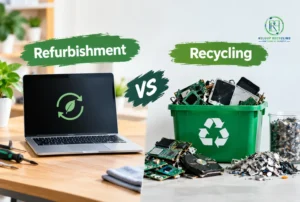
Recycling
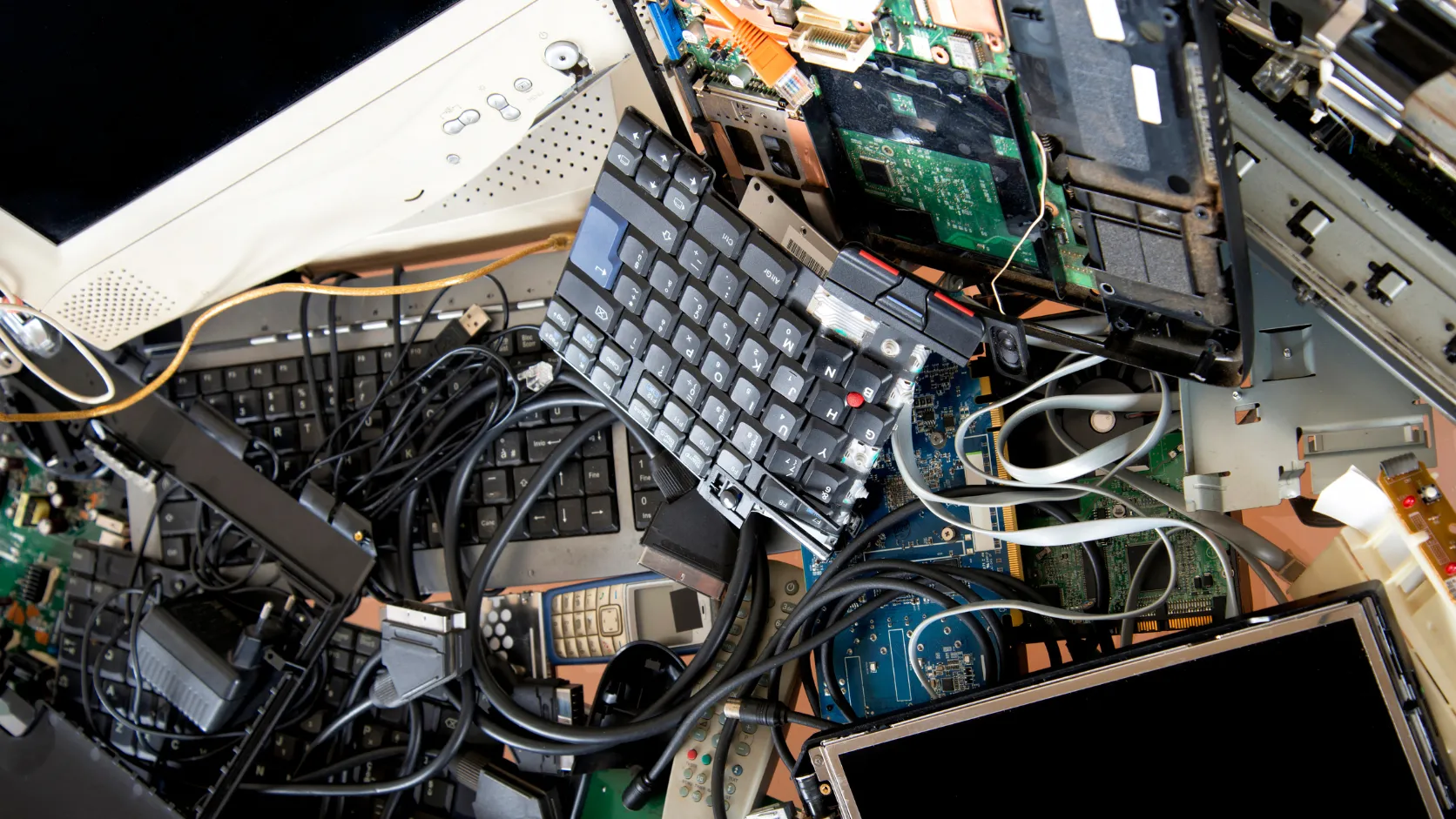
Equipment that no longer has practical resale value can be dismantled and processed for material recovery. Metals, plastics, glass, and other components can often be recovered through responsible electronics recycling.
Destruction
Certain assets may need to be physically destroyed, particularly when storage media contains highly sensitive information or cannot be reliably sanitized.
A good ITAD program does not treat every device the same way. It evaluates each asset and determines the most appropriate and secure disposition method.
ITAD vs. E-Waste Recycling: What’s the Difference?
ITAD and e-waste recycling are related, but they are not the same thing.
E-waste recycling primarily focuses on recovering materials from unwanted electronic equipment. The goal is to process electronics responsibly and keep valuable materials out of landfills.
ITAD is broader. It covers the entire lifecycle of an asset after an organization decides it is no longer needed. That can include transportation, inventory, data destruction, testing, refurbishment, resale, donation, recycling, and reporting.
For example, imagine a company retires 500 laptops. A recycling-focused process may send those laptops directly into an electronics recycling stream. An ITAD provider would first identify which laptops can be reused or resold, securely erase the data, document the assets, and send only the equipment that has no further useful life to recycling.
In other words, recycling can be one part of ITAD, but ITAD is not simply recycling.
ITAD vs. IT Asset Management (ITAM)
The terms ITAD and IT Asset Management (ITAM) are sometimes used interchangeably, but they address different stages of an asset’s lifecycle.
ITAM focuses on managing technology assets throughout their useful life. It can include purchasing, deployment, inventory management, licensing, maintenance, tracking, and eventual retirement.
ITAD focuses specifically on what happens when an IT asset reaches the end of its useful business life.
A simple way to look at it is:
ITAM manages the asset while it is part of the organization’s technology environment. ITAD manages the asset when it is leaving that environment.
The two processes work best together. Accurate ITAM records make it easier to identify which assets are ready for retirement, while a strong ITAD process ensures those assets are securely and properly removed from the organization’s inventory.
ITAD vs. Electronics Recycling
ITAD and electronics recycling also overlap, but they serve different purposes.
Electronics recycling is mainly concerned with the physical processing and material recovery of electronic products. Once equipment has no reasonable reuse or resale potential, recycling may be the appropriate next step.
ITAD takes a wider view. Before sending an asset to a recycler, an ITAD program considers whether that asset still has useful life or financial value.
For example, a five-year-old server may no longer meet a company’s performance requirements but could still have resale value in another market. Sending it directly to a recycler could mean losing that value.
An effective ITAD process therefore prioritizes the most appropriate disposition route—reuse first when practical, followed by refurbishment, resale or donation, and recycling or destruction when necessary.
What Does a Complete ITAD Program Look Like?
A complete ITAD program is more than arranging a pickup for old computers. It is a controlled process designed to protect data, track assets, recover value, and ensure responsible final disposition.
A typical ITAD program includes the following stages:
- Asset identification and planning – Determine which equipment is being retired and establish the requirements for the project.
- Secure collection and transportation – Collect assets from offices, employees, data centers, or other locations using appropriate handling and transportation procedures.
- Inventory and chain of custody – Record the assets and maintain documentation as equipment moves through the disposition process.
- Data sanitization or destruction – Remove sensitive information using an appropriate data-erasure or physical-destruction method.
- Testing and grading – Evaluate equipment to determine its condition and potential for reuse or resale.
- Refurbishment and remarketing – Repair, prepare, and sell assets that still have useful market value.
- Responsible recycling – Send equipment with no practical reuse or resale value to appropriate recycling channels.
- Reporting and documentation – Provide records showing what happened to each asset, including data destruction and final disposition documentation where applicable.
The best ITAD programs are built around security, accountability, value recovery, and responsible disposal rather than simply getting old equipment out of the building.
For businesses managing large volumes of technology, that distinction matters. A properly structured ITAD process can turn an otherwise complicated end-of-life problem into a controlled part of the overall IT asset lifecycle.
What Is IT Asset Disposition?
IT Asset Disposition (ITAD) is the process of managing IT equipment after an organization no longer needs it. It covers what happens to computers, servers, hard drives, networking equipment, mobile devices, and other technology when they are retired, replaced, or removed from service.
That sounds straightforward, but there is more to ITAD than simply getting old equipment out of the office.
A retired laptop, for example, may still contain sensitive company information. It may also have enough remaining value to be reused or resold. Sending it straight to a recycler without checking its condition, securing the data, or recording what happened to the device can create unnecessary security, financial, and compliance risks.
A proper IT asset disposition process gives organizations a controlled way to deal with those assets from the moment they are retired until their final disposition.
IT Asset Disposition in Practical Terms
Think of ITAD as the end-of-life management process for IT assets.
When an organization decides that a device is no longer needed, the asset does not necessarily go straight into the trash or recycling bin. Instead, it moves through a series of steps to determine the safest and most valuable outcome.
A typical ITAD lifecycle looks something like this:
Retirement → Collection → Inventory → Data Sanitization → Inspection → Reuse/Refurbishment/Remarketing → Recycling or Disposal → Reporting
The exact process can vary depending on the type of equipment, its condition, the sensitivity of the data it contains, and the organization’s requirements.
For some equipment, the best option may be internal reuse. Other devices may be refurbished and sold. Assets with little remaining value may go to an electronics recycler, while certain storage devices may need physical destruction because of the sensitivity of the information they contain.
The important point is that every asset should have a defined destination rather than being treated as generic electronic waste.
The Complete Lifecycle of Retired IT Equipment
IT asset disposition generally begins when a piece of technology reaches the end of its useful life within an organization.
This can happen for several reasons. The equipment may be too old, no longer supported, too slow for current workloads, damaged, or simply being replaced as part of a technology refresh. An office relocation or business closure can also result in a large number of assets being retired at once.
Once the equipment is identified for disposition, the process typically includes several stages.
1. Asset Collection
Retired equipment is collected from offices, employees, warehouses, data centers, or other locations. For larger projects, secure transportation and documented handling become particularly important.
2. Inventory and Identification
Each asset is identified and recorded. This can include information such as the serial number, asset tag, device type, model, condition, and original location.
Keeping an accurate record helps the organization know exactly what entered the ITAD process and what ultimately happened to it.
3. Data Security
Before equipment is reused, resold, or recycled, any sensitive information needs to be dealt with appropriately.
Depending on the device and the organization’s security requirements, this may involve certified data sanitization or physical destruction of the storage media.
Simply deleting files or performing a standard factory reset should not automatically be considered sufficient for every situation.
4. Inspection and Evaluation
The equipment is then assessed to determine its condition and remaining value.
A working laptop that is only a few years old may still have considerable resale or reuse value. A damaged server or obsolete storage device may have little value beyond its recyclable materials.
This evaluation helps determine the most appropriate disposition route.
5. Reuse, Refurbishment, or Remarketing
Assets that still have useful life can often be put back to work.
They may be redeployed internally, refurbished and upgraded, donated, or sold through established remarketing channels. This is one of the areas where a well-managed ITAD program can help businesses recover value from technology they no longer need.
6. Recycling and Responsible Disposal
Equipment that cannot reasonably be reused or sold can move into an appropriate electronics recycling stream.
Responsible recycling focuses on recovering usable materials and handling components properly rather than simply sending unwanted electronics to landfill.
Some assets may also require specialized disposal because of their components or condition.
7. Reporting and Documentation
The process should end with clear records.
Depending on the ITAD program, documentation may include asset inventories, data destruction records, certificates of recycling or destruction, resale information, and other disposition reports.
This creates an auditable record of what happened to retired equipment.
Why ITAD Is More Than Throwing Away Old Computers
One of the biggest misconceptions about IT asset disposition is that it is simply another name for getting rid of old electronics.
It isn’t.
A computer that an employee no longer needs can still contain company files, credentials, customer information, intellectual property, or other sensitive data. At the same time, the physical device may still have financial value.
Throwing that computer away ignores both issues.
A good ITAD process asks a series of practical questions:
- Does the equipment still have useful life?
- Can it be reused internally?
- Can it be refurbished?
- Does it have resale or remarketing value?
- Has all sensitive data been securely removed?
- Can its components be recycled?
- Does the equipment require a specific disposal method?
- Can the organization prove what happened to the asset?
That is the difference between disposal and IT asset disposition.
ITAD brings security, asset management, financial recovery, and environmental responsibility into one controlled process.
The Key Components of ITAD
A complete ITAD program typically combines several activities rather than relying on a single disposal method.
Asset Recovery
Asset recovery focuses on getting the most practical value from retired equipment. This may include recovering hardware for internal reuse, identifying resale opportunities, or recovering value from components.
Data Security
Data security is one of the most important parts of ITAD. Retired devices can still contain sensitive information, so data must be securely sanitized or the storage media physically destroyed when required.
Reuse
Not every retired asset is truly at the end of its useful life. Equipment that still meets performance and security requirements may be redeployed to another employee, department, or location.
Refurbishment
Refurbishment can extend the useful life of equipment that needs repairs, replacement components, cleaning, upgrades, or testing before it can be used again.
Remarketing
Equipment with remaining market value can be sold through appropriate secondary-market channels. This allows businesses to recover some value from assets that would otherwise sit unused.
Recycling
When an asset is no longer suitable for reuse or resale, recycling becomes the appropriate option. Responsible electronics recycling helps recover materials and reduces unnecessary waste.
Responsible Disposal
Some equipment or components cannot be reused or recycled economically and may require final disposal. Responsible ITAD ensures that this happens through appropriate channels and in accordance with applicable requirements.
These activities are not necessarily separate processes. They work together to determine the best outcome for each asset.
What Types of Equipment Go Through ITAD?
Almost any business technology that reaches the end of its useful life can become part of an ITAD program.
Common examples include:
- Desktop computers
- Laptops and notebooks
- Servers
- Hard disk drives (HDDs)
- Solid-state drives (SSDs)
- Smartphones and tablets
- Networking equipment
- Routers and switches
- Firewalls
- Storage arrays
- Backup systems
- Monitors and displays
- Printers and multifunction devices
- Point-of-sale equipment
- Telecom equipment
- Computer peripherals and accessories
The handling process can vary significantly between these asset types. A laptop may be suitable for refurbishment and resale, while a failed hard drive containing sensitive information may need secure destruction. A server may have resale value even though it is no longer suitable for the organization’s current environment.
That is why effective ITAD is based on asset-by-asset evaluation, not a one-size-fits-all disposal method.
The Bottom Line
At its core, IT Asset Disposition is a controlled process for managing IT equipment after an organization no longer needs it.
The objective is not simply to remove old technology. It is to make sure each asset is handled securely and responsibly while recovering as much useful value as possible.
Depending on the equipment, that may mean reuse, refurbishment, remarketing, recycling, or responsible disposal. Throughout the process, data security, asset tracking, and proper documentation remain critical.
When ITAD is done properly, an old computer is not just a piece of obsolete hardware. It is an asset that needs to be secured, evaluated, tracked, and given the most appropriate next destination.
Why Is IT Asset Disposition Important?
When a business replaces a laptop, upgrades its servers, or clears out an old office, the technology that is left behind can be easy to overlook. Once the equipment is no longer being used, it may seem like the problem is over.
In reality, that is often when some of the biggest risks begin.
Retired IT equipment can still contain sensitive data, have meaningful resale value, and create environmental or compliance concerns if it is handled incorrectly. A laptop sitting in a storage room, for example, may contain years of company information. A retired server may still be worth money on the secondary market. Even equipment that has no resale value can contain materials that should be recovered rather than sent directly to landfill.
This is why IT Asset Disposition (ITAD) is an important part of managing the IT lifecycle. A well-run ITAD program gives businesses a controlled way to secure, track, recover, reuse, recycle, or dispose of technology once it is no longer needed.
Data Security
Data security is one of the strongest reasons businesses need a proper ITAD process.
A retired computer does not automatically become a clean computer. Files may have been deleted, accounts may have been removed, and the device may have been reset, but that does not always mean the underlying data has been securely erased.
Depending on the device and how it was handled, information may still be recoverable from hard drives, SSDs, phones, servers, backup systems, and other storage media.
And the information stored on retired equipment can be highly sensitive. It may include:
- Customer names and contact information
- Employee and HR records
- Financial and accounting information
- Passwords, credentials, and access tokens
- Business documents and internal communications
- Contracts and proprietary information
- Intellectual property
- Operational and technical data
This is why data destruction or data sanitization should happen before equipment is reused, resold, recycled, or otherwise released from the organization’s control.
The right method depends on the asset and the sensitivity of the information. Some devices can be securely sanitized and prepared for another user, while storage media containing highly sensitive information may need physical destruction.
A strong ITAD process also provides documentation showing what was done. That accountability matters when an organization needs to demonstrate that retired equipment was handled properly.
Financial Recovery
Old IT equipment is not necessarily worthless.
Businesses often replace technology because it no longer meets their current requirements—not because the equipment has no value at all. A three- or four-year-old laptop may be too old for one company’s refresh policy but still perfectly usable elsewhere.
That creates an opportunity for IT asset recovery and remarketing.
Depending on age, condition, specifications, and market demand, businesses may be able to recover value from:
- Laptops
- Desktop computers
- Servers
- Routers and switches
- Networking equipment
- Storage systems
- Monitors and peripherals
- Processors, memory, drives, and other components
The actual return will vary from one asset to another. Some equipment may have strong resale demand, while older or damaged devices may have little market value. That is why professional ITAD programs typically evaluate equipment before deciding whether it should be reused, refurbished, remarketed, recycled, or disposed of.
For organizations retiring hundreds or thousands of devices, even modest recovery on individual assets can add up.
Instead of treating every retired device as a disposal expense, businesses can look at the technology as an asset with a remaining residual value.
Risk Reduction
ITAD also helps businesses reduce the risks associated with losing control of retired equipment.
Without a defined disposition process, old devices can end up in storage rooms, employee homes, third-party warehouses, or informal recycling channels with little documentation. Over time, it becomes difficult to answer basic questions such as:
Where is the device? Who handled it? Was the data removed? Was it sold, recycled, or destroyed?
That lack of visibility can create unnecessary exposure.
A structured ITAD program establishes accountability from collection through final disposition. Assets can be identified, tracked, and documented as they move through the process.
This helps organizations:
- Reduce the chance of unauthorized access to stored data
- Lower exposure to potential data breaches
- Maintain better control over retired assets
- Prevent equipment from disappearing from inventory
- Reduce the risk of improper disposal
- Create a documented chain of custody
- Demonstrate that assets were handled according to company requirements
The goal is not to eliminate every possible risk. It is to make sure retired technology is managed deliberately rather than left to chance.
Environmental Responsibility
There is also an environmental side to responsible IT asset disposition.
Electronic equipment contains a mixture of materials, including metals, plastics, glass, and other components that can potentially be recovered. Sending usable equipment directly to recycling—or worse, treating it as general waste—can mean missing an opportunity to extend its useful life or recover valuable materials.
In many cases, the most environmentally responsible option is to keep equipment in use for as long as it remains practical and secure.
That might mean redeploying a device internally, refurbishing it for another user, donating it, or selling it into a secondary market. When equipment genuinely reaches the end of its useful life, responsible electronics recycling can recover materials and reduce unnecessary landfill disposal.
This creates a simple hierarchy:
Reuse what still works → refurbish where practical → remarket when there is value → recycle what cannot be reused → dispose of the remainder responsibly.
ITAD helps organizations follow that approach instead of sending every retired device down the same disposal path.
ITAD Protects More Than the Equipment
The value of IT asset disposition goes beyond getting rid of old hardware.
A properly managed ITAD program helps protect data, money, business operations, and the environment at the same time.
It gives businesses a way to answer four important questions whenever technology leaves their control:
- Was the data handled securely?
- Did we recover as much value as reasonably possible?
- Can we prove what happened to the asset?
- Was the equipment reused, recycled, or disposed of responsibly?
Those questions become increasingly important as organizations manage larger technology inventories, remote workforces, frequent hardware refreshes, and stricter expectations around data protection and sustainability.
Ultimately, ITAD turns the end of an IT asset’s useful life into a managed business process rather than an afterthought. Instead of simply throwing away equipment that the company no longer needs, businesses can secure the data, recover remaining value, reduce risk, and make a more responsible decision about what happens next.
4. IT Asset Disposition Lifecycle
A good IT asset disposition lifecycle is a controlled process from the moment equipment is identified for retirement to the point where its final outcome is documented.
That last part is important. ITAD is not finished when a truck leaves the loading dock. The organization should be able to account for the equipment, protect the data stored on it, determine whether the asset can be reused or sold, and document whether it was ultimately remarketed, recycled, or destroyed.
A typical ITAD lifecycle follows this path:
Identify → Collect → Transport → Inventory → Assess → Data Destruction → Test & Grade → Refurbish/Reuse → Remarketing → Recycle → Final Reporting
Not every asset will go through every stage in exactly the same way. A working laptop may be sanitized, refurbished, and resold, while a failed hard drive may go directly from secure receiving to physical destruction. The point of the process is to determine the right outcome for each asset while maintaining control throughout.
4.1 Asset Identification
The ITAD process starts with knowing exactly what is being retired.
Before equipment is collected, businesses should identify the assets involved and gather enough information to distinguish one device from another. This becomes especially important during large technology refreshes, office closures, and data center decommissioning projects, where hundreds or thousands of assets may be moving at once.
Common information captured during asset identification includes:
- Asset tag or internal asset ID
- Serial number
- Manufacturer and model
- Equipment type
- Ownership information
- Location or department
- Basic configuration details
- Existing inventory information
For example, “50 laptops” is not a particularly useful asset record. A proper inventory should show which 50 laptops they are, where they came from, and what happened to each one.
Good identification also helps reconcile the ITAD project with the organization’s existing IT asset management records. If equipment is missing from the inventory before disposition even begins, the business can investigate the discrepancy instead of discovering it months later.
4.2 Collection
Once the assets have been identified, they need to be collected in a controlled manner.
The collection process can look very different depending on the project. A small office may only have a few dozen devices, while a large enterprise could be retiring equipment from hundreds of locations.
Common ITAD collection projects include:
- Office equipment collection
- Data center decommissioning
- Warehouse consolidation
- Employee device returns
- Large-scale IT refresh projects
- Office closures and relocations
- Business mergers and acquisitions
During collection, equipment should be handled carefully and kept accounted for. Accessories, cables, docking stations, storage media, and other components should also be identified where they are part of the disposition project.
For employee devices, a clear return process is particularly important. Laptops and phones can disappear from inventory surprisingly easily when employees work remotely or leave the organization. ITAD gives businesses a structured way to make sure those assets are returned and accounted for.
For larger projects, collection may also involve equipment removal, packing, palletization, and coordination with site contacts before anything leaves the premises.
4.3 Secure Transportation
Once equipment leaves its original location, maintaining control becomes just as important as the initial collection.
Secure transportation is designed to reduce the risk of loss, theft, damage, or unauthorized access while assets are being moved to an ITAD facility or other approved destination.
Depending on the type and scale of the project, this can include:
- Appropriate packaging and protective materials
- Palletization and secure loading
- Documented chain of custody
- Controlled transportation
- Shipment tracking
- Delivery confirmation
- Exception reporting
Packaging matters more than it may seem. Damaged equipment can lose resale value, and poorly packed storage devices can become difficult to test or recover.
Chain-of-custody documentation also provides a record of who handled the equipment and when. For organizations dealing with sensitive information, that visibility can be just as important as the physical security of the shipment itself.
The objective is straightforward: assets should remain accounted for from the point of collection until they are received and processed.
4.4 Receiving and Inventory
When the equipment arrives at the ITAD facility, the next step is to verify what was actually received.
The incoming shipment is checked against the collection records and the original asset list. Serial numbers and asset tags can be scanned or captured, allowing the ITAD provider or internal team to reconcile the physical equipment with the organization’s records.
The receiving process may include:
- Asset verification
- Serial number capture
- Asset tag verification
- Quantity reconciliation
- Initial condition assessment
- Identification of missing or unexpected items
- Updating inventory records
This is where discrepancies often become visible.
If the shipping manifest says 500 laptops were sent but only 497 are received, that difference should be investigated rather than ignored. Likewise, if a serial number does not match the original inventory, the record should be corrected and documented.
A reliable ITAD process creates a clear connection between what the business retired, what was collected, what was received, and what eventually happened to each asset.
4.5 Data Destruction
For many organizations, data destruction is the most critical stage of the ITAD lifecycle.
Retired IT equipment can contain sensitive information long after it has been removed from active use. That is why data handling should happen before equipment is resold, reused, recycled, or released from the organization’s control.
The appropriate method depends on the device, storage technology, and security requirements.
Logical Data Sanitization
Logical sanitization uses software-based methods to remove data from storage media so that the information cannot be reasonably recovered using normal means.
This approach can be suitable for devices that will be reused or resold, provided the storage technology and applicable requirements support the method being used.
Cryptographic Erasure
For appropriately encrypted devices, cryptographic erasure can be an effective way to render stored information inaccessible by securely destroying or invalidating the encryption keys.
It is particularly relevant to modern storage environments where encryption is already part of the security architecture.
Physical Destruction
Some storage media should be physically destroyed rather than sanitized. This can include drives that are damaged, cannot be reliably sanitized, or contain information subject to particularly strict security requirements.
Physical destruction may involve processes such as shredding or other approved destruction methods.
Verification and Documentation
Whatever method is used, the organization should have a way to verify that the required data destruction process was completed.
Depending on the ITAD program, documentation may include:
- Data sanitization records
- Device-level destruction records
- Serial numbers of processed storage media
- Certificates of destruction
- Processing dates
- Destruction method
- Exceptions or failed sanitization attempts
The important thing is that data destruction should not be treated as a verbal assurance. There should be a documented record connecting the storage device to the destruction or sanitization event.
4.6 Testing and Grading
After data has been securely handled, equipment that may have a second life can be tested and graded.
This stage determines whether a device is suitable for reuse, refurbishment, resale, parts recovery, or recycling.
Testing may include:
- Power-on testing
- Hardware diagnostics
- CPU and memory checks
- Storage health checks
- Display testing
- Battery assessment
- Port and connectivity testing
- Network functionality
- Peripheral testing
The physical condition is also assessed.
A laptop that works perfectly but has noticeable scratches should not necessarily be treated the same as a device that looks new. Cosmetic grading provides buyers and internal users with a clearer understanding of what they are receiving.
Testing can also identify repair requirements. A device may need a replacement battery, additional memory, a new drive, a keyboard replacement, cleaning, or another minor repair before it is ready for its next use.
4.7 Reuse and Refurbishment
Not every retired IT asset needs to be sold or recycled.
In many cases, the best outcome is simply to keep the equipment in use.
A business may be able to redeploy suitable laptops to another department, provide equipment to new employees, or use older systems for less demanding workloads. Extending the useful life of existing hardware can reduce the need to purchase replacement equipment.
When a device needs some work before it can be reused, refurbishment may be appropriate.
Refurbishment can include:
- Repairing damaged components
- Replacing batteries
- Replacing storage drives
- Adding or replacing memory
- Cleaning equipment
- Replacing keyboards, screens, or other parts
- Reinstalling or reconfiguring software
- Updating firmware
- Resetting devices for their next user
The goal is not necessarily to make every old device look brand new. It is to return suitable equipment to a reliable, usable condition where doing so makes financial and operational sense.
4.8 Remarketing
Once equipment has been tested, graded, and prepared, assets with remaining market value can be moved into remarketing.
Remarketing is where businesses can recover some of the residual value of retired technology rather than treating it entirely as a disposal cost.
Depending on the equipment, sales may involve:
- Direct resale
- Wholesale buyers
- Secondary-market channels
- Authorized resale networks
- Bulk buyers
- Parts recovery
The best sales channel depends on the type, quantity, condition, age, and market demand for the equipment.
For example, a batch of relatively recent business laptops may have a healthy secondary-market demand. Older networking equipment may be more valuable to a specialist buyer. Equipment that is too old or damaged for resale may be better suited for parts recovery or recycling.
Some ITAD arrangements also use revenue-sharing models, where the proceeds from eligible assets are shared between the business and the ITAD provider according to agreed terms.
Good remarketing is not simply about selling equipment as quickly as possible. It is about finding an appropriate market while maintaining data security, accurate asset records, and a clear financial trail.
4.9 Recycling
Eventually, some equipment reaches the point where reuse or resale no longer makes practical sense.
That is where responsible IT asset recycling comes in.
Recycling typically involves dismantling equipment and separating its different material streams. Depending on the type of electronics, this can include:
- Metal recovery
- Printed circuit board (PCB) processing
- Plastic recovery
- Glass recovery
- Separation of other recoverable materials
- Appropriate handling of batteries and other components
The objective is to recover as much useful material as practical while ensuring residual materials are handled responsibly.
Recycling should generally not be the first destination for equipment that still has meaningful reuse or resale potential. Extending the useful life of a working device can often provide more value than immediately breaking it down for materials.
At the same time, equipment that genuinely has no practical second life should not sit indefinitely in storage. A responsible recycling process provides a controlled final route for those assets.
4.10 Final Reporting
The ITAD lifecycle is not complete until the organization has the documentation it needs to close the project.
Final reporting brings the different pieces of the disposition process together and gives the business a record of what happened to its equipment.
Depending on the scope of the project, final reports may include:
- Asset disposition reports
- Serial number and asset-tag records
- Data destruction records
- Certificates of destruction
- Recycling certificates
- Resale and revenue reports
- Asset recovery summaries
- Environmental reporting
- Exceptions and reconciliation reports
A strong final report should make it possible to trace an asset from its original inventory through collection and processing to its final outcome.
For example, a business should be able to determine that a particular laptop was collected from a specific location, received by the ITAD facility, securely sanitized, tested, graded, sold, and included in the final disposition report.
That level of visibility is one of the biggest differences between a structured IT asset disposition program and simply getting rid of old equipment.
Putting the ITAD Lifecycle Together
The individual stages of ITAD are important, but the real value comes from how they work together.
A secure collection process means little if assets cannot be reconciled at receiving. Data destruction is less useful if there is no record showing which drives were processed. Remarketing creates financial value, but only if the equipment has been securely sanitized first. Recycling is responsible only when equipment that could have been reused has been properly evaluated beforehand.
A mature ITAD program connects all of these steps into one controlled workflow:
Identify → Collect → Securely Transport → Inventory → Assess → Destroy or Sanitize Data → Test and Grade → Reuse or Refurbish → Remarketing → Recycle → Report
The result is more than a cleaner storage room or a truckload of old computers being removed. It gives the business control over what happens to its technology after retirement—including its data, remaining financial value, environmental impact, and final disposition.
What Types of IT Equipment Can Go Through ITAD?
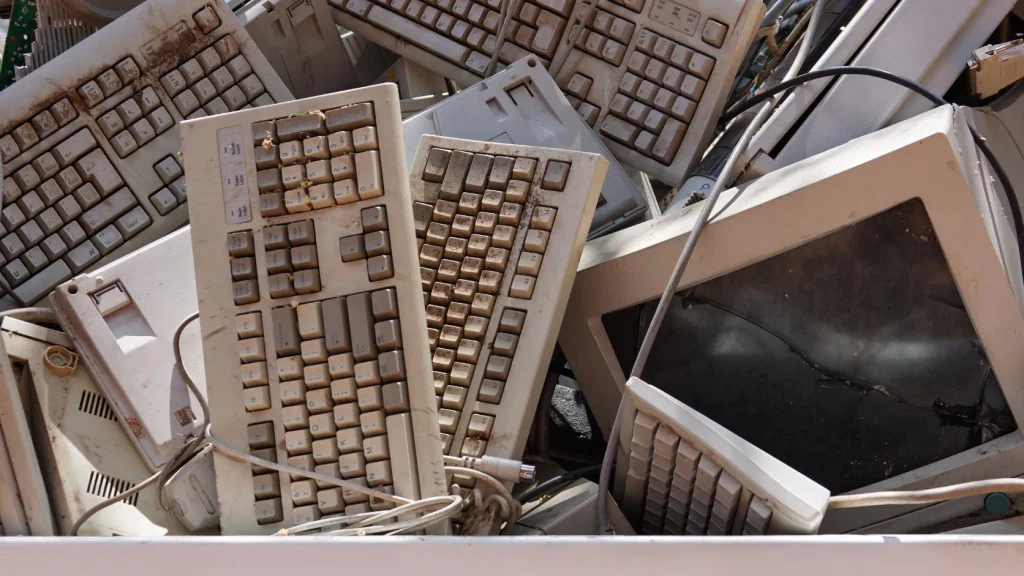
Almost any technology asset that reaches the end of its useful life can potentially go through an IT asset disposition (ITAD) process.
That includes the laptop sitting in an employee’s desk drawer, a rack full of servers being removed during a data center upgrade, or networking equipment that has been replaced during an infrastructure refresh.
The important thing is that ITAD is not limited to computers. A complete ITAD program can cover a wide range of hardware, from everyday end-user devices to specialized equipment used in data centers, telecommunications, retail, manufacturing, and other industries.
The disposition path will depend on the equipment’s condition, age, data sensitivity, market value, and whether it can be reused, refurbished, remarketed, recycled, or requires specialized disposal.
End-User Devices
End-user equipment makes up a large portion of many ITAD projects. These are the devices employees use every day and are often replaced as part of regular technology refresh cycles.
Laptops
Laptops are among the most commonly processed ITAD assets.
Businesses routinely retire laptops because of age, performance requirements, operating system changes, employee turnover, or hardware refresh programs. Before a laptop is resold, reused, or recycled, its storage should be securely sanitized or otherwise handled according to the organization’s data-security requirements.
Working laptops often retain significant residual value, making them good candidates for refurbishment and remarketing.
Desktop Computers
Desktop PCs can also be recovered, refurbished, redeployed, or sold when they are no longer required internally.
Older desktop systems may have limited resale value compared with newer laptops, but components such as memory, processors, storage drives, and other hardware may still have value depending on their age and condition.
Workstations
High-performance workstations used for engineering, design, video production, architecture, scientific applications, and other demanding workloads can be particularly valuable in the secondary market.
Even when an organization upgrades its workstations, the equipment may still be suitable for less demanding applications or another user. Testing and grading are especially important for these systems because their specifications can significantly affect resale value.
Tablets
Tablets are frequently included in mobile device refresh programs. Before they are reused or remarketed, they may need to be securely reset or sanitized, checked for account locks, tested, and graded for physical condition.
Battery health, screen condition, and cellular functionality can all influence the device’s remaining value.
Smartphones
Corporate smartphones can contain a surprising amount of sensitive information, including email, contacts, applications, authentication information, and business communications.
For that reason, mobile devices should go through a controlled return and data-clearing process before they are reassigned, sold, donated, or recycled.
Devices that are still in good condition may have strong secondary-market demand, while damaged or obsolete phones can be directed toward responsible electronics recycling.
Thin Clients
Thin clients and similar endpoint devices are commonly replaced when organizations change their desktop infrastructure or move toward newer computing models.
Although they tend to contain less local storage than conventional PCs, they should still be properly inventoried, evaluated, and handled according to the organization’s security and disposition requirements.
Data Center Equipment
Data centers can generate some of the largest and most complex ITAD projects. A single infrastructure refresh may involve hundreds of servers, storage devices, network components, racks, and other hardware.
Data center decommissioning also requires careful planning because equipment can contain large volumes of sensitive information.
Servers
Servers are frequently processed through ITAD when businesses upgrade their infrastructure, migrate workloads to newer platforms, consolidate facilities, or move applications to cloud environments.
Depending on age and specifications, retired servers may be:
- Redeployed internally
- Refurbished
- Resold
- Sold for parts
- Recycled
Data security is particularly important because servers may contain databases, application data, backups, credentials, and other sensitive information.
Storage Systems
Storage arrays, SAN and NAS systems, backup appliances, and other storage infrastructure can contain substantial amounts of business data.
These systems require careful asset tracking and data sanitization before they leave the organization’s control. In some cases, individual drives may need to be processed separately from the storage enclosure.
Hard Drives
Hard disk drives (HDDs) are one of the most important assets to handle correctly during ITAD.
A drive that looks obsolete can still contain recoverable information. Depending on the organization’s requirements and the intended disposition, drives may undergo secure data sanitization or physical destruction.
Tracking drive serial numbers can also be important when the business needs detailed records of data destruction.
SSDs
Solid-state drives require their own approach to data sanitization because they store information differently from traditional magnetic hard drives.
A simple file deletion is not enough to demonstrate that sensitive information has been securely removed. The appropriate sanitization method depends on the SSD technology, encryption status, device capabilities, and applicable security requirements.
SSDs can also retain resale value, so secure data handling should happen before they are remarketed or reused.
Rack Equipment
Data center ITAD can include racks, cabinets, rails, power distribution equipment, and other infrastructure components.
Some items may have reuse or resale value, while others are better suited for recycling. Large-scale removal also requires attention to safe handling, transportation, and site logistics.
UPS Systems
Uninterruptible power supply (UPS) systems can be included in an ITAD project, particularly during data center upgrades or facility closures.
UPS equipment may contain batteries and other components that require specialized handling. The appropriate disposition route depends on the equipment type, condition, battery configuration, and applicable environmental requirements.
Networking Equipment
Networking infrastructure is another common category within IT asset disposition.
As businesses upgrade their networks, replace legacy hardware, or consolidate infrastructure, large quantities of switches, routers, firewalls, and access points can reach retirement at the same time.
Switches
Network switches can often retain value after an organization upgrades its infrastructure.
Depending on the model and condition, retired switches may be resold, redeployed to less demanding environments, used for testing or training, or ultimately recycled.
Routers
Routers can also enter ITAD programs during network upgrades or technology standardization projects.
Configuration information should be handled appropriately before equipment leaves the organization’s control, particularly when devices may contain network credentials, configuration files, IP information, or other sensitive details.
Firewalls
Firewalls deserve particular attention because they are security appliances by design.
Before being reused or resold, organizations should make sure configurations, credentials, certificates, logs, and other potentially sensitive information have been properly removed or handled.
The device itself may still have substantial resale value even after it has been replaced within the original environment.
Access Points
Wireless access points are commonly retired during Wi-Fi infrastructure upgrades.
They can often be reused or resold if they remain supported and functional. As with other network equipment, configuration data should be appropriately cleared before disposition.
Network Appliances
This category can include load balancers, VPN appliances, network management hardware, controllers, and other specialized infrastructure devices.
Their resale potential can vary considerably depending on the manufacturer, model, software support status, and demand in the secondary market.
Office Electronics
Not every ITAD asset lives in a server room or sits on an employee’s desk. Office technology can also form a significant part of an organization’s disposition program.
Monitors
Computer monitors are commonly retired during workstation refreshes or office upgrades.
Working displays may be reused, donated, or remarketed. Older or damaged monitors can be processed through appropriate electronics recycling channels.
Printers
Printers and multifunction devices can contain stored documents, print histories, address books, user credentials, and other information depending on the model.
For this reason, networked printers should not simply be unplugged and sent to a recycler. Any internal storage or configuration information should be handled appropriately before disposition.
Scanners
Scanners can contain stored configurations and, depending on the model, internal storage. They can be reused or remarketed when functional, while obsolete equipment can be recycled responsibly.
VoIP Phones
Voice-over-IP (VoIP) phones are often retired when businesses change their communications platforms or replace their phone systems.
Before resale or redeployment, devices may need to be reset and removed from the organization’s provisioning or management systems.
Copiers
Modern copiers are effectively networked computers with printing and scanning capabilities. Some models contain internal hard drives or other storage that can retain information.
As a result, copiers and multifunction devices should be included in the organization’s ITAD and data-security planning rather than treated as ordinary office waste.
Peripherals
ITAD programs can also include keyboards, mice, docking stations, webcams, headsets, cables, adapters, external drives, and other peripherals.
Individually, many of these items have little resale value. In large volumes, however, they can still represent useful equipment for internal reuse, donation, parts recovery, or recycling.
Specialized Equipment
Some ITAD projects involve equipment that does not fit neatly into standard corporate IT categories. These assets may require additional technical knowledge, specialized testing, or specific handling procedures.
Telecom Equipment
Telecommunications infrastructure can include PBX systems, telecom servers, transmission equipment, network hardware, and other specialized devices.
Some equipment can be remarketed into secondary markets, particularly where older systems are still supported or used by organizations with specific infrastructure requirements.
POS Systems
Point-of-sale (POS) systems are common in retail, hospitality, restaurants, and other businesses.
A POS device may contain transaction data, customer information, configurations, credentials, and other sensitive information. Data security should therefore be considered before the equipment is reused, sold, or recycled.
Components such as terminals, receipt printers, scanners, payment peripherals, and displays may all be included in the disposition project.
Industrial Computers
Manufacturing facilities and industrial operations often use rugged computers, industrial PCs, control systems, and specialized computing hardware.
These assets can have a longer useful life than conventional office computers, and replacement does not necessarily mean the equipment has no remaining value.
Depending on the system, ITAD may involve testing, refurbishment, parts recovery, resale, or specialized recycling.
Medical IT Equipment
Healthcare organizations may have specialized computers, workstations, displays, networking devices, diagnostic computing equipment, and other technology that requires careful disposition.
Where applicable, medical IT equipment may involve additional requirements around patient information, device configuration, regulatory obligations, or specialized handling.
For that reason, healthcare ITAD should be planned around both data security and the specific requirements associated with the equipment.
Mining and ASIC Hardware
Cryptocurrency mining equipment and application-specific integrated circuit (ASIC) hardware can also enter specialized ITAD programs.
The value of this equipment can change quickly based on hardware efficiency, market conditions, operating costs, and the current generation of mining technology.
Some units may have resale value, while obsolete or damaged equipment may be better suited for component recovery or electronics recycling.
ITAD Covers More Than Computers
The main takeaway is that IT asset disposition is not limited to old PCs and laptops.
A comprehensive ITAD program can cover virtually every category of technology an organization owns—from employee devices and servers to network infrastructure, storage systems, office electronics, and highly specialized equipment.
The right disposition method depends on the asset.
A recent laptop may be securely sanitized and resold. A server may be refurbished and remarketed. A damaged hard drive may require physical destruction. An obsolete monitor may go directly to electronics recycling. A specialized telecom or industrial device may need technical testing before its value can be determined.
That is why effective ITAD starts with identifying and understanding the equipment, rather than treating everything as electronic waste.
When each asset is evaluated individually, businesses have a better opportunity to protect sensitive data, recover residual value, extend equipment life, and ensure responsible recycling or disposal when the technology truly reaches the end of its useful life.
ITAD vs. E-Waste Recycling
IT Asset Disposition (ITAD) and e-waste recycling are closely related, but they are not the same process.
The confusion is understandable. Both deal with technology that a business no longer wants or needs, and both can ultimately involve recycling. The difference is what happens before the equipment reaches the recycling stage.
ITAD takes a complete asset-level approach. It looks at the entire journey of retired technology—from collection and data security through testing, reuse, resale, recycling, and final reporting.
E-waste recycling is primarily focused on the physical processing and recovery of materials from electronic equipment.
Neither approach is inherently better than the other. They simply address different parts of the end-of-life process, and in a well-managed program, they often work together.
ITAD vs. E-Waste Recycling: Key Differences
| ITAD | E-Waste Recycling |
| Focuses on the complete lifecycle of retired IT assets | Primarily focuses on material recovery from unwanted electronics |
| Includes data destruction or data sanitization as a key part of the process | Usually does not manage data security as its primary function |
| Looks for opportunities for reuse, refurbishment, and remarketing | Primarily processes equipment that has reached the end of its useful life |
| Tracks individual assets and their disposition | Often focuses more on material streams and equipment categories |
| Can provide asset-level reporting and disposition records | Typically provides recycling documentation or certificates |
| Can recover financial value through resale and remarketing | Primarily recovers value from recyclable materials |
| May include collection, secure transportation, testing, resale, recycling, and disposal | Primarily focuses on dismantling, processing, and material recovery |
What Does ITAD Handle That Recycling Does Not?
The easiest way to understand the difference is to look at what happens to a retired laptop.
Suppose a company replaces 1,000 laptops as part of a technology refresh.
A recycling-only approach might focus on getting those devices into an appropriate electronics recycling stream. The equipment is processed, materials are separated, and recoverable metals, plastics, and other components are extracted.
An ITAD process starts by asking a different set of questions:
- Which laptops were actually retired?
- Where did each asset come from?
- Does each device match the company’s inventory records?
- Does it contain sensitive information?
- Has the data been securely sanitized?
- Which laptops are still functional?
- Which devices can be refurbished?
- Which ones have resale value?
- Which assets should be recycled?
- What happened to each individual device?
That broader view is what makes IT asset disposition different from simply sending electronics to a recycler.
ITAD Includes Data Security
One of the most important distinctions between ITAD and e-waste recycling is data security.
A retired laptop, server, smartphone, hard drive, or storage array can still contain sensitive information. Sending the equipment to an electronics recycler does not, by itself, address the organization’s responsibility to protect that information.
In an ITAD program, data security is built into the disposition process.
Depending on the asset and the organization’s requirements, data may be securely sanitized or the storage media may be physically destroyed. The process can then be documented through device-level records or certificates of destruction.
This is particularly important for businesses handling customer information, employee records, financial data, intellectual property, credentials, or other confidential information.
The key distinction is simple:
Recycling deals primarily with the physical equipment. ITAD also deals with the data and the business value attached to that equipment.
ITAD Looks for Reuse and Resale Opportunities
Another major difference is what happens to equipment that still works.
Not every retired device is actually at the end of its useful life.
A company may replace a three-year-old laptop because it has standardized on a newer model. That does not necessarily mean the laptop has no value. It may still be suitable for another employee, another department, a nonprofit organization, or a buyer in the secondary market.
An ITAD program can identify these opportunities through:
- Internal reuse
- Refurbishment
- Employee redeployment
- Donation
- Resale
- Wholesale remarketing
- Parts recovery
This approach can extend the useful life of equipment and potentially recover money for the organization.
By contrast, traditional e-waste recycling is generally focused on equipment that has already been determined to have little or no practical reuse or resale value.
ITAD Tracks Individual Assets
Asset-level tracking is another important difference.
With ITAD, a business may need to know exactly what happened to a particular device. For example:
Asset ID 104582 → collected from Chicago office → received at processing facility → data sanitized → tested → refurbished → sold
That level of traceability can be important for internal asset management, financial records, security requirements, and audits.
An electronics recycling operation may instead report the total weight or volume of materials processed, such as a certain number of tons of mixed electronics or a quantity of specific material streams.
Both types of reporting have value, but they answer different questions.
ITAD asks, “What happened to this asset?”
Recycling reporting often asks, “What happened to these materials?”
ITAD and Electronics Recycling Often Work Together
It is important not to think of ITAD and electronics recycling as competing processes.
In a well-designed ITAD program, electronics recycling is often one of the final stages of the asset disposition process.
Consider a batch of 500 retired desktop computers.
After collection and inventory, the equipment might be divided into several groups:
- 150 computers are suitable for internal reuse
- 200 are refurbished and remarketed
- 50 are recovered for parts
- 100 have reached the end of their useful life and are sent for responsible electronics recycling
In this example, recycling is an important part of the project—but it is not the entire project.
The ITAD process determines what should happen to each asset. Recycling handles the equipment that has reached the appropriate end-of-life stage.
This approach generally makes more sense than automatically sending everything to a recycler because it gives the organization an opportunity to protect data, recover value, extend equipment life, and recycle what genuinely needs to be recycled.
When Does a Business Need ITAD Instead of Basic Recycling?
The answer depends largely on what the organization needs to accomplish.
If a business simply has a collection of obsolete electronics with no sensitive data concerns and no meaningful resale value, an appropriate e-waste recycling service may be all that is required.
ITAD becomes more valuable when the organization needs to:
- Securely erase or destroy sensitive data
- Track individual assets
- Maintain a chain of custody
- Recover resale value
- Refurbish equipment
- Redeploy usable technology
- Manage large-scale equipment refreshes
- Decommission data centers
- Document final asset disposition
- Coordinate multiple disposition outcomes
For businesses with significant IT inventories, treating every retired device as generic e-waste can leave value on the table and create unnecessary security risks.
The Bottom Line
ITAD and e-waste recycling serve different purposes, but they work best together.
E-waste recycling provides an important end-of-life solution for electronics that can no longer be reused or economically remarketed. ITAD takes a broader approach, managing the asset from retirement through data destruction, evaluation, reuse, resale, recycling, and final reporting.
A useful way to remember the difference is:
ITAD manages the asset. Recycling manages the materials.
When the two processes are integrated properly, businesses can make better decisions about retired technology instead of treating every old device as waste. The result is stronger data security, better asset accountability, greater potential for value recovery, and more responsible handling of electronic equipment.
ITAD and Data Security
For most businesses, data security is one of the most important parts of IT Asset Disposition (ITAD).
When a computer, server, phone, or storage device is retired, the hardware may no longer be useful to the organization—but the information stored on it can still be valuable and sensitive. Customer records, employee information, financial documents, passwords, emails, intellectual property, and system credentials can all remain on equipment long after it has been removed from service.
That is why secure data destruction should be treated as a core part of the ITAD process, not something to deal with after the equipment has already left the building.
Why Deleting Files Is Not Enough
Deleting a file is not necessarily the same thing as securely removing it.
In many cases, when a user deletes a file, the operating system simply marks the space occupied by that file as available for reuse. The underlying data may remain on the storage device until it is overwritten or otherwise securely sanitized.
The same applies to simply emptying the recycle bin or formatting a drive. These actions can make information less visible to the user, but they should not automatically be treated as secure data destruction.
That distinction matters when a retired device is going to be sold, donated, reused, recycled, or otherwise released from the organization’s control.
A laptop that appears to be completely clean may still contain recoverable information. If the device reaches a third party without proper sanitization, the organization may lose control over data it was responsible for protecting.
A proper ITAD process therefore determines how the data should be removed before the asset moves to its next destination.
What Can Go Wrong With Improperly Retired Storage Devices?
Retired technology can create a security problem when organizations focus only on the hardware and overlook the information stored on it.
A forgotten hard drive in a recycling bin, an old SSD sold without proper sanitization, or a server removed from a data center can potentially expose information that should never have left the organization.
Depending on the environment, improperly retired equipment could contain:
- Customer and client information
- Employee and HR records
- Financial information
- Tax and accounting records
- Business contracts
- Internal correspondence
- Passwords and credentials
- Encryption keys
- Source code and intellectual property
- Database information
- Network configurations
- Backup data
The risk is not limited to traditional computers. Modern storage is found in everything from smartphones and network appliances to printers, surveillance systems, servers, and multifunction office equipment.
That is why a good ITAD program starts by identifying where data lives, rather than assuming it is only stored on a company’s laptops.
Hard Drives
Traditional hard disk drives (HDDs) are still widely used in servers, desktops, external storage, backup systems, and other equipment.
When an HDD is retired, the organization needs to determine whether it can be securely sanitized for reuse or whether physical destruction is more appropriate.
For assets that will be reused or resold, an appropriate software-based wiping process may be used where supported. Drives that cannot be reliably sanitized, are damaged, or are subject to stricter security requirements may instead be physically destroyed.
Tracking the drive’s serial number is also useful because it connects the physical storage device to the data destruction record.
SSDs
Solid-state drives (SSDs) require a somewhat different approach from traditional hard drives.
SSDs use flash memory and sophisticated storage management techniques, so simply overwriting visible files is not necessarily the right way to evaluate secure erasure in every situation.
The appropriate sanitization method depends on the drive, its firmware and capabilities, encryption status, and the organization’s security requirements.
This is one reason experienced ITAD providers do not treat every storage device as if it were identical. The method used for a traditional HDD may not be appropriate for every SSD.
NVMe Drives
NVMe drives are a type of high-speed solid-state storage commonly found in newer laptops, workstations, servers, and data center systems.
Like other SSD-based technologies, NVMe storage needs to be handled using a sanitization method appropriate to the device and its capabilities.
Because NVMe drives are increasingly common in modern business hardware, they should be explicitly included in an organization’s ITAD data-destruction procedures rather than being treated as an afterthought.
Where the technology supports secure erasure or cryptographic methods, those options may be considered. Where reliable sanitization cannot be established, physical destruction may be appropriate.
USB Storage and Removable Media
USB flash drives, external hard drives, memory cards, and other removable storage devices are easy to overlook because they are small and inexpensive.
That is exactly why they can create problems.
A USB drive can contain customer files, reports, backups, credentials, or other sensitive information just as a computer can. If removable media is included in an ITAD project, it should be inventoried and processed according to the same basic security principles as larger storage devices.
If the media is no longer required and cannot be reliably sanitized, physical destruction may be the appropriate route.
Mobile Devices
Smartphones and tablets are now effectively portable computers. They can contain email, messages, contacts, documents, authentication information, photographs, application data, and access to cloud services.
A proper mobile-device disposition process should account for more than simply performing a factory reset.
Depending on the organization’s environment, devices may need to be removed from mobile device management systems, user accounts, activation locks, and other management or ownership controls before they can be redeployed or remarketed.
Data sanitization should also be appropriate for the device and its storage technology.
For businesses managing hundreds or thousands of corporate phones, having a documented process is particularly important. A device that cannot be properly released from the organization’s management environment may have little practical resale value even if the hardware itself is in excellent condition.
Servers and Storage Arrays
Servers and enterprise storage systems can present a much larger data-security challenge than individual employee devices.
A single server may contain databases, application information, backups, credentials, logs, and other business-critical data. Storage arrays can contain even larger volumes of information distributed across multiple drives.
Data center decommissioning therefore needs to be planned carefully.
An ITAD process may involve:
- Identifying every storage device
- Recording drive serial numbers
- Determining the appropriate sanitization method
- Sanitizing or destroying storage media
- Verifying the process
- Maintaining chain-of-custody records
- Documenting exceptions
- Providing final destruction or sanitization records
The enclosure, server, or storage system may have resale value, but that value should never take priority over secure handling of the information stored inside it.
Data Sanitization Methods
There is no single data-destruction method that is appropriate for every IT asset.
The right approach depends on the type of storage, the sensitivity of the information, the intended disposition of the asset, and the organization’s security requirements.
Software-Based Erasure
Software-based data erasure uses specialized tools to remove information from storage media so that the device can potentially be reused or remarketed.
This can be an effective option for suitable devices when the process is compatible with the storage technology and can be properly verified.
For example, a working laptop that is going to be refurbished may be securely sanitized rather than physically destroyed. That
ITAD Compliance and Regulatory Considerations
Compliance is an important part of IT Asset Disposition (ITAD), but it is also one of the areas where a one-size-fits-all approach can cause problems.
There is no single global set of ITAD rules that applies to every business and every retired device. The requirements that apply to an organization can depend on where it operates, what industry it is in, what type of information it handles, and what happens to the equipment after it leaves the business.
For that reason, a good ITAD program should be built around the organization’s actual legal, contractual, security, and environmental obligations—not around a generic checklist.
The goal is to make sure retired equipment is handled in a way that protects data, maintains accountability, meets applicable environmental requirements, and provides the records needed to demonstrate what happened to the assets.
Data Protection Requirements
Data protection is usually one of the first compliance considerations when retiring IT equipment.
Computers, servers, smartphones, storage devices, printers, and other technology can contain personal information, financial records, business information, credentials, or other sensitive data. Organizations may have obligations concerning how that information is protected even after the equipment itself is no longer being used.
The specific requirements depend on the type of data and the laws, regulations, contracts, and internal policies that apply to the organization.
From an ITAD perspective, this means businesses should have a defined process for:
- Identifying assets that contain data
- Determining the appropriate sanitization or destruction method
- Controlling access to retired equipment
- Maintaining chain-of-custody records
- Verifying data sanitization or destruction
- Documenting the final disposition of the asset
The important point is that retiring the hardware does not automatically retire the organization’s responsibility for the data stored on it.
Businesses should also consider whether their contracts with customers, partners, or service providers impose additional requirements for handling or destroying information.
Electronics and E-Waste Regulations
When IT equipment cannot be reused or remarketed, it may enter an electronics recycling or e-waste stream.
That introduces a different set of considerations.
Electronic equipment can contain a mixture of recoverable materials as well as components that require controlled handling. The rules governing collection, storage, transportation, processing, and disposal can vary considerably by jurisdiction.
Businesses should therefore understand where their retired equipment is going and how the downstream recycler or processor will handle it.
For larger ITAD projects, this can involve asking questions such as:
- Is the downstream facility appropriately authorized for the work it performs?
- How is the equipment processed?
- What happens to materials that cannot be recovered?
- Are restricted or regulated components handled separately?
- What documentation is provided after processing?
The exact requirements will depend on the location and the type of equipment involved.
Environmental Requirements
Environmental considerations extend beyond simply recycling old computers.
Businesses may need to consider how equipment is stored, transported, dismantled, recycled, or ultimately disposed of. Certain components or materials may be subject to specific handling requirements depending on the jurisdiction.
A responsible ITAD program should therefore look at the entire downstream path, not just the first facility receiving the equipment.
This is particularly important when equipment crosses borders or passes through multiple vendors. The organization should have reasonable visibility into where the assets go and what happens to them after initial processing.
From a sustainability perspective, organizations can also prioritize reuse and refurbishment where practical. Extending the useful life of equipment can reduce the demand for new hardware and keep usable technology in circulation longer.
Transportation Requirements
The transportation stage of ITAD can also involve specific considerations.
Retired equipment may include batteries, storage devices, servers, UPS systems, or other hardware that requires particular handling during transport. Large projects may also involve significant quantities of equipment moving between multiple locations.
Businesses and their ITAD providers should understand the transportation requirements that apply to the equipment being moved and the locations involved.
Practical controls can include:
- Appropriate packaging
- Secure loading and handling
- Shipment tracking
- Documented chain of custody
- Authorized or qualified transportation providers where required
- Procedures for damaged or missing shipments
- Clear receiving documentation
Transportation should be treated as part of the security and compliance process rather than simply as a logistics step.
Record Keeping
Good records are one of the foundations of a defensible ITAD program.
If a business cannot demonstrate what happened to its retired equipment, it becomes difficult to answer basic questions about data security, asset accountability, resale, recycling, or final disposal.
The records maintained will vary depending on the organization’s needs, but may include:
- Original asset inventories
- Asset tags and serial numbers
- Collection records
- Chain-of-custody documentation
- Receiving records
- Data sanitization results
- Certificates of destruction
- Resale reports
- Recycling certificates
- Final disposition reports
- Environmental documentation
- Exceptions and reconciliation records
The objective is not to create paperwork for its own sake. Good records provide an audit trail showing what happened to the asset from retirement through final disposition.
Chain of Custody
Chain of custody is particularly important when retired equipment contains sensitive information.
It provides a documented history of who had control of the equipment as it moved from the organization’s location to the ITAD provider, processing facility, recycler, buyer, or other final destination.
A typical chain of custody might look like:
Business location → Collection team → Transportation → ITAD facility → Processing → Final disposition
The level of detail required will depend on the organization’s risk profile and applicable requirements.
For highly sensitive assets, organizations may want asset-level tracking, timestamps, signatures or electronic confirmations, serial-number records, and documented handoffs.
The purpose is simple: there should be no unexplained gap between the moment an asset leaves the organization’s control and its final disposition.
Downstream Vendor Management
One of the areas businesses sometimes overlook is what happens after the equipment reaches their primary ITAD provider.
An ITAD provider may use other organizations for specialized activities such as recycling, parts recovery, transportation, or final processing. That means a business may have a relationship with one provider while its equipment ultimately passes through several organizations.
This is why downstream vendor management matters.
Businesses should understand, as appropriate to their risk and contractual requirements:
- Who receives the equipment
- Where processing takes place
- What services each downstream vendor performs
- How data-bearing assets are handled
- What certifications or qualifications are relevant
- What documentation is returned
- How exceptions are handled
- Whether equipment can be exported or transferred to another jurisdiction
The exact level of due diligence will vary by organization. A small business disposing of a handful of obsolete monitors will have very different needs from a financial institution retiring thousands of storage devices.
Still, the basic principle remains the same: outsourcing ITAD does not necessarily mean outsourcing accountability
What Determines ITAD Compliance Requirements?
ITAD requirements can vary significantly from one organization to another.
Before creating an ITAD process, businesses should consider several factors.
Country
Different countries have different requirements covering data protection, electronic waste, environmental management, transportation, and cross-border movement of equipment.
An ITAD process that works in one country may need to be modified when assets are processed somewhere else.
State or Province
In countries with regional governments, additional requirements may apply at the state, provincial, or local level.
This can be particularly relevant for electronics recycling, environmental handling, transportation, and waste management.
Industry
The type of business also matters.
A company handling general office information may have different obligations from a healthcare organization, financial institution, government agency, telecommunications provider, or other highly regulated business.
Industry-specific requirements can also come from contracts and internal security policies, not just legislation.
Type of Data
Not all data carries the same level of risk.
An organization should consider whether retired equipment contains:
- Personal information
- Financial information
- Health-related information
- Payment information
- Authentication credentials
- Intellectual property
- Government or classified information
- Customer or contractual data
The sensitivity of the information can influence the appropriate sanitization, destruction, documentation, and access controls.
Type of Equipment
The hardware itself can affect the disposition requirements.
A laptop, smartphone, hard drive, SSD, server, printer, UPS system, and industrial computer can all present different security, environmental, or transportation considerations.
For example, storage media requires specific attention to data destruction, while equipment containing batteries or other regulated components may require additional handling.
Business Size
The scale of the organization also affects how an ITAD program should be designed.
A small business may only retire a few dozen devices each year. A large enterprise might process tens of thousands of assets across multiple offices and countries.
Larger programs typically require more sophisticated inventory management, reporting, chain-of-custody controls, vendor oversight, and reconciliation.
ITAD Compliance Is About More Than Following a Checklist
A strong ITAD compliance program should be practical and risk-based.
Rather than asking only, “What law applies to old computers?”, businesses should look at the complete disposition process:
What assets are being retired? → What data do they contain? → Where are they going? → Who handles them? → How is the data secured? → How are materials processed? → What records prove what happened?
That approach gives organizations a clearer picture of their actual exposure.
It also helps avoid a common mistake: assuming that a certificate from a vendor automatically means every compliance obligation has been satisfied. Documentation is useful, but it should support a broader process of asset control, due diligence, secure data handling, and appropriate downstream management.
Where requirements are unclear or the assets involve highly sensitive information, regulated industries, or cross-border movement, organizations should obtain advice from qualified legal, compliance, environmental, or information-security professionals who understand the relevant jurisdiction.
Country-Specific ITAD Requirements
Because ITAD requirements vary by jurisdiction, a comprehensive guide can go further by looking at specific regions individually.
Useful country and regional sections can include:
- ITAD Requirements in the United States — federal considerations alongside state-specific requirements
- ITAD Requirements in the UK — data protection, waste, and environmental considerations
- ITAD Requirements in the European Union — EU-level requirements alongside individual member-state considerations
- ITAD Requirements in India — applicable data protection, e-waste, environmental, and related requirements
These sections should be kept separate from the general ITAD framework because the details can change over time and may differ considerably between jurisdictions.
The safest approach is to treat this section as a compliance framework rather than legal advice: identify the applicable requirements, build them into the ITAD workflow, document what was done, and review the process whenever laws, contracts, technology, or business operations change.
9. Chain of Custody in ITAD
Chain of custody is one of the most important operational controls in IT Asset Disposition (ITAD). It is the documented history of what happened to an IT asset from the moment it leaves the customer’s control until its final disposition.
For an organization disposing of a few laptops, this may sound straightforward. For a large IT refresh involving hundreds or thousands of devices, it becomes much more important. Equipment may move between offices, transport vehicles, warehouses, processing facilities, data destruction areas, refurbishing operations, resellers, and recycling partners. Without proper tracking, it can become difficult to prove where an asset was, who handled it, what happened to the data on it, and where the asset ultimately went.
A well-managed ITAD chain of custody provides that visibility.
The ITAD Chain of Custody Process
A typical chain of custody follows the asset through several stages:
Customer → Pickup → Transportation → Receiving → Processing → Data Destruction → Resale/Recycling → Final Disposition
Each stage should create a record or confirmation that establishes what happened before the asset moved to the next stage.
The goal is simple: there should be no unexplained gap between the asset leaving the customer and its final disposition.
1. Asset Identification
The chain of custody starts before equipment is physically moved.
Each asset should be identified as accurately as possible using information such as:
- Asset tag or internal ID
- Manufacturer and model
- Serial number
- Equipment type
- Storage device details, where applicable
- Customer or business unit
- Pickup location
- Assigned user or department, where relevant
- Condition at collection
For data-bearing equipment, serial-number-level tracking is especially valuable. A record that simply says “500 laptops collected” provides much less accountability than a record showing the individual assets included in that shipment.
Good asset identification also helps prevent reconciliation problems later. If a device is missing, damaged, or processed differently from the original plan, there is a clear record to investigate.
2. Pickup and Shipment Records
Once equipment is collected, the handover should be documented.
Pickup records may include:
- Date and time of collection
- Pickup location
- Number of assets collected
- Asset or serial-number list
- Condition of equipment
- Packaging or pallet information
- Name or identification of the person releasing the equipment
- Name of the person or team accepting custody
- Transport or shipment reference
For larger projects, the asset list should be reconciled against the actual equipment being loaded. This is particularly important during office closures, data center decommissions, mergers, acquisitions, or large hardware refreshes.
The shipment record creates the first clear transition of responsibility: the customer has released the equipment, and the ITAD provider has accepted custody.
3. Custody Transfers During Transportation
Transportation is an important part of the ITAD chain of custody because equipment is outside the customer’s direct control.
A secure process should document who has custody of the assets during movement and when that custody changes.
Depending on the operation, records may include:
- Transport company or vehicle details
- Shipment number
- Pickup and delivery timestamps
- Driver or carrier information
- Number of packages, pallets, or containers
- Seal information where used
- Delivery confirmation
- Exceptions such as damaged, missing, or short-shipped equipment
The purpose is not to create unnecessary paperwork. It is to establish accountability.
If equipment leaves a customer facility with 200 serialized devices, the receiving facility should be able to confirm that the expected equipment arrived. If the count does not match, the discrepancy should be identified and investigated rather than disappearing into the process.
4. Receiving and Inventory Reconciliation
The chain of custody continues when the equipment reaches the ITAD facility.
At receiving, the shipment should be checked against the original pickup and shipment records. Assets can be scanned, serialized, counted, and entered into the ITAD tracking system.
The receiving process may document:
- Date and time received
- Shipment reference
- Asset serial numbers
- Asset tags
- Quantity received
- Condition
- Missing or damaged items
- Packaging condition
- Any discrepancies from the original shipment
This step is particularly important because it establishes that the equipment physically reached the intended processing location.
It also creates a reliable starting point for everything that happens afterward.
5. Processing Records
After receiving, equipment moves into processing. This may include testing, grading, repair, refurbishment, data sanitization, parts harvesting, resale preparation, or recycling.
Each asset should remain connected to its original identity throughout these activities.
For example, a laptop may move through the following sequence:
Received → Tested → Data Sanitized → Graded → Refurbished → Resold
A hard drive from the same project might follow a different path:
Received → Data Destroyed → Verified → Recycled
Both assets should remain traceable to the original customer and collection event.
Processing records help explain why assets followed different disposition paths. They also make it easier to reconcile inventory and produce accurate client reports.
6. Data Destruction Records
For data-bearing equipment, data destruction is one of the most important points in the chain of custody.
The record should establish what happened to the storage media and provide evidence that the required data sanitization or destruction process was completed.
Depending on the method used, records may include:
- Asset or serial number
- Storage device serial number
- Data destruction method
- Date of sanitization or destruction
- Processing status
- Verification result
- Technician or system identification
- Certificate of destruction, where applicable
The specific destruction method will depend on the type of storage technology, the sensitivity of the information, and the organization’s requirements.
A useful ITAD process should make it possible to answer a straightforward question months later:
“What happened to the data stored on this particular device?”
If the answer requires searching through several disconnected systems—or cannot be answered at all—the chain of custody is incomplete.
7. Resale, Recycling, and Final Disposition
After data destruction and processing, assets move toward their final disposition.
Reusable equipment may be refurbished and resold. Components may be harvested for parts. Equipment with little or no remaining market value may be sent for recycling or appropriate disposal.
The final records should show what happened to the asset, such as:
- Resold
- Reused
- Donated, where applicable
- Parts harvested
- Recycled
- Destroyed
- Disposed of through an approved downstream process
For resold equipment, records may include sales or transaction references, quantities, and revenue information where part of the ITAD agreement.
For recycled material, documentation may identify the recycling or downstream processing route and the applicable recycling records.
The important point is that the asset should not simply disappear from the tracking system after data destruction. Data security is one stage of ITAD; final disposition is another.
8. Final Disposition Records
The chain of custody is complete only when the final outcome of the asset is documented.
A final disposition record should connect the asset back to its original identity and show the outcome of the ITAD process.
For example:
Asset ID: IT-004821
Serial Number: XXXXXXXX
Collected: March 4
Received: March 5
Data Sanitized: March 6
Tested and Graded: March 7
Disposition: Resold
Final Status: Completed
The exact format will vary by ITAD provider and customer requirements, but the principle remains the same: there should be a clear, auditable trail from collection through final disposition.
Why Chain of Custody Matters in ITAD
Chain of custody serves two purposes that are closely connected: security and accountability.
Security
When retired equipment contains sensitive information, organizations need confidence that the equipment remains controlled throughout the disposition process.
A documented chain of custody helps reduce the risk of:
- Lost or stolen equipment
- Unauthorized access
- Untracked storage media
- Data exposure during transportation
- Missing assets
- Unverified data destruction
- Unapproved downstream processing
It also provides evidence that security procedures were actually followed rather than simply assumed.
Accountability
Chain of custody also answers the operational question: Who was responsible for the asset at each stage?
If an asset is collected by one team, transported by a carrier, received by an ITAD facility, processed by a technician, and then sent to a recycler or reseller, each transition should be identifiable.
This becomes especially valuable when something goes wrong.
If a shipment arrives short, a device is damaged, a serial number cannot be located, or a data destruction record is missing, the organization can trace the asset through the process and identify where the discrepancy occurred.
Without that history, investigation becomes much harder.
What Good ITAD Chain of Custody Looks Like
A strong chain of custody does not necessarily mean creating hundreds of pages of paperwork. It means maintaining accurate records at the points where responsibility, location, condition, or disposition changes.
At a minimum, an organization should be able to connect:
Asset Identification → Pickup → Shipment → Custody Transfer → Receiving → Processing → Data Destruction → Resale/Recycling → Final Disposition
The records should agree with one another. Asset counts should reconcile. Serial numbers should remain traceable. Exceptions should be documented and investigated.
That level of control gives an organization something more valuable than a basic disposal receipt: a defensible record of what happened to its IT assets from the moment they left its control until the process was completed.
For ITAD programs involving sensitive data, large asset volumes, regulated environments, or multiple downstream vendors, chain of custody should be treated as a core operational control—not an administrative afterthought.
ITAD Asset Tracking and Inventory Management
Asset tracking is one of the foundations of a well-managed IT Asset Disposition (ITAD) program. If an organization cannot identify its retired equipment, it becomes difficult to know what was collected, what happened to the data, which assets were resold, and what was ultimately recycled or disposed of.
That is why ITAD inventory management needs to go beyond a simple count of laptops, desktops, or servers.
Every asset should have a clear record that follows it through the disposition process. From the initial collection to data destruction, resale, recycling, or final disposition, the inventory record should tell the story of what happened to that specific piece of equipment.
What Information Should Be Captured for Each IT Asset?
The exact fields will depend on the organization and the type of equipment being processed, but a useful ITAD asset record will normally include several key data points.
1. Manufacturer
Record the manufacturer of the equipment, such as Dell, HP, Lenovo, Cisco, Apple, HPE, or another brand.
Manufacturer information helps with identification, resale analysis, warranty or support considerations, and reporting. It can also be useful when large volumes of similar equipment are being processed.
2. Model
The model number or model name provides more detail than the manufacturer alone.
For example, knowing that an asset is a Dell laptop is not enough to determine its potential resale value. The specific model, processor generation, memory, storage, configuration, and condition can make a significant difference.
Model information also helps ITAD teams group similar assets for testing, refurbishment, and remarketing.
3. Serial Number
The serial number is one of the most important identifiers in ITAD asset tracking.
It provides a unique reference for the physical device and allows the asset to be tracked throughout the disposition process.
For data-bearing equipment, the storage device serial number may also need to be recorded separately. This becomes particularly important when a system contains multiple hard drives or SSDs.
A reliable ITAD inventory should make it possible to answer:
“What happened to this specific device?”
The serial number is often what makes that possible.
4. Asset Tag
The organization’s internal asset tag should be retained whenever one is available.
An asset tag connects the ITAD record to the customer’s own asset management or CMDB system. This makes reconciliation easier and helps the organization match the ITAD provider’s records with its internal records.
For example, an ITAD report might contain both:
- Customer asset tag: LAP-01842
- Manufacturer serial number: ABC123456
Keeping both identifiers reduces confusion, particularly during large equipment refreshes.
5. Equipment Type
The inventory should identify what kind of equipment is being processed.
Typical categories include:
- Laptop
- Desktop
- Workstation
- Server
- Hard drive
- SSD
- Smartphone
- Tablet
- Network switch
- Router
- Firewall
- Storage system
- Monitor
- Printer
- UPS
- Peripheral equipment
Equipment type affects testing, data destruction requirements, resale potential, transportation, recycling, and final disposition.
6. Condition
The physical condition of the asset should be recorded during the ITAD process.
A basic condition classification might include:
- Excellent
- Good
- Fair
- Poor
- Damaged
- For parts
- Non-recoverable
Condition grading becomes particularly important when assets are being prepared for resale.
A device that powers on, has a clean exterior, and requires minimal work may have considerably more recovery value than an otherwise identical device with a damaged screen or motherboard fault.
7. Functional Status
Physical condition and functional status are not the same thing.
An asset may look good but fail during testing. Another device may have cosmetic damage but work perfectly.
Functional status can therefore include information such as:
- Fully functional
- Functional with minor issues
- Requires repair
- Non-functional
- Parts only
- Not tested
Testing results help determine what happens next. Equipment that passes testing may move directly toward refurbishment or resale, while failed equipment may require repair, parts harvesting, recycling, or another disposition route.
8. Data-Bearing Status
One of the most important inventory fields in ITAD is whether the equipment contains or may contain data.
The inventory should identify data-bearing equipment such as:
- Laptops
- Desktops
- Servers
- Hard drives
- SSDs
- Storage arrays
- Smartphones
- Tablets
- USB or removable storage
- Certain networking and specialized systems
This classification helps ensure that storage devices do not accidentally bypass the data destruction process.
It also creates a clear connection between asset tracking and information security.
9. Data Destruction Method
For data-bearing assets, the ITAD record should show what happened to the data.
Depending on the equipment and applicable requirements, the method may include:
- Software-based data sanitization
- Secure erasure
- Cryptographic erasure
- Physical destruction
- Another approved sanitization method
The record should ideally include the date of processing and the relevant verification or certificate information.
This is especially useful during audits or internal reviews because the organization can connect the data destruction event directly to the individual asset.
10. Resale Status
If an asset is suitable for reuse or remarketing, its resale status should be tracked.
Possible statuses include:
- Ready for resale
- Refurbishment in progress
- Listed for sale
- Sold
- Returned
- Pending disposition
- Not suitable for resale
For organizations focused on IT asset value recovery, this information can also be connected to resale proceeds, buyer or transaction references, and revenue-sharing arrangements where applicable.
11. Recycling Status
Not every asset has enough remaining value to justify resale.
Equipment that cannot be economically reused may move into recycling. The inventory should show whether the asset has been:
- Sent for recycling
- Received by the recycler
- Processed
- Awaiting downstream processing
- Completed
Where applicable, recycling documentation should be linked to the relevant assets or material streams.
This is important because an asset should not simply disappear from the inventory once it is determined to have little resale value.
12. Final Disposition
The final disposition field provides the end point of the asset’s lifecycle within the ITAD program.
Typical outcomes include:
- Reused
- Resold
- Refurbished and resold
- Donated
- Parts harvested
- Recycled
- Destroyed
- Responsibly disposed
The final disposition should be clear enough that someone reviewing the records later can understand what ultimately happened to the equipment.
13. Date Processed
Dates provide the timeline behind the asset record.
Depending on the ITAD workflow, organizations may track several dates rather than one:
- Date collected
- Date received
- Date tested
- Date data was destroyed or sanitized
- Date refurbished
- Date resold
- Date recycled
- Date of final disposition
These timestamps help establish chain of custody and make it easier to identify delays, exceptions, or missing records.
Why Detailed ITAD Inventory Matters
Good asset tracking does more than make an ITAD spreadsheet look complete. It connects the different parts of the disposition process.
Consider a company retiring 2,000 laptops.
At the beginning, the organization needs to know exactly which devices are being released. During transportation, it needs to know what was collected and received. During processing, it needs to know which devices contained data and whether that data was properly sanitized. After testing, it needs to know which assets can be resold and which should be recycled.
By the end of the project, management should be able to reconcile the original inventory with the final outcomes.
For example:
2,000 laptops collected → 2,000 received → 2,000 accounted for → 1,850 resold → 150 recycled
The exact numbers will vary, but the principle is important: every asset should have a documented outcome.
ITAD Inventory Should Follow the Asset, Not Just the Project
One common weakness in asset disposition programs is tracking equipment only at the project or shipment level.
A report might say:
“Shipment received: 500 laptops.”
That is useful, but it does not provide the same level of accountability as an asset-level inventory showing which 500 devices were received and what happened to each one.
Asset-level tracking allows an organization to connect:
Asset ID → Serial Number → Collection → Receiving → Testing → Data Destruction → Resale/Recycling → Final Disposition
That connection becomes especially important when equipment contains sensitive information or has meaningful resale value.
ITAD Asset Tracking and Reporting
A well-maintained ITAD inventory also makes final reporting much easier.
Instead of receiving a generic statement that equipment was “processed,” the organization can receive a detailed report showing what happened to its assets.
Depending on the ITAD program, reporting may include:
- Asset and serial-number details
- Quantity processed
- Condition and functional status
- Data-bearing status
- Data destruction results
- Resale quantities
- Resale values
- Recycling quantities
- Final disposition
- Processing dates
- Certificates and supporting documentation
This level of reporting provides a much clearer picture of the entire ITAD project.
The Bottom Line
Effective ITAD asset tracking is about maintaining control over the asset throughout its entire disposition lifecycle.
Manufacturer, model, serial number, asset tag, condition, functional status, data-bearing status, destruction method, resale or recycling status, and final disposition are not simply fields in a database. Together, they create an auditable record of what happened to each piece of equipment.
When asset tracking is done properly, an organization can look at a single device months after processing and still answer the important questions:
What was the asset? Where did it go? Was it carrying data? What happened to that data? Was the equipment reused, resold, recycled, or destroyed? And when was the process completed?
That level of visibility is what turns IT asset disposition from a basic equipment disposal exercise into a controlled and accountable ITAD program.
ITAD Recycling Process
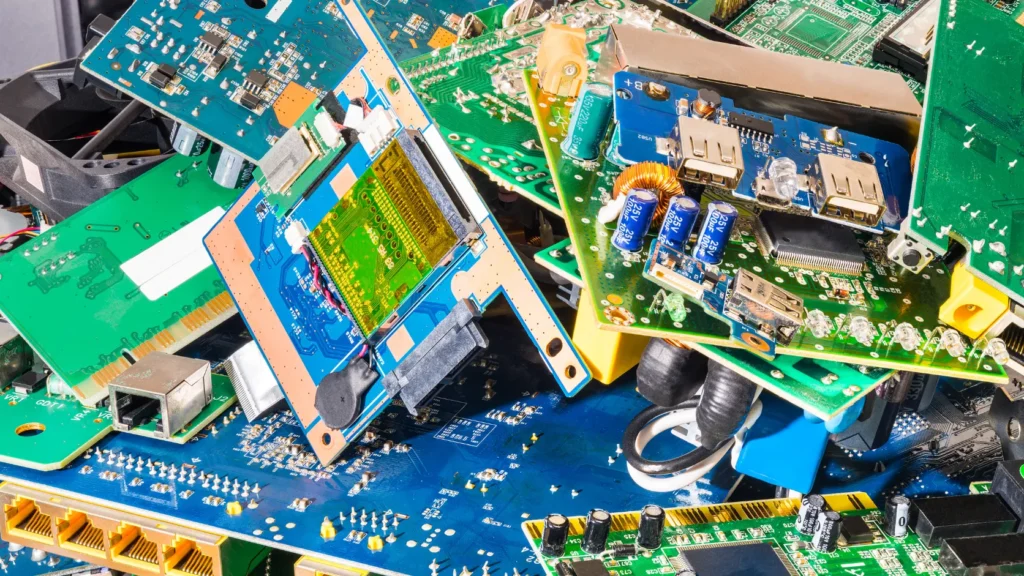
Not every IT asset has enough remaining value to be reused, refurbished, or resold. Some equipment is simply too old, damaged, obsolete, or expensive to process for resale. When that happens, the asset may move into the recycling stream.
But ITAD recycling is more than putting old computers into a recycling bin.
Electronic equipment contains a mixture of metals, plastics, circuit boards, batteries, and other materials that need to be separated and processed through appropriate downstream channels. The objective is to recover as much useful material as reasonably possible while keeping hazardous or non-recoverable components out of inappropriate waste streams.
Just as importantly, recycling is one part of IT Asset Disposition (ITAD), not the entire ITAD process.
A complete ITAD program can include collection, transportation, inventory, data destruction, testing, refurbishment, remarketing, parts recovery, recycling, and final disposition. Recycling comes into play when an asset no longer makes practical sense to reuse or sell, or when specific components need to be processed as material rather than as complete equipment.
When Does an IT Asset Move to Recycling?
The decision to recycle usually comes after evaluating the asset’s remaining value.
Equipment may enter the recycling stream when:
- It is too old for meaningful resale
- Repair costs exceed expected recovery value
- The device is physically damaged
- There is little or no secondary-market demand
- Parts have little remaining value
- The equipment cannot be economically refurbished
- The asset has reached the end of its practical service life
This decision should be based on more than age alone. An older device may still have a strong secondary-market value, while a newer but severely damaged device may be uneconomical to repair.
The goal is to recover the highest practical value before recycling becomes the appropriate option.
1. Device Dismantling
Once equipment is designated for recycling, it is typically dismantled so different materials and components can be separated.
A desktop computer, for example, may be broken down into its major components rather than processed as one mixed unit.
Depending on the equipment, dismantling may involve removing:
- Chassis and metal frames
- Power supplies
- Hard drives and SSDs
- Circuit boards
- Cables
- Fans
- Memory modules
- Batteries
- Plastics
- Aluminum components
- Other removable parts
The way equipment is dismantled depends on the type of device and the downstream recycling process.
Data-bearing equipment also requires appropriate data destruction before the storage media is released into the material recycling stream. A device being sent for recycling does not automatically mean the data stored on it has been securely dealt with.
2. Component Separation
After dismantling, components and materials are separated into appropriate processing streams.
This is where the difference between a complete electronic device and its individual material value becomes more apparent.
A single server might contain steel, aluminum, copper, circuit boards, plastics, wiring, power supplies, batteries, and storage devices. Separating these materials allows each stream to be handled according to its characteristics and recovery potential.
Some components may also be removed for parts recovery before the remaining equipment is recycled.
The objective is to avoid treating the entire asset as one undifferentiated waste stream.
3. Printed Circuit Board Recovery
Printed circuit boards (PCBs) are among the more valuable material streams found in electronic equipment.
PCBs contain a combination of materials, including copper and other metals, as well as smaller quantities of precious metals depending on the type of board.
During electronics recycling, circuit boards can be separated from other materials and sent through specialized processing channels where valuable materials can be recovered.
The actual recovery process varies depending on the type and grade of the board and the capabilities of the downstream processor.
For an ITAD program, the important consideration is that circuit boards should be directed to appropriate electronics recycling channels rather than being treated as ordinary mixed waste.
4. Aluminum Recovery
Aluminum is commonly found in IT equipment, including:
- Laptop and desktop housings
- Server components
- Heat sinks
- Frames
- Certain power and cooling components
Because aluminum has established recycling markets, separating it from other materials can provide meaningful recovery value.
It can then be processed and used as a raw material for manufacturing new products.
5. Copper Recovery
Copper is another important material recovered from retired electronics.
It can be found in:
- Power cables
- Internal wiring
- Connectors
- Motors
- Transformers
- Circuit boards
- Power supplies
Copper has significant material value, which makes proper separation worthwhile when processing volumes justify it.
Cable and wiring streams can be processed separately from other materials so the copper can be recovered more efficiently.
6. Steel Recovery
Steel is one of the most common materials in larger IT equipment.
Server racks, desktop chassis, equipment frames, power supplies, and other hardware may contain substantial amounts of steel.
After dismantling, steel can generally be separated and directed into appropriate metal recycling streams.
Although steel may not attract the same attention as precious metals or circuit boards, it represents a significant portion of the material recovered from many IT assets.
7. Plastics Recovery
Plastics are found throughout modern electronics, including:
- Laptop and desktop housings
- Monitor frames
- Keyboards
- Printers
- Cable components
- Internal structural parts
Where practical, plastics can be separated by type and directed toward appropriate recycling processes.
Not every plastic component will have the same recovery value. Some may be difficult to recycle because of contamination, mixed materials, additives, or limited market demand.
This is one reason responsible ITAD recycling focuses on realistic material recovery rather than claiming that every part of every device can be recycled.
8. Batteries and Other Special Components
Batteries require particular attention because they can present safety and environmental risks if handled incorrectly.
Depending on the equipment, IT assets may contain lithium-ion batteries, backup batteries, or other battery technologies.
Examples include batteries found in:
- Laptops
- Smartphones
- Tablets
- UPS systems
- Certain networking equipment
- Backup power systems
Batteries should be identified and handled through appropriate channels rather than mixed casually with general electronic scrap.
Other components may also require separate handling depending on the equipment and applicable requirements.
This can include certain lamps, refrigerants in specialized equipment, toner-related components, or other materials that require specific downstream processing.
9. Other Recoverable Materials
Beyond the major material categories, electronics can contain many smaller streams with recovery potential.
These may include:
- Gold and other precious metals
- Silver
- Palladium
- Nickel
- Brass
- Zinc
- Glass
- Cables
- Connectors
- Magnets
- Electronic components
- Mixed alloys
The amount and economic value of these materials varies significantly by equipment type.
A modern server, smartphone, printer, and desktop computer all have very different material compositions. Good recycling programs therefore use appropriate sorting and downstream processing rather than applying the same process to every type of IT equipment.
10. Residual Waste Management
Even after valuable materials have been recovered, there will usually be some residual material that cannot be economically recycled.
This is an important part of responsible ITAD recycling.
The goal is not to claim that every component can be recycled. Some materials have little market value, are too contaminated, are difficult to separate, or cannot be economically recovered using the available processing technology.
Residual material should therefore be handled through appropriate waste management channels rather than simply being treated as an afterthought.
A responsible ITAD program should also maintain visibility into where material goes after it leaves the primary processing facility, particularly when downstream recyclers or other processors are involved.
Data Destruction Still Matters During Recycling
One common misconception is that sending equipment to a recycler automatically solves the data security problem.
It does not.
A laptop, server, hard drive, SSD, or mobile device can still contain sensitive information when it enters the recycling process.
Data-bearing assets should therefore be identified and processed through an appropriate data destruction or sanitization procedure before the storage media is released into the recycling stream, unless the destruction process itself is designed and controlled to address the data securely.
This is another reason recycling should be viewed as one stage within ITAD rather than as a standalone solution.
Recycling vs. the Complete ITAD Process
The distinction is important.
ITAD manages the asset. Recycling manages the materials.
An ITAD program may begin with a retired laptop and determine that it can be reused internally. Another laptop may need refurbishment before resale. A damaged server might have valuable components that should be harvested. Only after those options have been considered might the remaining equipment move into material recycling.
A simplified lifecycle could look like this:
Collection → Inventory → Data Destruction → Testing → Reuse/Refurbishment → Remarketing → Parts Recovery → Recycling → Final Disposition
Not every asset will pass through every stage. The appropriate path depends on its condition, data status, market value, repair cost, material value, and other practical considerations.
Why Responsible ITAD Recycling Matters
Proper recycling helps recover useful materials, reduces unnecessary disposal, and keeps electronic equipment moving through established recovery channels.
But the bigger benefit comes from putting recycling in the right place within the overall ITAD strategy.
The objective should not be to recycle as much equipment as possible. It should be to maximize useful life and value first, then recover materials when continued reuse or resale is no longer practical.
That means a good ITAD program might reuse one asset, refurbish another, resell a third, recover parts from a fourth, and recycle the remaining material from a fifth.
Each outcome is appropriate for a different asset.
The Bottom Line
ITAD recycling is the material recovery stage of a much larger asset disposition process.
Once equipment can no longer reasonably be reused, refurbished, remarketed, or harvested for parts, recycling can recover materials such as aluminum, copper, steel, plastics, circuit boards, batteries, and other usable components.
The important thing is to maintain control throughout the process—from asset identification and data destruction through dismantling, material recovery, downstream processing, and final disposition.
Recycling is an important part of ITAD, but it is not the definition of ITAD. A well-run ITAD program looks at the entire lifecycle of the asset and chooses the highest-value, most secure, and most responsible outcome available.
Financial Recovery Through ITAD
Retired IT equipment is not necessarily worthless. In many cases, it still has resale, refurbishment, component, or material value. The challenge is figuring out where that value is, how much it is worth, and whether recovering it makes financial sense.
That is where IT Asset Disposition (ITAD) can make a real difference.
A good ITAD program looks at retired equipment as an asset to be evaluated, rather than simply something that needs to be removed. A laptop may be suitable for resale. A server may be worth more for its components. Older equipment may still generate material value through recycling. At the same time, proper disposition can eliminate storage and disposal costs that would otherwise continue to accumulate.
The goal is not to squeeze a resale value out of every device. It is to find the best practical financial outcome while maintaining data security and controlling the cost of disposition.
Where Financial Recovery Comes From
There are several ways an organization can recover value from retired IT equipment.
Resale Value
Resale is usually the most obvious source of ITAD revenue.
Equipment that is relatively current, functional, and in demand can be sold into secondary markets. Depending on the type and quantity of equipment, buyers may include refurbishers, wholesalers, brokers, distributors, businesses, or other secondary-market buyers.
Common resale categories include:
- Laptops
- Desktops and workstations
- Servers
- Networking equipment
- Storage systems
- Smartphones and tablets
- Monitors
- Specialized IT equipment
The important point is that resale value is determined by the specific asset, not simply by its category.
A three-year-old business laptop with a modern processor, good battery, sufficient memory, and minimal cosmetic wear may have a healthy resale value. Another laptop of the same age may be worth very little because of its configuration or condition.
For large IT refreshes, even modest value per device can become significant when hundreds or thousands of assets are involved.
Refurbishment Value
Some equipment can generate substantially more value after a small amount of repair or refurbishment.
A laptop with a worn battery, for example, may have limited appeal in its current condition. Replacing the battery, cleaning the device, testing it, and preparing it for resale can make it much more attractive to a secondary buyer.
Refurbishment may involve:
- Battery replacement
- Screen or keyboard replacement
- Memory or storage upgrades
- Minor hardware repairs
- Cleaning and cosmetic preparation
- Diagnostics and testing
- Firmware updates
- Software preparation
The economics need to be considered carefully.
If spending $50 on refurbishment increases the expected recovery by $150, the work may be worthwhile. If spending $150 only adds $100 of value, it probably is not.
This is why experienced ITAD programs evaluate recovery value against processing cost rather than automatically refurbishing everything.
Component Value
A complete device can have little resale value while its individual components are still useful.
Consider a server with a failed motherboard. Selling the server as a complete working system may not be realistic, but its processors, memory, power supplies, network cards, fans, or other components may still have demand.
The same principle applies to damaged laptops, desktops, storage systems, and networking equipment.
Component recovery can create value through:
- Direct parts resale
- Replacement components
- Spare inventory
- Supporting refurbishment of other equipment
- Specialized secondary markets
There is a cost to harvesting parts, however. Components have to be removed, tested, identified, stored, and eventually sold or used. A part is only financially valuable if there is enough demand to justify that work.
Commodity and Material Value
When an asset no longer makes sense to resell or recover for parts, it may still contain valuable materials.
IT equipment commonly contains:
- Copper
- Aluminum
- Steel
- Plastics
- Printed circuit boards
- Precious-metal-bearing components
- Other recoverable materials
The actual recovery value depends on the composition of the equipment, processing costs, commodity prices, and the capabilities of the recycling channel.
Material recovery will generally produce less value than selling a high-demand working device, but large volumes can make it financially meaningful.
Revenue Sharing
Some ITAD programs operate under a revenue-sharing model.
Under this arrangement, the ITAD provider sells eligible equipment and shares an agreed portion of the proceeds with the customer.
The commercial structure varies from one provider and contract to another. The agreement may account for costs such as:
- Collection
- Transportation
- Data destruction
- Testing
- Refurbishment
- Storage
- Sales and marketing
- Recycling
- Other processing expenses
For organizations disposing of significant quantities of valuable equipment, revenue sharing can turn ITAD from a pure disposal expense into a source of financial recovery.
The important thing is to understand how the provider calculates the amount that is actually shared. A high gross resale figure does not necessarily mean a high net return to the customer.
ITAD Can Also Reduce Costs
Financial recovery is only one side of the equation.
ITAD can also create value by eliminating costs associated with holding and disposing of obsolete equipment.
Reduced Storage Costs
Retired IT equipment takes up space.
A few unused laptops sitting in a locked room may not seem significant. Multiply that by several years of hardware refreshes, and organizations can end up with entire storage areas filled with obsolete technology.
That creates costs in the form of:
- Warehouse or office space
- Inventory management
- Handling
- Security
- Insurance
- Internal labor
- Risk of damage or loss
Equipment also loses value while sitting idle. Technology markets move quickly, so delaying disposition can turn a reasonably valuable asset into a low-value one.
Moving retired equipment through ITAD promptly can free up space while giving the organization a better chance of recovering remaining market value.
Reduced Disposal Costs
There are costs associated with getting rid of equipment responsibly.
Depending on the equipment and circumstances, an organization may incur expenses for collection, transportation, data destruction, recycling, processing, and final disposal.
Recovering resale or material value can offset some of those costs.
This changes the financial calculation from:
“How much will it cost to dispose of these assets?”
to:
“What is the net cost or recovery after the assets have been processed?”
That is a much more useful way to evaluate an ITAD program.
What Determines the Recovery Value of IT Equipment?
There is no fixed price for retired IT equipment. The same model can have very different values depending on when and how it enters the secondary market.
Several factors influence the final recovery.
Age
Age is one of the biggest drivers of IT asset depreciation.
Newer equipment generally has more remaining useful life and stronger demand. As equipment becomes older, buyers may become more concerned about performance, compatibility, operating system support, spare parts, and warranty availability.
That does not mean every old device has no value. Some older equipment remains useful in specific markets, particularly where buyers need affordable hardware or replacement parts.
Condition
Condition directly affects what a buyer is willing to pay.
A fully functional laptop with minimal cosmetic wear is obviously more attractive than one with a cracked screen, damaged casing, failing battery, or missing components.
Condition assessment should therefore cover both physical condition and functional condition.
A device that looks good but fails testing should not be graded the same way as a fully working unit.
Brand and Model
Brand matters, but the specific model usually matters more.
Certain business-class laptops, servers, storage systems, and networking products can maintain stronger secondary-market demand than comparable equipment from less sought-after product lines.
The exact model, generation, configuration, supportability, and availability of replacement parts can all influence the price.
Market Demand
Ultimately, equipment has value only if there is a buyer for it.
Market demand can vary by:
- Region
- Industry
- Buyer type
- Technology category
- Product generation
- Availability of competing equipment
Specialized equipment can sometimes perform surprisingly well in secondary markets because a relatively small group of buyers needs exactly that hardware.
On the other hand, equipment with little demand can be difficult to sell even when it is technically functional.
Specifications
Configuration can make a major difference in resale value.
For computers and servers, buyers may care about:
- Processor generation
- RAM
- Storage capacity
- Storage type
- GPU
- Network capability
- Expansion options
- Form factor
- Power configuration
Two machines with the same model number can therefore have noticeably different values.
Data Security Requirements
Data security also affects the economics of IT asset recovery.
Before data-bearing equipment can be resold, it may require secure sanitization, verification, documentation, and additional handling.
In some cases, physical destruction of storage media may be necessary rather than resale.
These activities have costs, and those costs need to be included when calculating the true recovery value.
A device might have a $300 theoretical resale price, but after data destruction, testing, refurbishment, transportation, sales expenses, and other processing costs, the actual financial recovery could be considerably lower.
Security should never be weakened simply to improve the resale return.
Quantity
Volume can have a significant impact on recovery.
A batch of 20 identical laptops may be easy to sell through a retail or specialized secondary-market channel. A batch of 5,000 may require a wholesale strategy.
Large volumes can reduce processing costs per unit, but they can also affect market pricing. Releasing too much identical equipment into a market at once can put downward pressure on the selling price.
The right strategy often depends on the balance between speed of recovery, selling price, processing cost, and market capacity.
Market Timing
Timing can make a substantial difference in ITAD recovery.
Technology values can change quickly. A device may have strong demand today and considerably less demand six months later after a newer generation enters the market.
This is especially important during large technology refreshes.
If an organization knows it will replace several thousand devices, ITAD planning should begin before the equipment reaches the storage room. Delaying the decision can mean paying to store equipment while its market value continues to decline.
Gross Resale Value Is Not the Same as Net Recovery
This distinction is often overlooked.
Suppose an organization generates $100,000 from the resale of retired equipment.
It would be a mistake to automatically treat that $100,000 as the amount recovered.
There may have been costs for:
- Collection
- Transportation
- Data destruction
- Testing
- Repairs
- Refurbishment
- Storage
- Packaging
- Sales
- Returns
- Recycling
- Administrative processing
If those costs total $30,000, the economic recovery is closer to $70,000.
This is why organizations evaluating ITAD providers should look at net recovery, not just the headline resale value.
A transparent ITAD program should make it clear how recovered revenue is calculated and which costs are deducted before the customer’s final return is determined.
A Practical Approach to ITAD Value Recovery
The best ITAD programs do not try to sell every asset.
Instead, they evaluate equipment and choose the most appropriate path:
Reuse → Refurbishment → Resale → Parts Recovery → Material Recovery → Responsible Disposal
One laptop may be redeployed internally. Another may need a battery replacement before it is sold. A damaged server may be more valuable as a source of components. An obsolete device with almost no market demand may go directly to recycling.
The right answer depends on the individual asset and the economics surrounding it.
The objective is to maximize net recovery, not simply the number of assets sold.
The Bottom Line
Financial recovery through ITAD comes from more than selling old computers.
Organizations can recover value through resale, refurbishment, component recovery, material recovery, and revenue-sharing arrangements, while also reducing storage, handling, and disposal costs.
The amount recovered depends on factors such as age, condition, brand and model, specifications, market demand, quantity, data security requirements, and market timing.
Most importantly, organizations should look at the complete financial picture.
A $500 resale price means little if it costs $450 to process and sell the asset. Likewise, an asset with a modest resale value may still be worthwhile when thousands of units are processed efficiently.
A strong ITAD program finds the best practical outcome for each asset, protects the data throughout the process, controls disposition costs, and captures as much of the equipment’s remaining value as the market will realistically support.
ITAD for Data Centers
Data center decommissioning is one of the more complex areas of IT Asset Disposition (ITAD). Unlike a small office equipment refresh, a data center project can involve hundreds or thousands of assets, large volumes of storage media, heavy rack equipment, strict security requirements, and carefully planned removal work.
A single project may include servers, storage arrays, switches, routers, firewalls, racks, power equipment, hard drives, SSDs, cables, and other infrastructure.
There is also very little room for guesswork. Equipment may contain sensitive business data, support critical systems, or have significant resale value. Removing it without a proper plan can create security issues, operational disruption, asset discrepancies, and unnecessary costs.
A well-managed data center ITAD project brings these activities under one controlled process:
Plan → Inventory → Decommission → Secure → Remove → Process → Recover Value → Report
The exact workflow will vary by facility, but the principle is the same: know what is being removed, control how it leaves the site, protect the data, and maintain a record of where every asset ultimately goes.
Why Data Center ITAD Requires Careful Planning
Planning should begin well before the first server is physically removed.
Data center projects can be driven by several situations:
- Data center migrations
- Facility closures
- Hardware refreshes
- Infrastructure consolidation
- Cloud migrations
- Capacity reductions
- Technology upgrades
- Mergers and acquisitions
- End-of-lease equipment returns
- Complete site decommissioning
Each situation creates different requirements.
A hardware refresh may involve replacing specific server generations while keeping the facility operational. A full data center closure can require the removal of almost everything inside the facility.
Planning should establish the project scope, equipment list, removal sequence, security requirements, logistics, staffing, access requirements, and final disposition strategy before equipment starts moving.
Poor planning often creates problems later—particularly when equipment is removed faster than it can be accurately inventoried and tracked.
Server Decommissioning
Servers are usually one of the largest components of a data center ITAD project.
Decommissioning may involve:
- Rack servers
- Blade servers
- Tower servers
- High-density compute systems
- Legacy systems
- Specialized appliances
Before removal, each server should be identified and reconciled against the organization’s asset records.
The decommissioning process may include confirming that the system is no longer required, disconnecting it according to the appropriate operational procedures, documenting its configuration, removing it from the rack, and preparing it for transportation or processing.
The equipment should then remain traceable through the ITAD process.
Servers can also contain multiple internal storage devices, which makes data destruction particularly important. A server should not simply be treated as a single asset when multiple hard drives or SSDs are installed inside it.
Storage Equipment and Data-Bearing Assets
Storage infrastructure deserves special attention because it can contain large amounts of sensitive information.
Data center ITAD projects may include:
- Storage arrays
- SAN equipment
- NAS systems
- Disk shelves
- Tape systems
- Hard drives
- SSDs
- NVMe drives
- Removable storage media
The storage media should be identified and handled according to the organization’s data destruction requirements.
Depending on the equipment and applicable security requirements, the appropriate method may involve secure sanitization, cryptographic erasure, physical destruction, or another approved process.
The important point is to maintain a connection between the storage device and its destruction or sanitization record.
For example, an ITAD report should be able to show which drives were removed from a particular server or storage array and what happened to those drives afterward.
Networking Equipment
Networking hardware is another major part of data center decommissioning.
This can include:
- Network switches
- Routers
- Firewalls
- Load balancers
- Network appliances
- Wireless controllers
- Other connectivity equipment
These devices may not contain storage in the same way a server does, but they can still contain sensitive configurations, credentials, network information, logs, or other data.
Before equipment is released for ITAD, the organization should ensure that appropriate decommissioning and data-clearing procedures have been completed.
From an asset recovery perspective, networking equipment can also have strong secondary-market value depending on the manufacturer, model, age, configuration, and market demand.
Rack Equipment and Infrastructure
A data center contains much more than servers and storage.
ITAD projects may also involve:
- Server racks
- Cabinets
- Patch panels
- Power distribution equipment
- UPS systems
- KVM equipment
- Rails
- Shelving
- Cable management systems
- Other rack-mounted hardware
Some of this equipment may have resale or reuse value. Other items may be better suited to material recovery.
The removal plan should account for the size, weight, access requirements, and handling needs of this equipment.
Heavy or awkward equipment can create unnecessary risk if removal is treated as a simple equipment pickup rather than a planned logistics operation.
Data Center Migrations
Data center migrations often create large volumes of retired equipment in a relatively short period.
During a migration, equipment may be:
- Decommissioned
- Disconnected
- Identified and inventoried
- Removed from racks
- Packed and staged
- Transported
- Received at the ITAD facility
- Tested and processed
- Sanitized or physically destroyed where required
- Resold, recycled, or otherwise dispositioned
The sequence matters.
ITAD activities need to work alongside the migration schedule without interfering with systems that are still operational.
For larger migrations, it is often useful to divide equipment into manageable batches rather than attempting to remove everything at once. This makes reconciliation easier and reduces the risk of mixing active and retired equipment.
Facility Closures
A complete data center closure is considerably broader than a normal hardware refresh.
The project may involve removing nearly every piece of IT equipment from the facility, including servers, storage, networking hardware, racks, power equipment, peripherals, and miscellaneous infrastructure.
There may also be strict deadlines associated with lease expiration, property handover, or facility shutdown.
In these situations, the ITAD provider needs to work from a clear site inventory and removal plan.
Every asset should have a defined outcome. Equipment should not simply be left behind because it was overlooked, and equipment should not be removed without being accounted for.
Hardware Refreshes
Hardware refreshes are more routine than full facility closures, but they can still involve substantial volumes.
For example, an organization may replace:
- 500 legacy servers
- 200 storage devices
- 300 network switches
- Several thousand hard drives or SSDs
The financial opportunity can be significant, particularly when the outgoing equipment still has secondary-market demand.
This is where early ITAD planning can make a difference. If equipment is properly identified, securely removed, tested, and processed while it still has market demand, the organization may recover considerably more value than if the hardware sits in storage for months.
Bulk Equipment Removal
Data centers often require bulk removal rather than individual equipment pickup.
That means logistics need to be planned around:
- Number of assets
- Equipment dimensions
- Weight
- Packaging
- Palletization
- Loading access
- Elevators or loading docks
- Security requirements
- Transportation capacity
- Site access restrictions
- Removal schedule
Equipment should be packed and secured appropriately for transportation.
For high-value or sensitive assets, chain of custody should begin when the equipment is released and continue through transportation and receiving.
The objective is to avoid the common situation where hundreds of assets leave a facility but the organization cannot easily reconcile what was actually removed.
The Importance of Asset Inventory
Inventory is the backbone of data center ITAD.
Before equipment is removed, organizations should establish what is actually being decommissioned.
Useful information may include:
- Asset tag
- Serial number
- Manufacturer
- Model
- Equipment type
- Rack location
- Data-bearing status
- Condition
- Ownership
- Planned disposition
The inventory should then be reconciled as equipment leaves the facility and again when it reaches the ITAD processing location.
For large projects, asset-level tracking is far more useful than a simple statement such as “12 racks of equipment removed.”
A detailed inventory allows the organization to determine exactly what happened to each server, drive, switch, and storage system.
Secure Logistics
Data center equipment can be high-value and highly sensitive, so transportation should be treated as part of the security process.
Secure logistics may involve:
- Controlled pickup procedures
- Appropriate packaging
- Palletization
- Asset counts
- Shipment records
- Chain-of-custody documentation
- Secure loading
- Shipment tracking
- Receiving confirmation
The equipment should remain identifiable throughout the movement.
If a shipment leaves a data center containing 300 serialized assets, the receiving facility should be able to reconcile those assets against the original shipment.
That simple discipline becomes extremely important when projects involve thousands of pieces of equipment.
Data Destruction
Data destruction is one of the most critical stages of data center ITAD.
Servers, storage arrays, hard drives, SSDs, and other devices can contain sensitive information long after the equipment has been taken offline.
Data destruction should therefore be planned before removal rather than treated as something that happens later without clear ownership.
Depending on the equipment and applicable requirements, the process may involve:
- Secure data sanitization
- Cryptographic erasure
- Physical destruction
- Verification
- Serial-level tracking
- Certificates or other destruction records
The right method depends on the storage technology and the organization’s security requirements.
The important part is that the organization can demonstrate what happened to its data-bearing assets.
Equipment Removal and Site Handling
Physical removal is another area where data center ITAD projects can become complicated.
Servers and storage systems can be heavy, awkward, and densely installed. Removing them safely may require proper equipment, trained personnel, appropriate packaging, and coordination with the facility team.
The removal process should also account for equipment that is still operational.
A single incorrect disconnect can cause an avoidable outage, which is why ITAD removal should be coordinated with the organization’s decommissioning and change-management procedures.
Once equipment has been cleared for removal, it should be staged and inventoried in a controlled manner before leaving the facility.
Reporting and Final Accountability
The project does not end when the trucks leave the data center.
A complete ITAD report should provide a clear record of what happened to the equipment.
Depending on the project, reporting may include:
- Original asset inventory
- Assets collected
- Assets received
- Serial-number reconciliation
- Data destruction records
- Testing and grading results
- Resale information
- Recycling records
- Final disposition
- Exceptions or discrepancies
- Financial recovery
- Environmental reporting where applicable
For a large data center decommissioning project, this documentation becomes particularly valuable months or years later.
If someone asks what happened to a particular server or storage device, the organization should be able to trace it through the ITAD process rather than relying on an old spreadsheet or someone’s memory.
A Practical Data Center ITAD Workflow
A well-controlled project generally follows a sequence similar to:
Plan → Inventory → Decommission → Secure Removal → Transportation → Receiving → Data Destruction → Testing/Grading → Reuse/Remarketing/Recycling → Final Reporting
Not every asset will follow exactly the same path.
A working server may be suitable for resale. A damaged server may be dismantled for parts. A hard drive may require physical destruction. A network switch may have strong secondary-market demand. An obsolete rack may be recycled.
The ITAD process should allow each asset to follow the most appropriate path while maintaining inventory and chain-of-custody controls.
The Bottom Line
Data center ITAD is much more than removing old servers from racks.
It is a coordinated process that combines decommissioning, asset inventory, secure logistics, data destruction, equipment removal, value recovery, recycling, and final reporting.
Whether the project involves a routine hardware refresh, a major data center mgration, or the complete closure of a facility, planning is what keeps the operation under control.
The best results come when ITAD is involved early—before equipment starts piling up in staging areas and before valuable hardware loses additional market value.
When every asset is identified, securely moved, properly processed, and given a documented final disposition, the organization gets something more valuable than an empty data center: a controlled, auditable record of where its equipment went, what happened to its data, and what value was recovered along the way.
ITAD for Corporate IT Refreshes
Corporate IT refreshes are usually planned around deployment: new laptops arrive, employees receive replacement equipment, and the business moves forward. The older equipment, however, still needs to be dealt with properly.
That is where IT Asset Disposition (ITAD) fits into the refresh cycle.
Instead of treating retired equipment as a pile of old hardware that needs to be removed, an ITAD process gives each asset a controlled path from collection through data destruction, testing, reuse, resale, recycling, or final disposal. For larger organizations, this becomes especially important because hundreds or thousands of devices may be moving through the process at the same time.
A well-managed ITAD program can support several common corporate scenarios.
Laptop Refreshes
Laptop refreshes are one of the most common ITAD projects. A company may replace employee laptops every few years, often rolling out new devices in phases across departments or locations.
The challenge is keeping track of the equipment being replaced.
Each returned laptop should be tied to an asset record, with information such as the serial number, asset tag, user or department, condition, and data-bearing status. From there, the device can move through secure data destruction, testing, grading, and valuation.
Working laptops may have meaningful resale value. Others may be suitable for refurbishment or parts recovery. Devices that are too old or damaged can be directed to responsible recycling.
The important point is that the refresh should not create a blind spot in asset management. The organization should be able to show what happened to the old laptop after it left the employee’s hands.
Desktop Replacement
Desktop replacement projects create similar ITAD requirements, but they can involve more equipment and more complicated removal.
A workstation may include the desktop itself, monitors, docking equipment, keyboards, mice, storage devices, and other peripherals. In some offices, machines are also connected to local servers, network equipment, printers, or specialized hardware.
An ITAD provider can coordinate collection and asset tracking while the internal IT team focuses on deployment.
For example, during a 500-seat desktop refresh, each retired computer can be scanned when collected, reconciled against the original asset list, processed for data destruction, tested, and assigned a final disposition. This creates a much cleaner record than simply sending a truck to collect “old computers.”
Employee Offboarding
Employee offboarding is another situation where ITAD becomes part of normal IT operations.
When an employee leaves the company, equipment such as laptops, phones, tablets, monitors, and accessories may need to be recovered. This becomes more complicated when employees work remotely and company property is spread across different cities or countries.
A controlled recovery process helps ensure that equipment is returned and accounted for rather than disappearing into an unmanaged asset pool.
Once equipment is received, the organization can determine whether it should be redeployed, refurbished, resold, or recycled. Data-bearing devices also go through the organization’s approved data sanitization process before they are released for another purpose.
For businesses with high employee turnover, having a repeatable ITAD process for offboarding can significantly reduce lost assets and administrative work.
Office Relocation
Moving an office often reveals just how much technology has accumulated over the years.
A relocation may involve hundreds of desktops, monitors, printers, networking devices, phones, servers, and miscellaneous electronics. Some equipment will move to the new office, while other assets may no longer be required.
ITAD can be incorporated into the relocation plan so that obsolete or unwanted equipment is separated before transportation.
This avoids paying to move equipment that the business already knows it does not need. It also provides a controlled process for collecting, tracking, sanitizing, and disposing of assets that are being retired.
For larger office moves, ITAD providers can work alongside facilities, IT, security, and moving teams to coordinate equipment removal without disrupting the overall relocation schedule.
Company Restructuring
Mergers, acquisitions, office closures, downsizing, and business restructuring can all create large volumes of surplus IT equipment.
The difficulty is often not the equipment itself. It is knowing exactly what exists, where it is located, who owns it, and what should happen to it.
An ITAD project can begin with an inventory and physical reconciliation of the equipment. Assets can then be categorized according to whether they should be retained, transferred, redeployed, sold, refurbished, recycled, or otherwise disposed of.
Data security becomes particularly important during restructuring because old systems may contain information from employees, customers, business operations, or acquired organizations.
Detailed asset tracking and chain-of-custody records give the business a defensible record of how those assets were handled from collection through final disposition.
Hardware Upgrades
Not every ITAD project involves a complete hardware refresh.
Organizations regularly upgrade individual components such as hard drives, SSDs, memory, graphics cards, servers, storage systems, and networking equipment. These smaller projects can still create a significant stream of retired components over time.
Rather than allowing replaced hardware to accumulate in storage rooms, ITAD can provide a defined route for those assets.
Some components may be reusable internally. Others may have resale value or can be recovered for parts. Equipment that has reached the end of its useful life can be processed through appropriate recycling channels.
This approach also helps IT departments maintain cleaner storage areas and avoid losing track of equipment that has technically been retired but never formally processed.
Remote Workforce Equipment Recovery
Remote and hybrid work have changed the way companies manage IT assets.
An employee may have a company laptop, monitor, docking station, smartphone, headset, or other equipment at a home address hundreds or thousands of miles from the company’s office. When that employee leaves or receives replacement equipment, getting everything back can be more difficult than collecting devices from a central workplace.
ITAD providers can support remote recovery by coordinating shipping materials, pickup services, tracking, and receiving. Once equipment reaches the processing facility, each asset can be reconciled with the company’s inventory records.
This is particularly useful for organizations with distributed workforces because the IT team does not have to manage individual equipment returns manually across multiple locations.
Making IT Refreshes Part of the ITAD Process
The best results usually come when ITAD is planned before the refresh begins, rather than after the old equipment has already been removed.
A typical corporate refresh can follow a straightforward process:
Plan → Identify Assets → Collect → Track → Secure Transport → Data Destruction → Test & Grade → Redeploy/Resell/Recycle → Report
The exact workflow will vary by organization, but the principle remains the same: every retired asset should have a known status and a documented final outcome.
For a corporate IT department, this creates several benefits at once. Data-bearing equipment is handled through a controlled process, asset records stay accurate, recoverable value is identified, and obsolete equipment does not remain indefinitely in offices or storage rooms.
ITAD is therefore not something that happens after an IT refresh. It is part of the refresh itself. When planned properly, it connects hardware replacement with data security, asset accountability, financial recovery, and responsible end-of-life management.
ITAD for Businesses With Large Volumes of Equipment
Managing a few retired laptops is relatively straightforward. Managing 5,000 laptops, 2,000 monitors, hundreds of servers, networking devices, storage systems, and other equipment across multiple locations is a very different problem.
Large-volume ITAD requires coordination, accurate asset tracking, secure logistics, data destruction, and consistent reporting. Without a centralized process, retired equipment can quickly become difficult to account for, especially when different departments, offices, and asset owners are involved.
A centralized IT Asset Disposition (ITAD) program gives the organization one process for managing equipment from collection through final disposition.
Thousands of Devices
Large refresh projects can generate thousands of assets within a short period.
A company may be replacing employee laptops while simultaneously retiring desktops, monitors, smartphones, servers, storage equipment, and networking hardware. If those assets are collected and processed without proper tracking, it becomes difficult to determine what was received, what was destroyed, what was resold, and what remains outstanding.
At scale, asset-level tracking becomes essential.
Each device should have a clear record tied to identifiers such as serial number or asset tag, along with its processing status and final disposition. This allows the business to manage thousands of assets without relying on spreadsheets, emails, or manual reconciliation alone.
Multiple Locations
Large organizations rarely operate from a single site.
Equipment may be distributed across corporate offices, branch locations, data centers, warehouses, retail sites, employee homes, or regional facilities. Each location can have different collection schedules, equipment types, security requirements, and local logistics considerations.
A centralized ITAD program provides a common process across those locations while still allowing individual sites to be handled according to their operational needs.
For example, a company could schedule phased collections across 20 offices while maintaining one consolidated asset database and reporting structure. The IT team can see which locations have completed collection, which assets are still outstanding, and which equipment has already reached final disposition.
Mixed Equipment
Large-scale disposition rarely involves one type of device.
A single project might include laptops, desktops, monitors, tablets, smartphones, servers, hard drives, SSDs, switches, routers, printers, UPS units, and miscellaneous peripherals.
Different equipment requires different handling. A working laptop may be suitable for resale or redeployment, while an obsolete monitor may have little secondary-market value and move directly toward recycling. Data-bearing storage devices require appropriate data destruction before they can be released for reuse or recycling.
A good ITAD process does not treat every item as generic electronic waste. Equipment is identified, assessed, and routed according to its condition, data risk, potential value, and appropriate final disposition.
Different Asset Owners
Another challenge is determining who actually owns the equipment.
In a large company, assets may belong to different departments, subsidiaries, business units, leased-equipment programs, or acquired companies. Some equipment may also be assigned to individual employees or locations.
This matters because ownership can affect how an asset should be handled and how its disposition needs to be reported.
A centralized ITAD program can maintain asset ownership information throughout the process. Instead of producing one large list of retired equipment, reporting can be organized by department, business unit, location, project, or other required categories.
That level of detail becomes especially useful during audits, financial reconciliation, mergers, and large hardware refreshes.
Incomplete Inventory
Incomplete asset records are common in large organizations.
Devices get transferred between offices. Employees move departments. Equipment is replaced but never removed from the asset register. Old hardware may sit in storage for years. Serial numbers can be missing or recorded incorrectly.
Trying to build a reliable disposition project from an outdated inventory list can create problems from the beginning.
A physical reconciliation can help identify what is actually present. Assets can be scanned or recorded as they are collected, with discrepancies flagged for review.
This gives the organization an opportunity to clean up its asset records while completing the ITAD project rather than carrying inaccurate information into the next refresh cycle.
Logistics Coordination
Large-scale ITAD is also a logistics exercise.
Hundreds or thousands of assets may need to be collected from multiple sites and transported to one or more processing facilities. Collection schedules need to align with IT deployment, office operations, security requirements, and employee availability.
Poor coordination can result in equipment sitting in unsecured areas, missed collections, unnecessary storage, or disruption to business operations.
A centralized program allows collection routes, packaging, transportation, receiving, and processing to be coordinated under one workflow. Assets can be tracked as they move from the originating location to the processing facility and through each subsequent stage.
For large projects, this level of coordination can make the difference between a controlled rollout and a long-running equipment recovery problem.
Data Security at Scale
The larger the asset volume, the greater the potential data exposure if retired equipment is not handled properly.
Thousands of laptops and storage devices can contain customer information, employee records, business documents, credentials, applications, databases, and other sensitive information.
Deleting files or performing a basic factory reset should not automatically be treated as sufficient data destruction. The appropriate sanitization or physical destruction method depends on the type of storage device, the organization’s security requirements, and the intended disposition.
A centralized ITAD program can standardize the data destruction process and maintain records showing which assets were processed, what method was used, and when the work was completed.
That becomes particularly important when the organization needs to demonstrate that retired equipment was handled consistently across multiple locations.
Reporting Requirements
Large ITAD projects generate a substantial amount of information.
Management may need to know how many assets were collected, where they came from, how many were reused or resold, what was recycled, how much value was recovered, and which assets remain unresolved.
IT and security teams may need asset-level data destruction records. Finance may need recovery information. Sustainability teams may require recycling and environmental reporting. Procurement or compliance teams may need documentation related to vendors and final disposition.
A centralized ITAD program can bring these requirements into a common reporting structure.
Instead of asking different departments to reconcile separate spreadsheets, the organization can work from a consistent set of asset records and final disposition data.
How Centralized ITAD Simplifies Large-Scale Disposition
The biggest advantage of a centralized ITAD program is consistency.
The organization can establish one overall workflow for asset identification, collection, transportation, receiving, inventory, data destruction, testing, grading, resale, recycling, and final reporting.
That does not mean every location has to operate identically. A data center may require a different collection process from a small regional office. Remote employee equipment may need a different return method from equipment collected during an office closure.
The difference is that all of those activities feed into the same overall ITAD program.
A centralized approach also makes it easier to identify problems early. Missing assets, inventory discrepancies, delayed collections, failed data destruction, unresolved ownership questions, and equipment awaiting final disposition can be tracked rather than disappearing into separate local processes.
For organizations handling thousands or tens of thousands of assets, that visibility is extremely valuable.
Building a Scalable ITAD Program
Large-volume ITAD works best when it is treated as an ongoing business process rather than a one-time cleanup project.
A scalable program typically includes:
- Centralized asset tracking
- Standardized collection and transportation procedures
- Documented chain of custody
- Controlled data destruction
- Asset-level processing records
- Consistent testing and grading
- Defined resale and recycling channels
- Reconciliation of physical equipment against inventory
- Centralized reporting
- Clear final disposition records
The goal is simple: the organization should be able to take a large, scattered population of retired equipment and turn it into a controlled, traceable workflow.
For businesses with multiple locations and large equipment volumes, centralized ITAD reduces the administrative burden on internal IT teams while improving visibility over data security, asset recovery, logistics, and final disposition. More importantly, it creates a repeatable process that can be used again during the next hardware refresh, office closure, acquisition, or large-scale technology retirement.
Sustainable ITAD and the Circular Economy
Sustainable IT Asset Disposition (ITAD) is about much more than sending old computers to a recycling facility. Recycling has an important place in the process, but it should not automatically be the first destination for every retired device.
A better ITAD strategy looks at what can be kept in use, what can be repaired, what can be recovered for parts, and what ultimately needs to be processed for materials. That approach is closely aligned with the principles of the circular economy.
The basic idea is straightforward: instead of following a linear model of buy → use → discard, the circular economy aims to keep products, components, and materials in productive use for as long as practical.
ITAD provides a practical way for businesses to apply that thinking to their technology assets.
Extending the Life of IT Equipment
One of the most effective ways to reduce the environmental impact of retired technology is to keep it in service longer.
A laptop that is no longer suitable for one employee may still work perfectly well for another user. A server removed from a production environment may still have value in a less demanding application. A monitor replaced during an office upgrade may have several more years of useful life.
ITAD helps identify those opportunities before equipment is treated as waste.
Testing and grading can determine whether an asset is suitable for redeployment, resale, refurbishment, or another use. Extending the useful life of equipment can reduce the need to manufacture and purchase replacement hardware as frequently.
That does not mean keeping every old device in service indefinitely. Older equipment can become inefficient to operate, difficult to support, insecure, or uneconomical to repair. The objective is to make a sensible disposition decision based on the condition and practical value of the asset.
Reuse Before Recycling
A strong ITAD program generally considers reuse before material recycling when the equipment is still functional and there is a reasonable market or internal use for it.
Consider a batch of 1,000 laptops being replaced. Some may be too old or damaged to recover economically. Others may still be fully functional or require only minor work.
Those usable devices can potentially be:
- Redeployed internally
- Refurbished and resold
- Donated where appropriate
- Used as replacement or spare equipment
- Sold into secondary markets
Only after these options have been considered should equipment that cannot reasonably be reused move further down the disposition hierarchy.
This distinction matters because recycling breaks a product down into its constituent materials. Reuse keeps the product itself in service, which can preserve considerably more of the original value embedded in the device.
Refurbishment Creates a Second Life
Refurbishment sits between simple reuse and material recycling.
A device may need a new battery, replacement storage, additional memory, a cleaned operating system, cosmetic work, or other repairs before it can be put back into service. If those improvements make economic sense, refurbishment can turn an otherwise retired asset into a usable product again.
For ITAD providers, refurbishment also involves testing and grading. Devices need to be evaluated rather than assuming that everything returned from a corporate environment is in the same condition.
A well-managed refurbishment process can recover value from equipment that would otherwise have been prematurely recycled while giving that equipment another useful life.
Parts Recovery
Not every device is worth refurbishing as a complete unit.
A damaged laptop, for example, may have a working display, memory module, keyboard, motherboard component, or other usable parts. Servers and networking equipment can also contain components that may have value independently of the original system.
Parts recovery allows those components to remain useful even when the complete product cannot reasonably be returned to service.
This is another important part of the circular economy because the goal is not simply to preserve finished products. It is also to keep valuable components in circulation for as long as practical.
Material Recovery
Eventually, some equipment reaches the point where reuse, refurbishment, and parts recovery no longer make economic or practical sense.
That is where electronics recycling becomes appropriate.
IT equipment contains materials such as aluminum, copper, steel, plastics, precious-metal-bearing components, and other recoverable materials. Proper downstream processing separates and recovers these materials rather than sending the entire device directly to disposal.
Material recovery is particularly important for equipment that has genuinely reached the end of its useful life.
The objective is to recover as much usable material as reasonably possible while managing residual waste through appropriate channels.
Reducing Demand for Virgin Materials
The circular economy is not only about what happens to a device after it is retired. It also considers what happens upstream.
When functioning equipment is reused, refurbished, or repaired, there can be less demand for manufacturing an entirely new product to perform the same function.
Likewise, when materials are recovered from end-of-life electronics and returned to manufacturing supply chains, some demand for virgin raw materials can potentially be reduced.
ITAD is therefore connected to the broader lifecycle of technology. The disposition decision made at the end of an asset’s first useful life can influence whether that asset becomes a source of continued use, recovered components, secondary-market equipment, or recyclable materials.
Responsible Downstream Processing
Sustainable ITAD depends heavily on what happens after equipment leaves the ITAD provider.
Simply saying that equipment was “sent for recycling” does not provide much insight into the actual outcome.
Responsible downstream processing means understanding where assets and materials go, who handles them, and how the final processing is managed. ITAD providers should have appropriate controls around downstream vendors and be able to maintain documentation for the disposition pathway.
This is particularly important for large organizations with environmental, procurement, sustainability, or compliance reporting requirements.
The objective is to maintain visibility beyond the initial collection and processing stage rather than treating the downstream supply chain as a black box.
Measuring Environmental Outcomes
Sustainability claims are more useful when they are supported by actual disposition data.
An ITAD program can track information such as:
- Number of assets reused
- Number of devices refurbished
- Weight or quantity of equipment recycled
- Components recovered for reuse
- Materials recovered through recycling
- Assets diverted from disposal
- Equipment sold into secondary markets
- Final downstream disposition
Depending on the organization’s reporting framework and available data, these figures can contribute to broader environmental and sustainability reporting.
The important point is to distinguish between measurable outcomes and marketing claims. Saying that a company “recycled its old IT equipment” is far less informative than being able to show how much equipment was reused, refurbished, recycled, or otherwise recovered.
ITAD and the Circular Economy
The relationship between ITAD and the circular economy becomes clearer when the entire disposition hierarchy is considered:
Reuse → Refurbishment → Parts Recovery → Material Recovery → Responsible Disposal
The higher an asset can reasonably remain in that hierarchy, the more of its original product or component value can potentially be preserved.
ITAD provides the operational process behind those decisions. It identifies the equipment, secures and transports it, destroys or sanitizes data, evaluates its condition, determines its remaining value, and routes it toward the most appropriate final disposition.
That makes ITAD an important part of the circular economy for technology.
It is not simply about being “green” or recycling more equipment. A mature sustainable ITAD program asks a more useful question: What is the highest and most responsible use for this asset now that the current owner no longer needs it?
Sometimes the answer is redeployment. Sometimes it is refurbishment or resale. Sometimes it is parts recovery. And when the product has genuinely reached the end of its useful life, responsible material recovery may be the right outcome.
That approach keeps more value in circulation, reduces unnecessary waste, and turns IT asset retirement into a managed part of the technology lifecycle rather than a simple end-of-life event.
Common ITAD Challenges
IT asset disposition rarely goes exactly according to the original spreadsheet.
Equipment is missing. Serial numbers do not match. A laptop that was listed as working arrives with a cracked screen. Storage devices fail during testing. Older equipment has little resale value. A shipment from one office gets mixed with equipment from another.
These are normal challenges in large ITAD projects. The difference between a poorly managed disposition process and a well-managed one is how those problems are identified, documented, and resolved.
Missing Asset Records
One of the first problems many organizations discover during an ITAD project is that their asset inventory is not completely accurate.
Equipment may have been transferred between offices, assigned to another employee, stored in a warehouse, or retired without the asset register ever being updated. Serial numbers may also be missing or entered incorrectly.
A strong ITAD process starts with physical reconciliation rather than assuming the existing inventory is perfect.
Assets can be scanned or recorded during collection and receiving, then matched against the customer’s records. Missing assets, unexpected equipment, and serial-number discrepancies can be flagged for investigation.
This turns an inaccurate inventory into an opportunity to clean up the organization’s asset records.
Unknown Equipment Condition
An asset listed as “working” in an inventory system may not actually be working.
A laptop may have a dead battery. A server may fail during boot. A monitor may have screen damage. A storage system may contain failed drives.
ITAD providers typically address this through inspection, testing, and grading. Equipment is evaluated based on its actual condition rather than relying entirely on what the asset register says.
That assessment helps determine whether the asset should be reused, refurbished, resold, harvested for parts, or recycled.
Mixed Equipment Batches
Large collections rarely contain identical equipment.
A single shipment might include current-generation laptops, ten-year-old desktops, monitors, printers, smartphones, servers, networking equipment, cables, and miscellaneous peripherals.
Treating everything as one category makes it harder to determine the right disposition.
A structured ITAD process separates equipment by type and condition, identifies data-bearing devices, and routes each category through the appropriate workflow. This also improves reporting because the organization can see what happened to different types of equipment rather than receiving one generic “electronics recycled” result.
Damaged Devices
Corporate equipment does not always arrive in good condition.
Devices can be damaged during employee use, storage, transportation, or office moves. Screens may be cracked, chassis may be broken, components may be missing, and liquid damage may be present.
Damage does not necessarily mean an asset has no value.
Depending on the equipment, some devices can be repaired, refurbished, or harvested for usable components. Others may have too little remaining value to justify further processing.
The important part is making that decision after inspection rather than assuming that every damaged device should immediately be recycled.
Locked or Encrypted Devices
Modern devices can present another challenge when they arrive with passwords, encryption, mobile-device management controls, activation locks, BIOS passwords, or other security restrictions.
A device may be physically functional but difficult to test or prepare for resale because access is restricted.
These situations need to be handled through the organization’s approved procedures. IT teams may need to remove devices from management platforms, release activation locks, provide required credentials through controlled channels, or confirm the appropriate data destruction method.
The goal is to protect company data without creating unnecessary delays in asset processing.
Failed Storage Drives
Hard drives and SSDs can fail for many reasons, particularly in older equipment.
A failed drive can create two separate problems. First, the asset may no longer have much resale value. Second, the organization still needs to consider the data stored on that device.
A failed drive should not simply be thrown into a recycling bin because it cannot be read normally.
The ITAD process should determine whether the storage device can be securely sanitized using an appropriate method or whether physical destruction is necessary. The action taken should be documented along with the asset record.
Difficult Logistics
Collecting equipment from one office is relatively simple. Collecting equipment from 50 offices, multiple warehouses, data centers, and remote employees is considerably more complicated.
Collection windows may be limited. Sites may have security requirements. Equipment may need special packaging. Some assets may be heavy or difficult to remove. Remote employees may require individual return instructions.
A well-managed ITAD program treats logistics as part of the project rather than an afterthought.
Collection schedules, packaging, transportation, chain of custody, receiving, and asset reconciliation should be coordinated so that equipment remains accounted for throughout the journey.
Low-Value Equipment
Not every retired asset is worth reselling.
Old keyboards, low-end monitors, outdated desktops, damaged peripherals, obsolete networking equipment, and miscellaneous electronics may have little secondary-market value.
Trying to maximize resale revenue on every individual item can sometimes cost more in labor, testing, storage, transportation, and handling than the equipment is worth.
Experienced ITAD programs look at net recovery, not just potential resale price.
If an asset has little practical resale value, efficient recycling or material recovery may be the better business decision.
Outdated Technology
Some equipment reaches the end of its useful life because it is simply too old.
Older systems may have limited market demand, obsolete specifications, incompatible components, unsupported software, or high processing costs. Even if the equipment still powers on, there may be little practical reason to put it back into service.
ITAD helps separate functional equipment from economically useful equipment.
An asset can technically work and still be a poor candidate for resale or redeployment. Age, market demand, repair costs, security considerations, and processing expenses all need to be considered before deciding its final destination.
Data Security Concerns
Data security remains one of the biggest concerns in ITAD.
Retired equipment can contain customer information, employee records, financial data, credentials, business documents, intellectual property, application data, and other sensitive information.
Deleting files, formatting a drive, or performing a factory reset should not automatically be treated as secure data destruction.
A controlled ITAD process identifies data-bearing assets, determines the appropriate sanitization or destruction method, verifies the process where applicable, and maintains records against the specific asset.
That creates a much stronger security trail than simply stating that a batch of computers was “wiped.”
Incomplete Chain of Custody
Another common problem is a gap between collection and final disposition.
An organization may know that equipment was picked up but have limited visibility into what happened afterward. Was it received? Was the serial number reconciled? Was the storage device destroyed? Was the laptop resold? Was it sent to a downstream recycler?
A documented chain of custody closes those gaps.
Each major handoff should be recorded, from collection and transportation through receiving, processing, data destruction, resale, recycling, and final disposition. The exact records will vary by project, but the objective is consistent: there should be no unexplained period where the status of an asset is unknown.
Improper Downstream Vendors
ITAD does not necessarily end when a provider sends equipment to another company.
Downstream recyclers, remarketers, logistics companies, refurbishers, and material processors may all become part of the disposition chain. If those relationships are poorly controlled, the original organization can lose visibility over what happens to its equipment.
A mature ITAD program therefore evaluates and manages downstream vendors rather than treating them as an invisible part of the process.
The provider should understand who is receiving the equipment, what processing they perform, what documentation is available, and how the final disposition is recorded.
How a Well-Managed ITAD Process Handles These Challenges
The practical answer to most ITAD problems is not a single piece of software or one particular recycling method. It is having a consistent process with clear accountability.
A typical workflow looks something like:
Inventory → Collect → Reconcile → Secure Transport → Receive → Inspect → Track → Sanitize/Destroy Data → Test & Grade → Reuse/Resell/Recycle → Document Final Disposition
Each stage creates an opportunity to identify problems before they become larger issues.
Missing equipment can be flagged during reconciliation. Damaged devices can be separated during inspection. Locked devices can be referred back to the customer. Failed drives can receive the appropriate data destruction treatment. Low-value assets can be routed efficiently to recycling. Downstream processing can be documented rather than left untracked.
Good ITAD is therefore less about expecting every project to be perfect and more about having enough control to deal with the inevitable exceptions.
For businesses managing significant volumes of retired technology, that control matters. It protects data, improves asset accountability, reduces unnecessary handling costs, supports value recovery, and gives the organization a clear record of what happened to its equipment after it left active use.
Common ITAD Mistakes to Avoid
Most ITAD problems do not start with a major security incident or a failed recycling project. They usually begin with small decisions that seem harmless at the time.
An old laptop gets put in a storage room. A batch of equipment is handed to a local recycler without a detailed inventory. Someone formats a hard drive and assumes the data is gone. A shipment leaves the building without a proper record of what was collected.
Individually, these may seem like minor process issues. Across hundreds or thousands of assets, they can create serious gaps in data security, asset accountability, financial recovery, and environmental compliance.
Here are some of the most common ITAD mistakes businesses should avoid.
1. Treating ITAD as Ordinary Scrap Disposal
One of the biggest mistakes is treating retired IT equipment as generic scrap.
A laptop, server, smartphone, or storage device can contain sensitive information and may still have meaningful resale or reuse value. Sending everything directly to a scrap dealer skips the steps needed to protect data and recover value.
ITAD takes a different approach. Equipment is identified, tracked, assessed, sanitized or destroyed as required, and then routed toward reuse, refurbishment, resale, recycling, or another appropriate final disposition.
The objective is not simply to get old equipment out of the building. It is to control what happens to it afterward.
2. Sending Equipment to an Unknown Recycler
Choosing a recycler simply because they offer to collect equipment for free can create problems later.
If the business does not know who is actually processing the equipment, where it goes, or whether downstream vendors are involved, there may be very little visibility after collection.
Before handing over corporate IT assets, organizations should understand the provider’s processing capabilities, security procedures, documentation, and downstream relationships.
A low-cost collection service is not necessarily a controlled ITAD program.
3. Failing to Destroy Data Properly
Retired devices can contain far more information than users realize.
Laptops may contain cached credentials, documents, email data, browser information, and locally stored files. Servers and storage systems can contain databases, backups, application data, and large volumes of business information.
Simply removing the device from the network does not remove the data.
An appropriate data sanitization or destruction process should be selected based on the storage technology, security requirements, and intended disposition. The process should also be documented against the relevant asset.
4. Not Tracking Serial Numbers
Without serial-level tracking, it becomes difficult to prove what happened to individual devices.
A project report might say that 500 laptops were processed, but that does not answer important questions about a particular laptop.
Was it collected? Was it received? Was its storage device sanitized? Was it resold or recycled? When was the final disposition completed?
Recording serial numbers, asset tags, and other relevant identifiers provides that level of visibility.
For larger ITAD projects, asset-level tracking is one of the foundations of proper accountability.
5. Ignoring Chain of Custody
Once equipment leaves a company’s premises, there should not be a period where nobody can clearly explain where it is.
Weak chain-of-custody procedures can create security and accountability gaps between collection, transportation, processing, and final disposition.
A properly managed process records key custody transfers and processing events. The exact documentation will depend on the project, but the basic principle is simple: an asset should remain traceable throughout its journey.
6. Assuming Deletion Equals Data Destruction
Deleting a file is not the same thing as securely destroying the underlying data.
The same applies to formatting a drive or performing a factory reset. Those actions may remove normal user access to information without necessarily providing the level of sanitization required for secure disposition.
This mistake is particularly common with storage devices that are being prepared for resale or recycling.
ITAD teams should use an appropriate sanitization method for the specific storage technology and security requirements. Where reliable sanitization cannot be established, physical destruction may be appropriate.
7. Failing to Document Final Disposition
Collection is not the end of an ITAD project.
Organizations should be able to determine what ultimately happened to their assets. A laptop might have been redeployed, a server resold, a failed hard drive destroyed, and an obsolete monitor recycled.
Without final disposition records, the organization is left with an incomplete picture of the project.
Good reporting connects the asset to its final outcome and, where relevant, includes data destruction records, processing dates, resale information, recycling documentation, or other supporting records.
8. Storing Obsolete Equipment Indefinitely
Storage rooms full of old computers are a common sign that an organization does not have a defined ITAD process.
Keeping obsolete equipment indefinitely creates several problems. It takes up space, ties up assets that may still have some recovery value, makes inventory less accurate, and leaves data-bearing devices sitting around longer than necessary.
There is also a tendency for the value of older equipment to decline while it remains in storage.
A regular ITAD process helps move retired equipment through assessment and disposition instead of allowing it to become a permanent backlog.
9. Choosing an ITAD Provider Based Only on Price
Price matters, but it should not be the only factor.
The cheapest provider may not offer the level of asset tracking, data destruction, logistics, reporting, testing, or downstream oversight that the project requires.
A better comparison looks at the entire service rather than the collection price alone.
Organizations should consider data security procedures, chain of custody, asset-level reporting, recovery capabilities, recycling processes, downstream controls, logistics, and the provider’s ability to handle the actual volume and equipment types involved.
The lowest quote is not necessarily the lowest total cost.
10. Ignoring Downstream Processing
An ITAD provider may not perform every part of the disposition process itself.
Equipment can move from the primary provider to recyclers, refurbishers, remarketers, material processors, or other downstream partners. If those relationships are not properly managed, the customer may have little visibility into what happens after the first handoff.
That matters for both security and environmental responsibility.
A well-managed ITAD program maintains visibility into relevant downstream processing and can explain how equipment and materials are handled through the final stages of the disposition process.
What Good ITAD Looks Like
Avoiding these mistakes comes down to having a process that remains controlled from the moment an asset is identified for retirement until its final disposition is recorded.
A practical ITAD workflow should cover:
Identify → Track → Collect → Secure → Reconcile → Sanitize or Destroy Data → Test & Grade → Reuse/Resell/Recycle → Document Final Disposition
The process should also account for exceptions. Missing serial numbers, damaged equipment, locked devices, failed storage media, unexpected assets, and low-value equipment are all common in real-world projects.
Good ITAD does not assume that every asset will follow an identical path. It provides enough control and visibility to handle those differences without losing track of the equipment.
The goal is straightforward: know what you have, know where it is, protect the data, recover what has value, process the rest responsibly, and keep a record of the outcome.
That is a much stronger approach than simply finding someone to haul away old computers.
How to Choose an ITAD Provider
Choosing an IT Asset Disposition (ITAD) provider is not simply a matter of finding a company that will pick up old computers.
The right provider is responsible for equipment that may contain sensitive data, valuable hardware, and information the business may need to account for later. They also need to manage logistics, data destruction, resale, recycling, reporting, and potentially multiple downstream partners.
For that reason, businesses should evaluate an ITAD provider based on the entire disposition process rather than focusing only on pickup fees or estimated resale revenue.
Security
Security should be one of the first areas to evaluate, particularly when the equipment contains business or personal information.
Data Destruction Capabilities
Ask how the provider handles different types of data-bearing equipment.
Hard drives, SSDs, NVMe devices, mobile devices, servers, and storage arrays may require different approaches depending on the equipment and the organization’s security requirements.
A good provider should be able to explain when it uses software-based sanitization, secure erasure, cryptographic methods, physical destruction, or other appropriate techniques.
More importantly, the provider should be able to connect the data destruction activity to the individual asset record rather than simply reporting that an entire shipment was “wiped.”
Secure Processing
Look at how equipment is handled once it arrives at the processing facility.
Consider physical access controls, receiving procedures, inventory controls, secure areas for data-bearing equipment, employee access, and how assets are moved through the facility.
The objective is to make sure security does not stop when the equipment leaves the customer’s premises.
Chain of Custody
Ask how the provider tracks equipment from pickup through final disposition.
A strong process should account for important custody and processing events, including collection, transportation, receiving, data destruction, resale, recycling, and final disposition.
If a provider cannot clearly explain how an asset remains traceable throughout the process, that is worth investigating before signing a contract.
Compliance
Compliance requirements vary by location, industry, equipment type, and the nature of the data involved. The provider should understand those requirements and have documented processes designed to support the customer’s obligations.
Relevant Certifications
Certifications can provide useful evidence that a provider has established formal processes, but they should not be treated as a substitute for due diligence.
Ask which certifications or standards are relevant to the services being provided and whether they apply to the actual facilities and processes handling your equipment.
It is also reasonable to ask for supporting documentation rather than relying solely on a certification logo on a website.
Environmental Compliance
If equipment is being recycled, the provider should be able to explain how electronic waste is handled and where materials go.
Ask about recycling practices, downstream processors, environmental controls, and the documentation provided after processing.
The goal is to understand what happens to equipment that cannot be reused or resold, rather than simply accepting the word “recycling” as the final answer.
Documented Procedures
A professional ITAD provider should have documented procedures covering areas such as collection, inventory, data destruction, testing, resale, recycling, and final disposition.
The more complex the project, the more important those procedures become.
A provider that relies heavily on informal processes may struggle when handling thousands of assets across multiple locations.
Processing Capabilities
The provider’s ability to process equipment determines how much value can be recovered and how efficiently assets move through the disposition workflow.
Testing and Grading
Ask how equipment is tested after receiving.
A laptop that powers on is not necessarily ready for resale. Components, storage, battery condition, displays, ports, and other functions may need to be evaluated depending on the equipment.
A clear grading process also helps establish more consistent resale valuations and reporting.
Refurbishment
Some assets can generate more value after relatively minor refurbishment.
Ask whether the provider performs refurbishment internally or works with qualified partners. Understand what types of repairs they can handle and how refurbished equipment is tested before being remarketed.
Remarketing
Resale is often an important part of ITAD financial recovery.
A provider should be able to explain how equipment is valued, which secondary markets it uses, and how it determines the appropriate sales channel for different types of equipment.
Not every asset belongs in the same market. Age, condition, specifications, brand, demand, and regional market conditions can all affect the outcome.
Recycling
Equipment that cannot reasonably be reused or sold should still be handled responsibly.
Ask how the provider separates recyclable materials, manages batteries and other regulated components where applicable, and works with downstream recyclers.
A good ITAD program considers recycling as one part of the disposition process rather than treating every retired asset as e-waste from the start.
Logistics
A provider may have excellent processing capabilities but still be a poor fit if it cannot handle the physical logistics of your project.
Pickup Capabilities
Find out whether the provider can collect equipment from your actual locations and within the required schedule.
A single-office pickup is very different from a project involving dozens of branches, warehouses, data centers, or remote employees.
Packaging
Some equipment requires appropriate packaging to prevent damage during transportation.
Ask who supplies packaging, how equipment is prepared for shipment, and how higher-value or sensitive equipment is secured during transit.
Transportation
Understand how equipment moves from the collection point to the processing facility.
The provider should have a defined transportation process and be able to maintain appropriate records during the transfer.
Multi-Location Support
For organizations with multiple offices, this can be one of the most important evaluation criteria.
Ask whether the provider can coordinate collections across different cities or regions while maintaining a centralized asset record and reporting structure.
You should not have to manage separate ITAD processes simply because your equipment is spread across multiple locations.
Transparency
One of the simplest ways to evaluate an ITAD provider is to look at the reporting they are willing and able to provide.
Asset-Level Reporting
Ask whether reports identify individual assets using serial numbers, asset tags, or other unique identifiers.
A report showing that “2,000 devices were processed” provides limited visibility. A report showing what happened to each asset is much more useful.
Certificates
Depending on the service provided, you may receive certificates or other documentation related to data destruction, recycling, or processing.
Understand exactly what each document represents and whether it can be tied back to the relevant assets.
Final Disposition Records
The provider should be able to show the final outcome for the equipment.
For example, an asset may be:
- Redeployed
- Refurbished
- Resold
- Used for parts
- Recycled
- Physically destroyed
- Otherwise processed through an agreed disposition route
A clear final disposition record closes the loop on the ITAD project.
Downstream Vendor Information
Ask whether the provider uses downstream vendors and, where appropriate, whether those relationships can be disclosed.
You should understand who is involved in processing your equipment after the primary ITAD provider receives it.
This is particularly important when equipment is being recycled or moved through multiple remarketing and processing channels.
Financial Recovery
ITAD can generate value, but businesses should be careful when comparing providers based on promised resale revenue alone.
Transparent Valuation
Ask how the provider determines the value of equipment.
Valuation should take into account factors such as equipment model, specifications, condition, age, market demand, quantity, and processing costs.
It is also important to distinguish between gross resale value and the amount the customer actually receives after applicable costs and fees.
Resale Channels
Ask where equipment is sold and how different categories of assets are handled.
A provider with established secondary-market channels may be able to recover more value from certain equipment than a company that simply sells everything through one outlet.
The right sales channel can vary significantly depending on the type and condition of the equipment.
Revenue Sharing
Some ITAD arrangements include revenue sharing when assets are resold.
If this applies, make sure the agreement clearly explains how resale proceeds are calculated, what costs are deducted, when payments are made, and what reporting the customer receives.
The important figure is not simply the highest projected resale number. It is the net recovery the business actually receives after processing, logistics, refurbishment, sales, and other applicable costs.
Questions to Ask Before Selecting an ITAD Provider
Before choosing a provider, it is worth asking a few straightforward questions:
- How do you track individual assets from pickup through final disposition?
- How do you handle data destruction for different storage technologies?
- What documentation do you provide after data destruction?
- Where is equipment processed?
- Do you use downstream vendors, and how are they managed?
- How do you test and grade equipment?
- What happens to assets that have little or no resale value?
- Can you support collections across multiple locations?
- What will the final ITAD report include?
- How is resale value calculated and shared with the customer?
The answers often tell you more than a sales presentation.
Choosing the Right ITAD Provider
The best ITAD provider is not necessarily the company offering the highest resale estimate or the lowest pickup price.
A better choice is a provider that can demonstrate control across the entire process: secure collection, chain of custody, data destruction, asset tracking, testing, refurbishment, remarketing, recycling, downstream management, and final reporting.
For smaller projects, some of these requirements may be relatively simple. For enterprise ITAD programs involving thousands of assets and multiple locations, they become much more important.
Ultimately, the provider should give your organization confidence that every retired asset is accounted for, sensitive data is handled properly, recoverable value is pursued where it makes sense, and the final disposition can be documented.
That is what separates a genuine ITAD program from a company that simply takes old equipment away.
ITAD Documentation and Reporting
A successful IT Asset Disposition (ITAD) project should leave behind more than an empty storage room.
The business should have a clear record of what equipment was collected, what happened to it during processing, how data was handled, and where each asset ultimately ended up. Good ITAD documentation creates that record.
This becomes particularly important when equipment is being retired in large volumes. Six months after a project is completed, someone may need to answer a simple question: What happened to this particular laptop, server, hard drive, or other asset?
A well-structured ITAD reporting process should make that answer easy to find.
Asset Inventory Reports
The asset inventory is the foundation of ITAD reporting.
Depending on the project, an inventory report may include:
- Manufacturer and model
- Serial number
- Asset tag
- Equipment type
- Assigned user or department
- Location
- Condition
- Data-bearing status
- Processing status
- Final disposition
- Processing date
The exact fields will vary, but the important part is having enough information to identify individual assets throughout the process.
An accurate inventory also makes it easier to identify discrepancies between what the business expected to be collected and what was actually received.
Pickup Records
Pickup documentation provides evidence that equipment was collected from the specified location.
Records may include the pickup date, location, number of assets collected, responsible personnel, shipment details, and other relevant information.
For multi-location projects, these records can be especially useful because they show which sites have completed collection and which assets entered the ITAD process during each pickup.
Chain-of-Custody Documentation
Chain-of-custody records help establish where assets were and who was responsible for them as they moved through the disposition process.
A typical chain may include:
Customer Location → Collection → Transportation → ITAD Facility → Processing → Data Destruction → Resale/Recycling → Final Disposition
The exact documentation will depend on the provider and project, but there should be enough information to identify important custody transfers and processing events.
This becomes particularly important for data-bearing equipment because the organization needs confidence that assets remained controlled after leaving its premises.
Data Destruction Certificates
When data-bearing equipment is sanitized or physically destroyed, the business should receive appropriate documentation of the work performed.
A data destruction record or certificate may identify the relevant asset, destruction or sanitization date, method used, and other processing information.
The most useful documentation is tied to individual assets rather than simply stating that an entire truckload of equipment was processed.
This creates a stronger audit trail and makes it possible to verify how a particular storage device was handled.
Certificates of Recycling
Equipment that cannot reasonably be reused or remarketed may be sent for recycling.
A recycling certificate or equivalent documentation can provide a record that the relevant equipment or material stream was processed through the agreed recycling channel.
Organizations should understand what the certificate actually covers and whether it can be connected to the assets included in the project.
For businesses with sustainability or environmental reporting requirements, this documentation can also support internal records and reporting.
Resale Reports
When equipment is remarketed, resale reporting helps explain what happened to those assets and what value was recovered.
A resale report may include asset identifiers, equipment description, sale information, proceeds, applicable fees or costs, and the customer’s share of the recovery.
This is particularly important when the ITAD agreement includes revenue sharing.
Businesses should be able to distinguish between the estimated market value of an asset, the actual sale price, and the net amount ultimately recovered.
Final Disposition Reports
The final disposition report brings the entire ITAD project together.
It should show the outcome for each asset or defined group of assets, such as:
- Redeployed
- Refurbished
- Resold
- Parts recovery
- Recycled
- Physically destroyed
- Other approved disposition
This closes the loop between the original inventory and the final outcome.
For example, if a project began with 2,000 devices, the final report should provide a clear accounting of what happened to those devices rather than simply confirming that “2,000 assets were processed.”
Environmental Reporting
Organizations increasingly want more visibility into the environmental side of IT asset disposition.
Depending on the ITAD program, environmental reporting may include information about equipment reused, refurbished, recycled, materials recovered, or assets diverted from disposal.
The exact metrics available will depend on the provider’s processes and reporting capabilities.
It is important to separate actual measured or documented outcomes from broad sustainability claims. A useful environmental report should explain what was processed and how the reported figures were determined.
Asset Reconciliation
Asset reconciliation is one of the most useful parts of ITAD reporting, particularly for large projects.
The process compares the organization’s original asset records against what was physically collected and processed.
This can identify:
- Missing assets
- Unexpected equipment
- Duplicate records
- Incorrect serial numbers
- Assets assigned to the wrong location
- Equipment received but not listed in the original inventory
- Assets still awaiting disposition
Reconciliation can therefore do more than support the ITAD project. It can also help clean up the company’s broader asset management records.
What a Good ITAD Report Should Tell You
At the end of an ITAD project, a business should not have to piece together information from multiple emails and spreadsheets to understand what happened.
A well-organized reporting package should connect the major stages of the process:
Original Inventory → Pickup → Chain of Custody → Receiving → Data Destruction → Testing/Grading → Resale/Recycling → Final Disposition
The exact documents will vary depending on the size and nature of the project, but the principle is consistent: the records should tell the complete story of the asset.
Why ITAD Documentation Matters
ITAD documentation serves several purposes at the same time.
It gives IT teams visibility into retired equipment. Security teams can use data destruction records to confirm how storage devices were handled. Finance teams can review recovered value. Sustainability teams can evaluate recycling and reuse outcomes. Procurement and compliance teams can maintain evidence of vendor performance and processing.
It also protects the organization when questions arise later.
If someone asks what happened to a specific device, a good ITAD system should not require guesswork. The asset should be traceable from its original inventory record through collection, processing, data destruction, and final disposition.
That is ultimately what good ITAD reporting provides: a documented history of what happened to every asset after it left active use.
ITAD Certifications and Standards
Certifications and industry standards can be useful when evaluating an IT Asset Disposition (ITAD) provider, but they should not be treated as a substitute for due diligence.
ITAD touches several areas at once: data security, environmental management, electronics recycling, transportation, asset tracking, and regulatory compliance. Because of that, there is no single certification that covers every part of a good ITAD program.
Some standards focus heavily on information security. Others address environmental management or responsible electronics recycling. Data destruction has its own set of recognized practices and standards.
The important question is not simply, “Is the ITAD provider certified?” A better question is, “What does the certification cover, does it apply to the services I need, and can the provider demonstrate that those controls are actually being followed?”
Below are some of the standards and certifications businesses commonly encounter when evaluating ITAD providers.
R2 — Responsible Recycling
R2, commonly associated with the R2 Standard for electronics recycling, is one of the better-known standards in the electronics recycling and ITAD industry.
R2 focuses on responsible management of used and end-of-life electronics. Its requirements address areas such as environmental, health and safety practices, data security, reuse and refurbishment, downstream vendor management, and responsible recycling.
For an ITAD customer, one of the important benefits is visibility into how electronic equipment is handled after it leaves the customer’s facility.
A provider operating under an R2-certified system should have defined processes for managing equipment and its downstream disposition. This can be particularly relevant when equipment is being refurbished, resold, dismantled, or sent to another processor.
R2 can be especially useful for organizations that need to demonstrate responsible electronics management as part of their environmental, procurement, or sustainability programs.
However, R2 certification should still be examined carefully. Businesses should verify the provider’s current certification, the certified locations, and the scope of activities covered. A certificate does not automatically mean that every service, facility, subcontractor, or downstream process is covered in exactly the same way.
e-Stewards
e-Stewards is another recognized certification program focused on responsible electronics recycling and reuse.
The standard places significant emphasis on responsible environmental practices, data security, and preventing inappropriate handling or disposal of electronic equipment. It is particularly relevant to organizations that want strong controls around downstream processing and responsible management of electronic waste.
For companies with strict sustainability requirements, e-Stewards certification may be an important factor when comparing ITAD and electronics recycling providers.
It can also provide additional confidence that the provider has established processes for managing electronic equipment beyond simply moving it to a recycling facility.
As with any certification, buyers should look at the actual scope rather than assuming the certification covers everything the provider does. Check which facility is certified, what activities are included, and how the provider manages downstream vendors.
ISO 14001 — Environmental Management
ISO 14001 is an international standard for environmental management systems.
Unlike an ITAD-specific certification, ISO 14001 is broader. It focuses on how an organization manages its environmental responsibilities through a structured management system.
For an ITAD provider, this can relate to areas such as waste management, environmental objectives, operational controls, resource use, legal and regulatory considerations, and continual improvement.
Businesses may care about ISO 14001 when environmental performance is part of their supplier requirements or corporate sustainability program.
For example, a company disposing of thousands of retired computers may want confidence that its service provider has a formal environmental management system rather than relying on informal recycling practices.
ISO 14001 does not, by itself, prove that a provider offers secure data destruction or maximizes resale value. It addresses environmental management, not the entire ITAD lifecycle.
That distinction is important when comparing providers.
ISO 27001 — Information Security Management
ISO/IEC 27001 focuses on information security management systems, commonly referred to as an ISMS.
For ITAD, this standard can be relevant because retired IT equipment can contain sensitive business information long after it has been removed from production.
An ISO 27001-certified organization is expected to operate a structured information security management system that addresses information security risks and appropriate controls.
For an ITAD provider, this can be relevant to areas such as access control, information handling, physical security, risk management, incident management, personnel practices, and protection of information throughout its operations.
However, ISO 27001 should not be confused with a specific data destruction certification.
A provider can have strong information security controls while still requiring separate procedures and evidence for drive wiping, media destruction, verification, and asset-level data destruction reporting.
When evaluating an ITAD provider, ask how its ISO 27001 controls connect specifically to the handling of retired devices and data-bearing media.
NAID AAA and Data Destruction Standards
Data destruction is one of the most sensitive parts of ITAD, and businesses will often encounter NAID AAA when evaluating providers that offer secure data destruction.
NAID AAA certification is associated with the National Association for Information Destruction and focuses specifically on secure information destruction practices.
The program addresses the operational controls involved in securely destroying sensitive information. Depending on the service, this can include processes for media sanitization and physical destruction, security procedures, employee practices, facility controls, and documented destruction processes.
For businesses retiring laptops, hard drives, SSDs, servers, storage arrays, mobile devices, and other data-bearing equipment, a recognized data destruction program can provide additional assurance that destruction is being handled through controlled procedures.
The key point is that data destruction needs to be tied to the actual media being processed.
Hard drives, SSDs, removable media, mobile devices, and specialized storage systems do not necessarily behave the same way when data is removed. The appropriate sanitization or destruction method depends on the technology, condition of the device, security requirements, and whether successful sanitization can be verified.
A certificate that simply says equipment was processed is less useful than asset-level records showing what happened to specific data-bearing devices.
NIST Media Sanitization Guidance
The National Institute of Standards and Technology (NIST) publishes widely used guidance for media sanitization. NIST guidance is not an ITAD certification, but it is highly relevant when developing or evaluating data destruction procedures.
NIST guidance helps organizations determine appropriate ways to make data on storage media inaccessible or infeasible to recover.
The general approaches include methods such as:
- Clear — applying logical techniques appropriate to the media and use case.
- Purge — using stronger sanitization methods intended to make recovery substantially more difficult.
- Destroy — physically destroying the media so it cannot reasonably be reused for storing data.
The appropriate method depends on the type of storage media and the sensitivity of the information.
This matters because simply deleting files, formatting a drive, or performing a standard factory reset does not automatically provide the same level of assurance as a controlled media sanitization process.
NIST guidance is particularly useful for organizations that want to establish their own media sanitization policy and then require their ITAD provider to follow documented procedures that align with that policy.
It can also give IT and security teams a more objective framework for deciding when a device should be sanitized for reuse and when physical destruction is more appropriate.
Other Data Security and Sanitization Requirements
Depending on the organization and location, ITAD requirements may also be influenced by industry-specific security frameworks, contractual requirements, internal information security policies, and applicable privacy or data protection laws.
For example, a healthcare organization may have additional requirements for equipment that previously stored patient information. A financial institution may have stricter internal controls around customer and financial data. Government organizations can have their own media handling and destruction requirements.
The important point is that ITAD data destruction requirements should be based on the sensitivity of the information, the type of media, and the organization’s applicable obligations—not simply on whatever destruction method an ITAD provider normally uses.
Regional environmental and waste regulations can also affect how electronic equipment is transported, stored, exported, dismantled, recycled, or disposed of.
Requirements can vary significantly between countries and, in some cases, between states, provinces, or other jurisdictions. Businesses operating across multiple locations should therefore consider the requirements that apply at both the point where equipment is collected and the location where it is ultimately processed.
Certifications vs. Actual ITAD Controls
One of the easiest mistakes when selecting an ITAD provider is treating certifications as a shortcut for evaluating the actual operation.
Certifications are useful because they can indicate that an organization has been assessed against a defined standard or certification program. But they do not eliminate the need to understand how the provider will handle your equipment.
For example, a business should still ask:
- Is the certification current?
- Which facility or facilities are covered?
- Does the certification cover the specific ITAD services being purchased?
- How are assets tracked by serial number or asset tag?
- How is chain of custody maintained?
- What happens to data-bearing equipment?
- Which data destruction methods are used for HDDs, SSDs, mobile devices, and other media?
- How is destruction or sanitization verified?
- What documentation will the customer receive?
- How are damaged or non-functional devices handled?
- What happens to equipment that is sent to downstream processors?
- Can the provider explain where recycling or resale takes place?
- How are exceptions handled when an asset cannot be processed as originally planned?
These questions often reveal more about the quality of an ITAD program than a list of logos on a website.
Certification Scope Matters
Certification scope is easy to overlook.
An ITAD company may operate several facilities, warehouses, processing centers, or specialized service locations. A certification may apply to one location or a defined set of activities rather than the entire organization.
Similarly, a provider may use subcontractors or downstream processors for certain recycling, resale, transportation, or destruction activities.
That does not automatically make the arrangement inappropriate, but it means the customer should understand the chain.
For example, if a provider collects equipment at 20 corporate offices and sends everything to one processing facility, the customer should know which facility receives the equipment, how the assets are reconciled, where data destruction occurs, and how equipment moves from processing to resale or recycling.
The objective is not to collect the largest number of certifications. The objective is to understand the controls that protect the assets throughout the entire ITAD lifecycle.
What Businesses Should Look for in an ITAD Provider
A strong ITAD evaluation usually considers certifications alongside actual operational evidence.
Look for a provider that can demonstrate:
Documented data destruction procedures: The provider should be able to explain how different types of storage media are sanitized or destroyed and how those actions are recorded.
Asset-level tracking: Equipment should be traceable through receiving, processing, data destruction, resale, recycling, or final disposition.
Chain-of-custody controls: There should be a clear record of who handled the equipment and when, particularly during transportation and processing.
Environmental controls: The provider should demonstrate how equipment is reused, refurbished, recycled, or otherwise processed responsibly.
Downstream vendor management: If another company handles part of the process, the provider should have controls for selecting, monitoring, and documenting those downstream relationships.
Useful reporting: Customers should receive records that actually support internal audits, security reviews, compliance requirements, and asset reconciliation.
Clear certification scope: The provider should be able to explain which certifications apply, which facilities are covered, and which services fall within the certified scope.
Certification Is a Starting Point, Not the Final Decision
R2, e-Stewards, ISO 14001, ISO 27001, NAID AAA, and NIST guidance can all play useful roles in an ITAD program, but they address different parts of the problem.
One may focus on responsible electronics recycling. Another may address environmental management. Another may focus on information security. Data destruction standards and guidance address the secure handling of storage media.
No single certification answers every question a business should ask.
A good ITAD provider should be able to connect its certifications and internal procedures to the actual work being performed: collection, chain of custody, asset tracking, data destruction, testing, refurbishment, resale, recycling, and final reporting.
For businesses selecting an ITAD partner, the best approach is to treat certifications as evidence of a structured management system—not as proof that the entire ITAD process is automatically secure, compliant, or well managed.
The real test is whether the provider can show you, asset by asset, what happened to your equipment after it left your facility.
ITAD Cost: What Determines the Price?
The cost of IT Asset Disposition (ITAD) can vary widely from one project to another. There is no universal price per laptop, server, hard drive, or pallet because ITAD is not simply a pickup-and-disposal service.
The actual cost depends on what equipment you have, where it is located, how it needs to be collected and processed, what level of data destruction is required, and whether the equipment has enough remaining value to offset some or all of the processing costs.
In some cases, an ITAD project is a straightforward disposal expense. In others, resale, refurbishment, or parts recovery can generate enough value to reduce the overall cost—or even produce a financial return.
Understanding the factors behind the price makes it much easier to compare ITAD providers and evaluate proposals properly.
Number of Assets
The number of assets being processed is one of the most obvious pricing factors.
A provider handling 50 laptops has a very different operating cost from one handling 5,000 laptops across multiple locations. Larger volumes can create efficiencies in transportation, receiving, testing, data destruction, and remarketing.
However, volume does not automatically mean a lower price per unit.
A shipment containing 2,000 identical laptops is relatively straightforward to process. A project containing 2,000 mixed assets—laptops, desktops, monitors, servers, printers, networking equipment, storage devices, and damaged hardware—requires considerably more sorting and processing.
The provider needs to understand both how many assets are involved and what those assets are.
Equipment Type
Different equipment requires different handling and processing.
A standard business laptop may be relatively easy to collect, test, sanitize, grade, and resell. A rack server with multiple storage drives requires a different workflow. Storage arrays, networking equipment, UPS systems, printers, specialized electronics, and damaged devices can require additional labor or downstream processing.
Data-bearing equipment may also require additional security controls.
For example, a batch of monitors may have little or no data destruction requirement, while a batch of servers could contain dozens or hundreds of individual storage devices that need to be identified and processed separately.
That difference can have a significant effect on the total ITAD cost.
Location
Where the equipment is located can have a major impact on pricing.
A single pickup from a central facility is relatively simple. Collecting equipment from dozens of offices, branches, remote sites, or data centers requires more coordination.
Location-related costs can include:
- Travel
- Labor
- Local transportation
- Packaging
- Loading and unloading
- Secure vehicle requirements
- Site access procedures
- Scheduling
- Regional processing
- Cross-border logistics where applicable
A provider may also need to coordinate with building management, security teams, facilities personnel, or the customer’s IT department.
For a multi-location ITAD project, logistics can become one of the largest components of the overall cost.
Transportation Requirements
IT equipment is not always ready to be loaded onto a truck.
Some projects require packing, palletizing, shrink-wrapping, protective materials, specialized handling, or disassembly before transportation.
Data center equipment can be particularly demanding. Servers and storage systems may be heavy, rack-mounted, difficult to access, or located in restricted areas. Removing equipment safely can require additional labor and equipment.
Transportation requirements can therefore include much more than the cost of the vehicle.
The type of equipment, distance, shipment size, security requirements, pickup conditions, and number of locations all affect the transportation cost.
Data Destruction Requirements
Data destruction is another major pricing factor in ITAD.
The cost depends on the number and type of data-bearing devices, the required sanitization method, whether devices can be securely wiped for reuse, and whether physical destruction is required.
A provider may need to process:
- Hard disk drives
- SSDs
- NVMe drives
- Server storage
- Storage arrays
- USB devices
- Mobile devices
- Backup media
- Other removable storage
Different media types may require different procedures.
If the customer requires individual asset tracking, destruction verification, serial-level reporting, certificates, or physical destruction, additional processing may be required.
Data destruction should not be treated as an optional add-on when retired equipment contains sensitive information. It is part of the risk management side of ITAD and should be evaluated alongside the financial and environmental aspects of the project.
Testing and Refurbishment
Equipment intended for reuse or resale usually needs to be tested before it can be marketed.
Depending on the equipment, this may include:
- Hardware diagnostics
- Functional testing
- Battery testing
- Cosmetic grading
- Drive health checks
- Memory and processor verification
- Component inspection
- Cleaning
- Repair
- Operating system preparation
- Configuration or reset procedures
Refurbishment adds another layer.
A laptop with a worn battery or damaged screen may still have strong resale potential, but repairing it requires parts, labor, and testing. The provider has to determine whether the additional work will increase the asset’s resale value enough to justify the cost.
That calculation is one reason two providers may offer different financial outcomes for the same equipment.
Equipment Value
Not every retired asset is worth the same amount.
A relatively recent business laptop with a strong processor, adequate memory, healthy battery, and good physical condition may have meaningful secondary-market value.
An older desktop with obsolete specifications may have very little resale value.
The same applies to servers, storage equipment, networking hardware, and other IT assets.
Factors that influence recovery value include:
- Age
- Manufacturer and model
- Processor and memory configuration
- Storage capacity
- Physical condition
- Functional condition
- Market demand
- Remaining useful life
- Availability of replacement parts
- Quantity available
- Timing of resale
Equipment value is important because an ITAD provider may be able to offset processing costs through resale or revenue sharing.
Recycling Requirements
Some equipment will not have enough value to justify reuse or resale.
Older, damaged, obsolete, or non-functional equipment may ultimately move into recycling.
Recycling still involves costs. Equipment may need to be transported, sorted, dismantled, processed, and separated into material streams. Batteries and other components may also require specialized handling.
The cost can vary depending on the type and quantity of equipment, its location, the condition of the material, and the processing requirements.
A responsible ITAD program generally looks at the highest reasonable disposition for each asset before defaulting to recycling. Reuse and refurbishment can preserve more of the asset’s economic value, while recycling becomes the appropriate route when continued use is no longer practical.
On-Site Services
Some ITAD projects require the provider to perform work at the customer’s facility.
Examples include:
- On-site data destruction
- Server and rack removal
- Equipment disconnects
- De-installation
- Packing and palletization
- On-site inventory
- Secure collection
- Facility cleanout
- Large-scale office refresh support
On-site services can increase project costs because the provider is supplying additional labor, equipment, travel, and scheduling.
They can still make financial sense when equipment is heavy, sensitive, difficult to remove, or located in an environment where moving it without professional assistance creates unnecessary risk.
Project Complexity
Two projects with the same number of assets can have very different costs.
Consider two examples.
Project A: 1,000 identical laptops are collected from one office, processed at one facility, securely sanitized, tested, graded, and resold.
Project B: 1,000 mixed devices are collected from 25 locations, including laptops, desktops, servers, storage systems, monitors, printers, networking equipment, and damaged hardware. Some assets have missing records, some require physical data destruction, and others need refurbishment.
Both projects contain 1,000 assets.
The second project is clearly more complex and will require more coordination, labor, transportation, processing, and reporting.
That is why an ITAD provider should ideally review the actual equipment and project requirements before giving a detailed quotation.
Volume and Economies of Scale
Volume can work in the customer’s favor when the project is well organized.
Large batches can reduce the per-unit cost of transportation, receiving, testing, data destruction, and resale preparation.
For example, processing 1,500 identical laptops in a controlled refresh project may be considerably more efficient than processing 150 laptops every few months through separate pickups.
However, volume only creates real efficiencies when the process is manageable.
Large quantities of mixed, damaged, incomplete, or poorly documented equipment can create additional work rather than reducing it.
Good ITAD planning therefore considers not only the number of assets but also how those assets are grouped, documented, packaged, collected, and processed.
ITAD Can Create Recovery Value
One of the biggest differences between ITAD and ordinary disposal is that retired technology may still have financial value.
A company might assume that getting rid of 2,000 laptops will simply create a disposal bill. But if those laptops are relatively recent and in good condition, they may have a viable secondary-market value.
An ITAD provider may:
- Collect the equipment.
- Inventory and reconcile the assets.
- Perform data destruction.
- Test and grade the equipment.
- Refurbish selected devices.
- Resell suitable equipment.
- Recover parts from lower-value devices.
- Recycle equipment that cannot reasonably be reused.
- Report the financial recovery to the customer.
Depending on the project, resale revenue can offset some of the ITAD costs.
In some programs, the customer may receive a revenue share or credit based on the value recovered from eligible equipment.
That does not mean every ITAD project generates revenue. Older equipment, damaged devices, obsolete technology, low-demand models, and assets with high processing costs may have little or no resale value.
The important point is to evaluate the net financial outcome, rather than looking only at the service fee.
Gross Resale Value vs. Net Recovery
This distinction is particularly important when comparing ITAD providers.
Suppose one provider estimates that your equipment could generate $100,000 in resale value while another estimates $85,000.
At first glance, the first proposal looks better.
But what happens if the first provider charges significantly more for transportation, data destruction, refurbishment, processing, and other services?
The amount that matters to the customer is the net recovery, not simply the estimated resale value.
A useful comparison looks at:
Recovered Value − ITAD Processing Costs = Net Recovery
The same principle applies when comparing a provider offering a low service fee but limited resale capabilities against a provider charging more while generating substantially higher recovery value.
The cheapest processing price is not necessarily the lowest-cost ITAD solution.
What Should an ITAD Quote Include?
Before approving an ITAD project, businesses should make sure they understand what the quoted price actually covers.
Depending on the project, a proposal should clearly identify items such as:
- Pickup and transportation
- Packaging and loading
- On-site labor
- Inventory and asset reconciliation
- Data destruction
- Testing and grading
- Refurbishment
- Resale or remarketing
- Recycling
- Final disposition
- Reporting and certificates
- Any additional or exceptional charges
- Expected resale or recovery value
- Revenue-sharing terms, if applicable
It is also worth asking how unexpected conditions will be handled.
For example, what happens if the provider discovers significantly more equipment than expected? What if assets are damaged? What if storage drives cannot be sanitized? What if equipment requires additional labor before resale?
Clear pricing terms help prevent surprises once the project is underway.
How to Compare ITAD Costs Properly
ITAD pricing should be evaluated as a complete program rather than as a single per-unit number.
A provider offering the lowest price per laptop may not deliver the best overall financial result if its data destruction controls are weak, reporting is limited, resale recovery is poor, or additional charges appear later.
On the other hand, a provider with a higher processing fee may deliver better value through stronger logistics, better refurbishment, higher resale recovery, more detailed reporting, and fewer operational problems.
When comparing proposals, look at the full equation:
Service Costs + Logistics + Processing + Data Destruction − Recovery Value = Overall ITAD Cost
The exact calculation will vary by project, but the principle is useful.
A well-managed ITAD program should control costs, protect data, recover value where practical, and make sure equipment that has reached the end of its useful life is processed responsibly.
For many businesses, the goal is not simply to spend less money getting rid of old IT equipment. It is to minimize the total cost of disposition while maximizing secure, measurable recovery from assets that still have value.
ITAD Project Planning Checklist
A successful IT Asset Disposition (ITAD) project usually comes down to preparation.
The actual pickup may take only a few hours, but the work that happens before and after the truck arrives determines whether the project is easy to reconcile or turns into a mess of missing assets, unclear data destruction records, unexpected charges, and unanswered questions.
A good ITAD checklist gives everyone involved—IT, security, facilities, procurement, finance, and the ITAD provider—a clear understanding of what is being collected, how it will be handled, and what documentation should come back at the end.
Use the following checklist as a starting point for corporate IT refreshes, data center decommissions, office closures, equipment upgrades, or large-scale asset recovery projects.
Before Pickup
☐ Identify the Assets
Start with a clear list of the equipment scheduled for disposition.
Include available information such as:
- Asset tag
- Serial number
- Manufacturer
- Model
- Equipment type
- Location
- Assigned department or user
- Condition, if known
The more complete the starting inventory, the easier it is to reconcile the project later.
If your existing asset register is incomplete, do not assume the ITAD provider will simply figure everything out after pickup. Agree in advance on how unidentified or unlisted equipment will be handled.
☐ Confirm the Inventory
Compare the IT asset inventory with what is physically present.
This is particularly important during large refreshes and office closures, where equipment may have been moved between employees, departments, storage rooms, or locations.
Identify obvious discrepancies before collection day.
If the inventory says 450 laptops should be collected but the site actually has 425, determine why before the equipment leaves the building.
☐ Determine Which Devices Contain Data
Identify all data-bearing equipment before it is collected.
This can include:
- Laptops
- Desktops
- Servers
- Hard drives
- SSDs
- NVMe drives
- Storage arrays
- Backup devices
- USB storage
- Mobile devices
- Other removable media
Do not limit the review to equipment that looks like a computer. Storage devices can be installed inside servers, appliances, networking equipment, and other systems.
This information helps determine the appropriate data destruction or sanitization process.
☐ Define Security Requirements
Decide what your organization expects from the ITAD provider before the project begins.
Questions to settle include:
- Which data destruction methods are acceptable?
- Can equipment be securely sanitized for reuse?
- Which devices require physical destruction?
- Is asset-level tracking required?
- What chain-of-custody records are expected?
- Are certificates required?
- Does security personnel need to approve the process?
- Are there internal policies or contractual requirements the provider must follow?
It is much easier to resolve these questions before pickup than after equipment has already arrived at a processing facility.
☐ Prepare the Equipment
Make the equipment ready for collection.
Depending on the project, this may involve:
- Removing equipment from employee workspaces
- Disconnecting devices
- Removing cables and accessories
- Consolidating equipment
- Separating equipment by location
- Removing personal items
- Labeling pallets, boxes, or containers
- Preparing servers and rack equipment for removal
- Confirming that required inventory information is available
For larger projects, establish a clear staging area so equipment is not mixed with devices that are still in use.
Do not remove equipment from service until ownership and disposition have been confirmed.
During Collection
☐ Verify Quantities
Count what is actually being collected.
Where practical, compare the physical equipment against the approved inventory or pickup manifest.
If the numbers do not match, record the discrepancy rather than leaving it for later.
A difference of a few devices may be easy to resolve immediately. The same discrepancy becomes much harder to investigate once equipment has been transported and mixed with other assets.
☐ Document Custody
The handoff from your organization to the ITAD provider should be documented.
Depending on the project, records may include:
- Pickup date and time
- Pickup location
- Asset or shipment identifiers
- Quantity
- Driver or carrier information
- ITAD representative
- Sign-off or transfer confirmation
- Exceptions noted during collection
The objective is simple: there should be a clear record showing when the equipment left your control and who accepted responsibility for it.
☐ Use Secure Packaging
Package equipment appropriately for transportation.
Laptops and desktops may be palletized or boxed. Servers and heavier equipment may require stronger packaging and additional protection.
Sensitive or high-value equipment may require additional security measures depending on the project.
Good packaging protects more than the hardware. It reduces the risk of damage during transportation, which can directly affect resale value.
☐ Track the Shipment
Know where the equipment is going after pickup.
For larger or higher-security projects, confirm:
- Carrier information
- Shipment or tracking number
- Origin
- Destination
- Expected delivery
- Number of containers or pallets
- Any required security controls
The ITAD process should not have a blind spot between the customer’s loading dock and the processing facility.
During Processing
☐ Confirm Data Destruction
Data-bearing equipment should be processed according to the agreed security requirements.
Confirm that the provider is recording the relevant details for each device, particularly where asset-level reporting is required.
Depending on the project, documentation may include:
- Asset tag
- Serial number
- Storage device identifier
- Destruction or sanitization method
- Processing date
- Verification result
- Certificate or destruction record
The important thing is that the organization can later demonstrate what happened to its data-bearing equipment.
☐ Test the Equipment
Equipment intended for reuse or resale should be tested before it is marketed.
Testing may include hardware diagnostics, storage checks, memory verification, battery testing, functional checks, and other appropriate assessments.
A device that powers on is not necessarily ready for resale.
Proper testing helps separate working equipment from devices that require repair, parts recovery, or recycling.
☐ Grade the Assets
Assign a condition grade based on the agreed grading criteria.
Factors can include:
- Cosmetic condition
- Functional condition
- Screen condition
- Battery health
- Missing components
- Hardware specifications
- Repair requirements
Consistent grading is important because it affects resale expectations and financial recovery.
☐ Determine the Final Route
Every asset should have a documented disposition path.
Common routes include:
Reuse — The equipment can be redeployed internally or used again without significant processing.
Refurbishment — The equipment needs repair, cleaning, component replacement, or other work before reuse or resale.
Resale/Remarketing — The equipment has sufficient market value to be sold into an appropriate secondary market.
Parts Recovery — The complete device may not be economical to sell, but usable components can still have value.
Recycling — The equipment no longer has a reasonable reuse or resale opportunity and should be processed for material recovery.
Responsible Disposal — Remaining material that cannot reasonably be recovered requires appropriate final handling.
The decision should be based on the condition, market value, security requirements, processing cost, and remaining useful life of the equipment.
After Processing
☐ Reconcile the Inventory
Compare the original inventory with the final processing records.
Ideally, you should be able to account for every asset from the initial list through its final disposition.
Investigate exceptions such as:
- Missing assets
- Duplicate records
- Incorrect serial numbers
- Unidentified equipment
- Assets not received
- Equipment added during pickup
- Assets with unexpected final dispositions
Inventory reconciliation is one of the most useful checks at the end of an ITAD project.
☐ Receive Data Destruction Certificates
Collect the agreed data destruction documentation.
Depending on the process, this may include certificates for individual devices, groups of assets, or destruction batches.
Review the records to make sure they correspond with the equipment that was actually processed.
Do not simply file the certificates without checking them.
☐ Review the Resale and Recovery Report
If the project includes resale or financial recovery, review the provider’s report.
Look for information such as:
- Assets sold
- Sale or recovery value
- Processing costs
- Revenue share
- Credits
- Unsold equipment
- Equipment sent for recycling
- Final disposition
The goal is to understand not just how much equipment was sold, but what financial result the project actually produced.
☐ Archive the Documentation
Keep the complete ITAD project record in an appropriate location.
Depending on your organization’s requirements, this may include:
- Original asset inventory
- Pickup manifest
- Chain-of-custody records
- Transportation records
- Receiving confirmation
- Data destruction records
- Testing and grading results
- Resale reports
- Recycling certificates
- Final disposition report
- Financial recovery documentation
- Exception records
- Provider invoices
Good ITAD documentation should make it possible to reconstruct the project months or even years later.
Quick ITAD Project Checklist
For teams that need a shorter version, the process can be reduced to five stages:
Before Pickup
☐ Identify assets
☐ Confirm inventory
☐ Identify data-bearing devices
☐ Define security and data destruction requirements
☐ Prepare and stage equipment
During Collection
☐ Verify quantities
☐ Document custody transfer
☐ Package equipment securely
☐ Record shipment and transportation details
During Processing
☐ Confirm data destruction
☐ Test equipment
☐ Grade condition
☐ Determine reuse, refurbishment, resale, recycling, or disposal route
After Processing
☐ Reconcile final inventory
☐ Collect data destruction certificates
☐ Review resale and recovery results
☐ Review recycling/final disposition records
☐ Archive the complete ITAD documentation
Final Check: Can You Account for Every Asset?
The simplest way to judge an ITAD project is to ask one question:
Can you explain what happened to every asset that left your organization?
For a particular laptop, server, hard drive, or other device, you should be able to trace its journey from the original inventory through collection, transportation, receiving, data destruction, testing, resale, recycling, or final disposition.
That level of visibility is what turns ITAD from a basic equipment removal exercise into a controlled business process.
A well-planned ITAD project protects data, reduces unnecessary costs, improves asset recovery, supports responsible recycling, and leaves the organization with a documented record of where its retired technology ultimately went.
ITAD Best Practices
A good IT Asset Disposition (ITAD) program is not built around what happens when a truck arrives to collect old equipment. The strongest programs start much earlier, when the organization is still planning purchases, refreshes, migrations, and equipment retirement.
The goal is straightforward: know what you have, protect the information stored on it, keep control of the equipment while it is being moved and processed, recover whatever value remains, and document what happened at the end.
The following ITAD best practices provide a practical framework for doing that consistently.
1. Maintain an Accurate Asset Inventory
You cannot properly manage equipment that you cannot account for.
Asset records should contain enough information to identify individual devices throughout their lifecycle. Depending on the organization, this may include asset tags, serial numbers, manufacturer, model, location, assigned user, equipment type, and status.
The inventory should also be updated when equipment moves between locations, users, departments, or storage areas.
Before an ITAD project begins, compare the inventory against the physical equipment. Small discrepancies are much easier to resolve before pickup than after equipment has left the facility.
For larger ITAD programs, asset-level tracking is particularly valuable because it creates a clear link between the original inventory and the final disposition of each device.
2. Plan Disposition Before Equipment Becomes Obsolete
ITAD should be part of the IT lifecycle rather than something added at the last minute.
When an organization plans a hardware refresh, data center migration, office closure, or technology replacement project, it should consider what will happen to the old equipment at the same time.
Early planning gives the organization time to:
- Build an accurate inventory
- Separate reusable equipment
- Identify data-bearing devices
- Define data destruction requirements
- Schedule transportation
- Evaluate resale potential
- Prepare equipment for collection
- Coordinate internal stakeholders
Waiting until obsolete equipment is sitting in a storage room usually creates more work and reduces the opportunity for value recovery.
3. Protect Data Throughout the Entire ITAD Lifecycle
Data security does not begin when a hard drive reaches an ITAD facility.
Retired equipment can contain customer information, employee records, financial data, passwords, business documents, intellectual property, system configurations, and other sensitive information.
Controls should therefore cover the entire journey—from decommissioning and collection through transportation, receiving, data destruction, and final disposition.
Organizations should establish clear requirements for media sanitization or physical destruction based on the type of storage device and the sensitivity of the information.
Most importantly, data destruction should be documented. A business should be able to identify which assets were sanitized or destroyed and what method was used.
4. Maintain Chain of Custody
Once equipment leaves your facility, you need to know where it goes and who is responsible for it.
A proper chain of custody creates a documented trail from pickup through final disposition.
Depending on the project, this can include:
- Pickup records
- Asset or shipment identifiers
- Transportation details
- Receiving confirmation
- Processing records
- Data destruction records
- Resale documentation
- Recycling records
- Final disposition
The objective is not to create paperwork for its own sake. It is to eliminate unexplained gaps.
If someone asks six months later what happened to a particular server or laptop, the organization should not have to rely on memory.
5. Prioritize Reuse Where Practical
Recycling is not automatically the best outcome for every retired device.
If equipment can be safely and economically reused, extending its useful life generally preserves more value than immediately sending it into a material recovery stream.
Reuse may take several forms:
- Internal redeployment
- Donation where appropriate
- Refurbishment
- Secondary-market resale
- Parts recovery
That does not mean every old device should be kept in service.
Security requirements, age, performance, condition, repair costs, market demand, and remaining useful life all need to be considered.
The right question is:
What is the highest practical and responsible use for this asset now?
6. Recover as Much Asset Value as Practical
Retired equipment can still have meaningful financial value.
Laptops, desktops, servers, networking equipment, storage hardware, and other electronics may have resale value depending on their age, condition, specifications, and market demand.
A strong ITAD process looks at the economics of each disposition route.
For example, a device may be worth refurbishing if the cost of a replacement battery and testing is significantly lower than the increase in resale value. Another device may be too old to justify refurbishment and should move directly to parts recovery or recycling.
The goal is not simply to maximize the headline resale price. Consider the net recovery after processing, transportation, refurbishment, data destruction, and other costs.
7. Recycle Non-Reusable Equipment Responsibly
Some equipment has reached the end of its practical life.
Damaged devices, obsolete technology, failed components, and equipment with little remaining market demand may not make economic sense to reuse or resell.
These assets should be routed through appropriate recycling processes rather than accumulating indefinitely or being treated as ordinary trash.
Responsible ITAD recycling can involve dismantling equipment, separating recoverable materials, processing circuit boards, recovering metals and plastics, managing batteries appropriately, and handling residual materials through suitable channels.
Data-bearing equipment should also be properly sanitized or destroyed before it enters the relevant recycling stream.
8. Work With Qualified Downstream Processors
An ITAD provider may not perform every stage of the process itself.
Equipment can move to specialized recyclers, refurbishment facilities, remarketing channels, component processors, or other downstream partners.
That makes downstream vendor management an important part of ITAD.
Organizations should understand:
- Who receives the equipment
- What services they perform
- Where processing takes place
- How data security is maintained
- What environmental controls are in place
- How the provider monitors downstream partners
- What documentation is returned
The fact that a provider hands equipment to another company does not make the downstream activity irrelevant to the customer.
The ITAD provider should have a controlled process for selecting and monitoring its downstream partners.
9. Maintain Complete Documentation
A successful ITAD project should leave behind more than an invoice.
Useful documentation can include:
- Original asset inventory
- Pickup manifests
- Chain-of-custody records
- Receiving reports
- Data destruction certificates
- Testing and grading records
- Resale reports
- Recycling certificates
- Final disposition reports
- Financial recovery statements
- Exception reports
Good documentation allows IT, security, finance, procurement, and compliance teams to answer questions without having to reconstruct the project from scattered emails and spreadsheets.
It also provides evidence that equipment was handled according to the organization’s procedures.
10. Review and Improve the ITAD Program Regularly
ITAD should not be treated as a process that is written once and never revisited.
Organizations change. Equipment changes. Storage technology changes. Security requirements change. Locations and logistics change. Resale markets change.
Review the ITAD program periodically and look for practical improvements.
Useful questions include:
- Are asset records accurate?
- Are too many devices sitting in storage?
- Are data destruction procedures still appropriate?
- Are pickups being consolidated efficiently?
- Are we recovering reasonable value from reusable equipment?
- Are there recurring inventory discrepancies?
- Are downstream processors being reviewed?
- Are ITAD reports useful to internal teams?
- Are projects consistently meeting security and environmental requirements?
- Are lessons from previous projects being applied to the next one?
Even a simple post-project review can uncover issues that would otherwise repeat.
A Simple ITAD Best-Practice Framework
For organizations that want a straightforward framework, the entire program can be summarized as:
Know what you have → Plan the disposition → Protect the data → Control the chain of custody → Reuse where practical → Recover value → Recycle responsibly → Manage downstream partners → Document the outcome → Improve the process.
None of these steps works particularly well in isolation.
Accurate inventory without chain-of-custody controls still leaves a security gap. Strong data destruction without asset tracking makes it difficult to prove which devices were processed. Good resale capabilities without proper testing can reduce recovery value. Responsible recycling without documentation makes the final outcome difficult to verify.
The strength of an ITAD program comes from how these controls work together.
The Best ITAD Program Is a Controlled Process
There is no single ITAD strategy that works identically for every organization.
A small business replacing 50 laptops will have different requirements from a global company refreshing tens of thousands of devices or a data center decommissioning hundreds of servers.
The underlying principles, however, remain consistent.
Know where the equipment is. Know what information it contains. Maintain control while it is being moved and processed. Choose the highest practical disposition. Recover value where it makes sense. Process the remaining equipment responsibly. And keep enough documentation to prove what happened.
That is the foundation of a mature IT Asset Disposition program—and it is what turns ITAD from a one-time disposal exercise into a repeatable part of the organization’s IT lifecycle.
Reloop Recycling ITAD Services
Once retired IT equipment leaves your organization, the process should not become a black box.
Reloop Recycling provides IT Asset Disposition (ITAD) services designed to manage that equipment from collection through its final disposition. Depending on the condition and type of equipment, the process can include secure transportation, asset inventory, data destruction, testing, refurbishment, remarketing, recycling, and material recovery.
The objective is straightforward: keep control of the equipment, protect sensitive data, identify assets that still have value, and make sure equipment that cannot be reused is processed through the appropriate recycling channel.
IT Asset Collection
Reloop Recycling can collect retired IT equipment from your facility as part of an organized ITAD project.
Whether the project involves a routine hardware refresh, office cleanout, equipment replacement, or a larger decommissioning project, collection needs to be handled in a way that keeps the equipment organized and traceable.
Equipment can include laptops, desktops, servers, networking equipment, storage devices, monitors, printers, and other electronics.
Before collection, the equipment can be organized according to the agreed project requirements so that the inventory received by Reloop can be reconciled against what was scheduled for disposition.
Secure IT Equipment Transportation
Moving retired equipment is an important part of the ITAD process.
Reloop Recycling handles the transportation of collected IT equipment to the appropriate processing location, helping maintain control over the equipment between pickup and processing.
For businesses with sensitive equipment or large quantities of assets, transportation is more than simply loading boxes onto a vehicle. Equipment needs to be handled carefully to reduce damage, loss, and unnecessary movement.
Keeping the collection and transportation process organized also helps preserve the chain of custody from the point of pickup through receiving.
Asset Inventory and Sorting
Once equipment reaches the processing stage, understanding exactly what was received is essential.
Reloop Recycling can inventory and sort equipment based on factors such as asset type, manufacturer, model, condition, and potential disposition.
The sorting process helps separate equipment that may be suitable for reuse or resale from assets that require refurbishment, parts recovery, or recycling.
For businesses retiring large quantities of mixed equipment, this step can also help identify discrepancies between the original asset list and the equipment actually collected.
A properly managed inventory creates a clearer record of what happened to the equipment after it left the customer’s facility.
Data Destruction
Data security is one of the most important considerations when retiring IT equipment.
Hard drives, SSDs, servers, laptops, desktops, mobile devices, and other storage equipment may contain business or personal information even after the equipment has been removed from active use.
Reloop Recycling provides data destruction as part of its ITAD services, helping organizations address the data stored on retired equipment before that equipment moves into resale, reuse, recycling, or another final disposition.
The appropriate approach depends on the type of storage media and the requirements of the project. Equipment may be processed through data sanitization or physical destruction where appropriate.
Data destruction records and certificates can also form part of the final ITAD documentation, giving customers a record of how data-bearing equipment was handled.
IT Equipment Remarketing
Not every retired device belongs in the recycling stream.
Equipment that still has useful specifications and sufficient market demand may have value in secondary markets. Reloop Recycling can evaluate suitable IT equipment for remarketing after the necessary processing and data security steps have been completed.
Remarketing can apply to equipment such as:
- Laptops
- Desktop computers
- Servers
- Networking equipment
- Storage equipment
- Other reusable electronics
The goal is to recover value from equipment that still has a practical second life rather than sending usable hardware directly to recycling.
The actual recovery value depends on factors such as age, condition, specifications, brand, market demand, and the cost of preparing the equipment for resale.
Refurbishment and Reuse
Some equipment is not ready for resale in its current condition but may still be worth recovering.
Reloop Recycling can identify equipment that has potential for refurbishment and reuse. Depending on the condition, this can involve cleaning, testing, component replacement, repair, grading, or other preparation required to return equipment to useful service.
Refurbishment can extend the useful life of IT equipment and preserve more of its value than immediate recycling.
It also provides an alternative for equipment that may no longer be suitable for its original environment but remains perfectly capable of performing useful work elsewhere.
The decision to refurbish is based on practical economics and equipment condition. Not every device makes sense to repair, and assets with little remaining value may be better suited to parts recovery or recycling.
Electronics Recycling
Equipment that has reached the end of its practical reuse or resale life can be directed toward electronics recycling.
Reloop Recycling processes end-of-life electronics for appropriate recycling and recovery rather than treating retired IT equipment as ordinary waste.
This can include equipment that is obsolete, damaged, non-functional, uneconomical to repair, or otherwise unsuitable for continued use.
Recycling may involve dismantling equipment, separating components, recovering useful materials, and directing different material streams through appropriate processing channels.
Data-bearing equipment is handled with the necessary data destruction considerations before or as part of its final recycling route.
Material Recovery
Recycling is not simply about getting rid of old electronics. A significant part of the process is recovering materials that can be returned to productive use.
IT equipment can contain materials such as:
- Aluminum
- Copper
- Steel
- Plastics
- Circuit boards
- Other recoverable components and materials
Reloop Recycling works to recover usable materials from equipment that can no longer reasonably be reused or remarketed.
Material recovery provides the final step for assets that have little or no practical resale value, helping extract what remains useful from equipment before residual materials are handled appropriately.
Certificates and Reporting
A professional ITAD project should leave you with a clear record of what happened to the equipment.
Reloop Recycling provides documentation associated with the services performed, which may include asset records, data destruction certificates, recycling documentation, and disposition or recovery reporting, depending on the project requirements.
Reporting is particularly important for businesses managing large equipment refreshes or multiple locations.
A useful ITAD record should help answer basic questions such as:
- What equipment was collected?
- What equipment was received?
- Which assets underwent data destruction?
- Which assets were resold or refurbished?
- Which assets were recycled?
- What was the final disposition?
- What documentation supports the processing?
Keeping these records together gives your organization a much clearer picture of the entire ITAD project.
Large-Volume ITAD Projects
Large ITAD projects require more planning than a simple equipment pickup.
Reloop Recycling can support projects involving larger quantities of retired IT equipment, including corporate hardware refreshes, facility cleanouts, equipment upgrades, and other bulk disposition requirements.
Large-volume projects may involve:
- Multiple equipment types
- Significant asset quantities
- Multiple pickup locations
- Data-bearing equipment
- Mixed-condition hardware
- Resale and refurbishment requirements
- Recycling and material recovery
- Detailed inventory and reporting
For these projects, organization is particularly important. Equipment needs to move through collection, transportation, receiving, inventory, data destruction, testing, remarketing, refurbishment, recycling, and final reporting without losing track of individual assets or their disposition.
Reloop Recycling’s ITAD services bring these activities together into a managed process rather than leaving the customer to coordinate separate providers for collection, data destruction, resale, and recycling.
A Complete ITAD Process With Reloop Recycling
The right disposition depends on the equipment.
Some devices may be suitable for reuse. Others may require refurbishment before they can be remarketed. Equipment with little remaining market value may be better suited to recycling and material recovery.
Reloop Recycling’s ITAD approach is designed to evaluate those different outcomes rather than treating every retired device the same way.
The process can be summarized as:
Collect → Transport → Inventory → Secure Data → Test and Assess → Refurbish or Remarket → Recycle → Recover Materials → Report
For businesses, that means retired IT equipment does not simply disappear after pickup. It moves through a defined disposition process, with data security, asset control, value recovery, and responsible recycling considered along the way.
Whether you are replacing a small batch of office computers or managing a large-scale equipment retirement project, Reloop Recycling can help manage the ITAD process from collection through final disposition.
Why Businesses Choose Reloop Recycling
Choosing an ITAD and e-waste partner is about more than finding somewhere to send old computers.
Businesses need a provider that can handle equipment securely, keep track of what was collected, protect sensitive information, identify opportunities for reuse and recovery, and provide documentation when the project is complete.
Reloop Recycling focuses on managing the end-of-life journey of electronic equipment through collection, secure data destruction, refurbishment, resale, recycling, and material recovery. Its published service information also highlights asset identification, reverse logistics, chain-of-custody controls, and documentation as part of the process.
Experience With Electronic Equipment
IT equipment can be surprisingly varied. A corporate retirement project may include laptops and desktops alongside servers, printers, networking equipment, storage devices, batteries, cables, and other electronics.
Reloop Recycling works with a broad range of electronic equipment and focuses on managing these assets through their end-of-life process rather than treating everything as a single waste stream.
Its approach covers the different outcomes that may be appropriate for retired equipment, including reuse, refurbishment, remarketing, recycling, and material recovery.
That matters because the best outcome for a working laptop is not necessarily the same as the best outcome for a damaged server or obsolete electronic component.
Secure Handling From Collection Forward
Once equipment leaves a business location, maintaining control over it becomes an important part of the ITAD process.
Reloop’s published process starts with asset identification and inventory, followed by secure collection and reverse logistics. The company states that chain of custody is established so equipment can remain traceable through transportation and processing.
This approach gives businesses a more structured alternative to simply handing equipment to a general waste collector.
It also helps create a clearer record of when equipment was collected, where it went, and how it was ultimately processed.
Asset Tracking and Inventory
Knowing what was collected is just as important as knowing where it ended up.
Reloop’s process includes asset identification and inventory before processing, with information used to establish visibility into the equipment being handled. Its published materials also describe asset tracking and documentation as part of its ITAD approach.
For businesses managing large hardware refreshes or multiple types of retired equipment, this can make reconciliation much easier.
Instead of having a general record showing that “old IT equipment” was collected, the organization can work from a more structured inventory of the assets that entered the disposition process.
Secure Data Destruction
Retired IT equipment can still contain sensitive information long after it has been removed from service.
Reloop Recycling provides data destruction and sanitization services for data-bearing electronics. Its published information describes secure data destruction as a core part of its process and states that certification is provided for the destruction of hard drives and storage media.
The company also describes data destruction and sanitization as a step that takes place before equipment moves into recycling or other final disposition routes.
For businesses, that means data security can be incorporated into the equipment retirement process rather than handled as a completely separate task.
Reuse, Refurbishment, and Recovery
Not every retired device is waste.
Reloop Recycling’s approach gives usable equipment an opportunity for refurbishment, reuse, and resale before it reaches material recycling. The company describes repair and refurbishment as ways of extending device lifecycles and identifies remarketing and value recovery as part of its ITAD services.
This matters from both a financial and environmental perspective.
A device that can be repaired and put back into use retains more of its original value than equipment that is immediately dismantled. At the same time, equipment that genuinely has no practical second life can move into recycling and material recovery.
The objective is to determine the most appropriate outcome for the equipment rather than automatically sending everything down the same route.
Recycling and Material Recovery
When equipment can no longer reasonably be reused or remarketed, responsible recycling becomes the next step.
Reloop Recycling’s published services include dismantling and material recovery, with processes intended to separate and recover useful materials from electronic equipment. The company also highlights recovery of valuable resources from end-of-life electronics as part of its recycling approach.
This is particularly relevant for businesses disposing of larger quantities of obsolete equipment.
Rather than viewing recycling simply as the final destination, Reloop’s approach focuses on recovering value from the materials contained in electronic equipment while reducing unnecessary waste.
Documentation and Reporting
For a business, the project is not finished when the equipment leaves the warehouse.
There needs to be a record of what was collected, how it was processed, and what happened to the assets afterward.
Reloop’s published ITAD and e-waste services describe documentation that can include inventory information, chain-of-custody records, data destruction certificates, recycling documentation, and other reporting associated with the processing of customer assets.
This documentation can be useful for internal asset reconciliation, security records, sustainability reporting, and maintaining a historical record of retired equipment.
The exact documentation provided can depend on the services and requirements of the project.
Handling Larger Equipment Volumes
Corporate IT disposition can involve a substantial amount of equipment, particularly during hardware refreshes, facility changes, or larger decommissioning projects.
Reloop Recycling provides collection and reverse-logistics services for business equipment and describes an end-to-end approach covering inventory, transportation, data destruction, reuse or remarketing, recycling, and material recovery.
For larger projects, having these activities coordinated through one ITAD process can reduce the need for a business to manage separate vendors for transportation, data destruction, resale, and recycling.
The practical benefit is better coordination from the initial collection through final disposition.
A Business-Focused Approach to ITAD
Reloop Recycling’s ITAD approach is built around the needs of organizations retiring electronic equipment rather than simply moving unwanted electronics out of a building.
The focus is on keeping the process organized:
Identify the equipment → collect it securely → maintain custody and tracking → protect the data → evaluate reuse and recovery opportunities → recycle what cannot be reused → document the outcome.
That approach gives businesses a clearer way to manage retired IT equipment while addressing the three issues that matter most in a disposition project: security, value, and responsible end-of-life processing.
For organizations with a regular flow of retired technology, this can turn ITAD from an occasional disposal task into a more structured part of the IT asset lifecycle.
Request an ITAD Assessment
Have IT Equipment That Is Ready for Disposition?
If your business has laptops, desktops, servers, networking equipment, storage devices, or other electronics that are no longer needed, the first step is to understand what you have and what needs to happen to it.
Reloop Recycling can assess the equipment and help determine the appropriate ITAD path, whether that involves data destruction, reuse, refurbishment, remarketing, recycling, or a combination of these services.
To get started, provide a few basic details about the equipment.
Equipment Type
Tell us what you need to dispose of.
For example:
- Laptops
- Desktop computers
- Servers
- Hard drives and SSDs
- Networking equipment
- Storage systems
- Monitors
- Printers
- Mobile devices
- Other electronic equipment
If you have a mixed batch, simply provide the main categories. A detailed inventory can be reviewed as part of the assessment.
Approximate Quantity
An exact count is helpful, but it is not always necessary for an initial assessment.
Let us know whether you have a few dozen devices, several hundred assets, or a larger volume of equipment.
The approximate quantity helps determine collection requirements, transportation, processing needs, and the most practical way to manage the project.
Location
Provide the location or locations where the equipment is currently stored.
If the project involves multiple offices, facilities, warehouses, or data centers, include each relevant location where possible.
This helps establish the logistics involved and whether the equipment needs to be collected through a single pickup or coordinated across multiple sites.
Condition
Give a general idea of the equipment’s condition.
For example:
- Working
- Used but functional
- Damaged
- Non-functional
- Mixed condition
- Unknown
You do not need to inspect every device before requesting an assessment. Even a general description can help establish whether equipment may be suitable for reuse, refurbishment, remarketing, parts recovery, or recycling.
Data-Bearing Equipment
Let us know whether the equipment contains or may contain business data.
This can include laptops, desktops, servers, hard drives, SSDs, storage arrays, mobile devices, backup media, and other devices with internal or removable storage.
If you have specific data destruction requirements, include those as well.
Knowing this upfront helps ensure the ITAD project accounts for data sanitization or physical destruction before equipment moves into its final disposition.
Desired Pickup Timeline
Finally, let us know when you would like the equipment collected.
For example:
- As soon as possible
- Within the next few weeks
- On a specific date
- During a planned office move
- As part of an upcoming IT refresh
- On a recurring schedule
If the project has a firm deadline, mention it in your request so the collection and processing requirements can be considered from the beginning.
What Happens Next?
You do not need to have every detail figured out before contacting Reloop Recycling.
Start with the basics:
What equipment do you have? How much is there? Where is it located? What condition is it in? Does it contain data? And when do you need it collected?
With that information, the ITAD requirements can be evaluated and the appropriate next steps can be discussed.
Whether you are clearing out a small office, replacing employee computers, decommissioning data center equipment, or managing a larger IT asset refresh, providing these details upfront helps make the assessment more accurate and the project easier to plan.
Ready to Get Started?
Have IT equipment ready for disposition?
Request an ITAD assessment from Reloop Recycling and provide the equipment details, approximate quantity, location, condition, data requirements, and preferred pickup timeline.
The sooner the equipment and project requirements are understood, the easier it is to plan a secure, organized disposition process and determine where reuse, recovery, recycling, and data destruction fit into the project.

Raju Lajwani
 Connect on LinkedIn