Businesses replace IT equipment all the time. Laptops get old. Servers are upgraded and employees receive new computers. Offices also replace monitors, printers and other electronic equipment as their needs change. But what happens to the old equipment once it is no longer needed?
Many businesses send old devices straight for recycling. However, this is not always the best option. Some equipment can still be used after a simple repair or upgrade. In these cases, refurbishment can give the device a second life. Other equipment may be too old or damaged to use again. Recycling is often the better choice for these devices.
So how do you decide between refurbishment and recycling? The answer depends on several factors. You need to look at the condition of the equipment. You should also consider its age, performance, repair cost and security requirements. The goal is to find the most suitable option for each device.
What Is IT Equipment Refurbishment?
IT equipment refurbishment means restoring used equipment so it can be used again. The process can involve cleaning, testing and repairing the device. Faulty components may be replaced. Storage can be upgraded and batteries may also be replaced where needed.
Data security is another important part of refurbishment. Any data stored on the device should be securely removed before it is given to another user. Once the device passes the required checks, it can be returned to service or prepared for another suitable use.
A refurbished laptop is a good example. It may have an older processor but still work well for basic office tasks. If the battery is replaced and the storage is upgraded, the laptop may continue to be useful for several more years. Instead of becoming e-waste, it gets another opportunity to serve a purpose.
What Is IT Recycling?
IT recycling takes a different approach. Instead of keeping the complete device in use, the focus is on recovering useful materials from old equipment. Devices are collected, sorted and dismantled. Materials such as metals, plastics and glass can then be separated and processed through appropriate recycling channels.
Recycling is important when equipment can no longer be reused or refurbished. A computer with severe physical damage may have little value as a working device. However, it can still contain materials and components that can be recovered.
This makes recycling an important part of responsible e-waste management. It provides a way to deal with equipment that has reached the end of its useful life while recovering materials where possible.
Refurbishment vs Recycling: What Is the Difference?
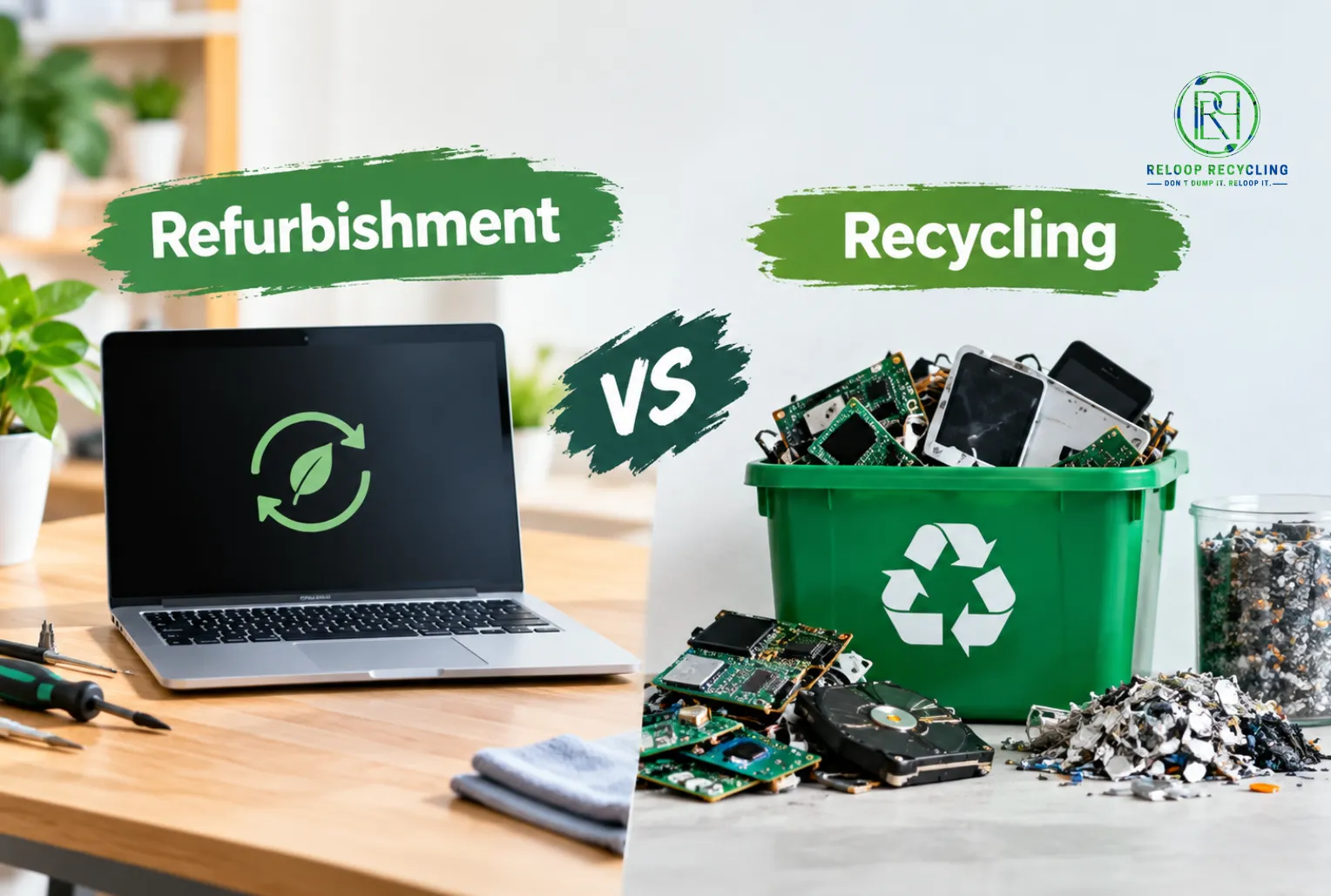
The main difference is simple. Refurbishment keeps the product in use while recycling focuses on recovering materials from the product.
Imagine a company has 100 old laptops. Some may still work properly and only need a battery replacement. Others may need a new storage drive or minor repairs. These devices could be good candidates for refurbishment.
Some of the laptops may have broken screens or damaged motherboards. Others may be too old to support the software and security requirements of the business. These devices may be better suited for recycling.
This means businesses do not have to choose one option for every device. The same collection can contain equipment that is refurbished and equipment that is recycled. The right approach is to assess each asset and determine the most practical next step.
Why Should Businesses Consider Refurbishment?
IT equipment contains value beyond its raw materials. A laptop contains a processor, memory, storage, battery and other components. These parts required resources and energy to manufacture. The same is true for servers, desktops, monitors and other electronic products.
If a device can still perform a useful job, sending it directly for recycling may mean losing some of that remaining product value. Refurbishment can extend its useful life and delay the need for a replacement.
This can also support a circular approach to IT. Instead of following a simple model of buying, using and disposing of equipment, businesses can look for ways to keep products and components in use for longer.
When Should IT Equipment Be Refurbished?
Not every old device needs to be recycled. Many devices can continue to provide value after they are repaired or upgraded. Here are some signs that refurbishment may be worth considering.
The Device Still Works
A working device is usually the simplest candidate for refurbishment. If a laptop turns on and can perform basic tasks, it may still have plenty of useful life left. It may only need cleaning, testing or a small repair.
The same applies to monitors, desktop computers and other office equipment. A device does not automatically become useless because it has reached a certain age. Its actual condition and performance are more important factors.
The Device Can Still Meet Its Purpose
An old laptop may not be powerful enough for demanding work. It may struggle with advanced design software or other resource-heavy applications. But that does not mean it cannot be used at all.
The same laptop may work perfectly for emails, documents and basic business applications. It could be given to an employee whose role does not require high performance. It could also be used at a reception desk or in a training environment.
The important question is whether the equipment can still do the job it is needed for. Businesses should look at the intended use before deciding that older equipment has no value.
The Repair Cost Is Reasonable
Refurbishment also needs to make financial sense. Replacing a battery or storage drive may be relatively simple. It may add several years to the life of the device.
A major motherboard repair is different. The cost may be high and replacement parts may be difficult to find. If the repair costs more than the expected value of the equipment, refurbishment may not be practical.
Businesses should consider the repair cost along with the expected remaining life of the device. A small investment that extends the useful life can make sense. A large repair on an outdated device may not.
Replacement Parts Are Available
Some equipment is easier to refurbish than other equipment. Laptops with replaceable batteries, storage and memory can often be upgraded more easily. Other devices may use proprietary parts that are difficult to source.
Parts availability is therefore an important factor. If replacement components are readily available, refurbishment may be easier and more cost-effective. If parts are no longer produced, the device may be better suited for recycling.
The Equipment Has a Second Use
A device does not have to return to the same person or department. It may still be useful somewhere else in the organisation.
For example, a company may replace high-performance laptops used by its design team. Those older laptops may still be suitable for administrative employees. They could also be moved to another office or used by temporary staff.
Finding a second use can extend the life of equipment without requiring a business to purchase another device immediately.
When Is Recycling the Better Choice?
Refurbishment is not practical for every piece of equipment. Some devices have reached the end of their useful life. Others may cost too much to repair or may no longer meet business requirements.
In these situations, responsible recycling can be the better option.
The Equipment Is Too Damaged
Some devices are simply too damaged to repair. They may have suffered water damage or serious physical damage. Internal components may also have failed.
A device can sometimes be repaired in theory. But that does not mean the repair is practical. If several major components are damaged, the cost and effort involved may not be justified.
Recycling allows the equipment to be processed in a different way. Useful materials can be recovered instead of leaving the device unused in storage.
The Repair Cost Is Too High
A device may still be repairable but not worth repairing. Consider an old laptop with a broken screen, damaged battery and faulty motherboard. It may be possible to replace all three components. However, the total repair cost could be higher than the value of the laptop.
In this situation, recycling may be more practical. The equipment can be processed for material recovery instead of spending significant resources on a device with limited remaining value.
The Equipment Is Technologically Obsolete
Technology changes quickly. Older computers may no longer support modern software. They may also lack the hardware needed for current applications.
Security support can also become an issue. Manufacturers may stop providing updates for older systems. Replacement parts may become harder to find.
If the equipment can no longer perform a useful business role, refurbishment may only delay its eventual retirement. Recycling may then be the more suitable option.
The Equipment Does Not Meet Security Requirements
Security should always be considered when dealing with old IT equipment. Businesses may store sensitive information on laptops, desktops, servers and other devices.
An older device may not support the security controls required by the organisation. It may also be difficult to maintain or update.
If the equipment cannot meet the required security standards, continued use may not be appropriate. Once the device is retired, the business should follow its data destruction or sanitisation process before the equipment moves into recycling.
There Is No Practical Use for the Equipment
Sometimes equipment still works but there is simply no demand for it. A company may have large quantities of old keyboards, outdated networking equipment or monitors that no department needs.
Keeping these items in storage takes up space. It can also make asset management more difficult.
If there is no realistic use for the equipment, recycling can provide a practical end-of-life solution.
What About Individual IT Components?
The entire device does not always have to follow the same path. A computer may be unsuitable for complete refurbishment while some of its components still have value.
For example, a desktop computer could have a damaged motherboard while the memory, power supply or other components remain functional. These parts may be assessed separately.
This is why proper sorting and testing are important. A professional process can identify which parts may be suitable for reuse and which materials should move into recycling.
This approach helps recover more value from old equipment.
Data Security Comes First
Data security is important whether equipment is being refurbished or recycled. Old IT equipment can contain sensitive business information. This may include customer records, employee information, emails, passwords and company documents.
Simply deleting files is not always enough for business requirements. Organisations should have an appropriate process for data sanitisation or destruction.
This applies to laptops, desktops, servers, hard drives, SSDs, smartphones, tablets, printers and network equipment.
The exact method will depend on the device and the organisation’s security requirements. The important point is that data should be dealt with before the equipment leaves the business.
A device should never be sent for reuse or recycling without considering what information may still be stored on it.
How to Decide Between Refurbishment and Recycling
Businesses can follow a simple process when deciding what to do with old IT equipment.
Step 1: Identify the Equipment
Start by creating an inventory of the equipment. Record the device type, model, serial number and age. You should also record its current condition and location.
Good records make the rest of the process easier. They also help businesses keep track of equipment as it moves through its end-of-life journey.
Step 2: Check the Condition
Look at the physical condition of the device. Check for damaged screens, missing parts, broken ports and other visible problems.
Also check whether the device turns on. A basic physical and functional assessment can quickly identify potential refurbishment candidates.
Step 3: Test the Device
A proper test can reveal problems that are not visible from the outside. Check the main components and overall performance.
For laptops this may include the screen, keyboard, battery, storage and memory. The exact checks will depend on the type of equipment.
Step 4: Check Security Requirements
Determine whether the device contains business data. Identify the appropriate data sanitisation or destruction process before the device is transferred.
This step should not be treated as an afterthought. Data security is part of the equipment’s end-of-life process.
Step 5: Look at Repair Costs
If repairs are required, estimate the cost. Compare that cost with the expected value and remaining life of the device.
A small repair may be worthwhile. A major repair on very old equipment may not be.
Step 6: Look for a Second Use
Ask whether another employee or department can use the device. Equipment that no longer meets one department’s needs may still be suitable for another role.
This is one of the simplest ways to extend the useful life of IT equipment.
Step 7: Recycle What Cannot Be Reused
Some equipment will reach the end of its useful life. There is no benefit in keeping unusable devices in storage forever.
Equipment that cannot be reused or refurbished should move through a responsible recycling process. This allows materials and components to be recovered where possible.
Refurbishment and Recycling Can Work Together
Businesses do not need to choose refurbishment or recycling for their entire equipment inventory. Both options can work together.
Consider a company that is replacing 500 laptops. Some may still be in excellent condition. These could be redeployed or refurbished. Another group may need minor repairs before being used again.
The remaining laptops may be too old or too damaged. These could be sent for recycling.
This approach is more practical than treating every device in exactly the same way. It also gives businesses a better chance of recovering value from their IT assets.
Benefits of Refurbishing IT Equipment
Refurbishment can provide several benefits for businesses. The first is a longer equipment life. A repaired device can continue to serve a useful purpose instead of being retired immediately.
It can also reduce unnecessary waste. When usable equipment stays in service, fewer devices need to enter the waste stream.
Refurbishment can also preserve the value of the original product. A working laptop generally has more potential use than the raw materials recovered from that same laptop.
It can also support circular IT practices. Businesses can look beyond the traditional model of buying new equipment and disposing of old equipment.
Benefits of Recycling IT Equipment
Recycling also has an important role in responsible IT asset management. Not every device can be reused and not every repair makes sense.
Recycling provides an option for equipment that has reached the end of its useful life. Materials can be recovered from old electronics and directed into suitable recycling processes.
It also helps businesses avoid sending electronic equipment into general waste streams. Proper e-waste recycling ensures that retired equipment is handled through an appropriate process.
What Should Businesses Do With Old IT Equipment?
There is no single answer for every device.
A working laptop may be a strong candidate for refurbishment. A damaged server may be better suited for recycling. An old desktop may not be useful as a complete machine but could still contain components that can be recovered.
The right decision starts with an assessment.
Businesses should look at the equipment’s condition and performance. They should consider repair costs and security requirements. They should also consider whether there is another practical use for the equipment.
Most importantly, businesses should avoid treating every old device as waste.
A Simple Rule to Follow
A simple approach can make the decision easier.
Reuse when possible. If a device still works and meets the required needs, look for another use.
Refurbish when practical. If a device needs a reasonable repair or upgrade, consider extending its life.
Recover useful components where possible. Even if the complete device cannot be reused, some components may still have value.
Recycle when the equipment has reached the end of its useful life. If the device is too old, too damaged or too expensive to repair, responsible recycling may be the right choice.
Final Thoughts
Old IT equipment is not always waste. Some devices still have plenty of useful life left. With the right assessment, they can be repaired, upgraded and returned to use.
Refurbishment can help businesses extend equipment life and preserve product value. It can also support a more circular approach to IT management.
However, refurbishment is not right for every device. Some equipment is too old or too damaged. Some may be too expensive to repair. Others may no longer meet current business or security requirements.
These devices are better suited to responsible recycling.
The key is to assess equipment before deciding what happens to it. Do not send every old device straight to recycling. At the same time, do not spend money refurbishing equipment that has no realistic future use.
Reuse it when you can. Refurbish it when it makes sense. Recover useful components where possible. Recycle it when it has reached the end of its useful life.
This approach gives businesses a practical way to manage old IT equipment. It can help them recover more value from their assets while reducing unnecessary electronic waste.

Raju Lajwani
 Connect on LinkedIn